
Essential Automated Backups for Open Source Web Projects
What you'll learn
 The Necessity of Automated BackupsCore Components of Web Application BackupChoosing the Right Tools for AutomationImplementing, Testing, and Monitoring Your Backup Strategy
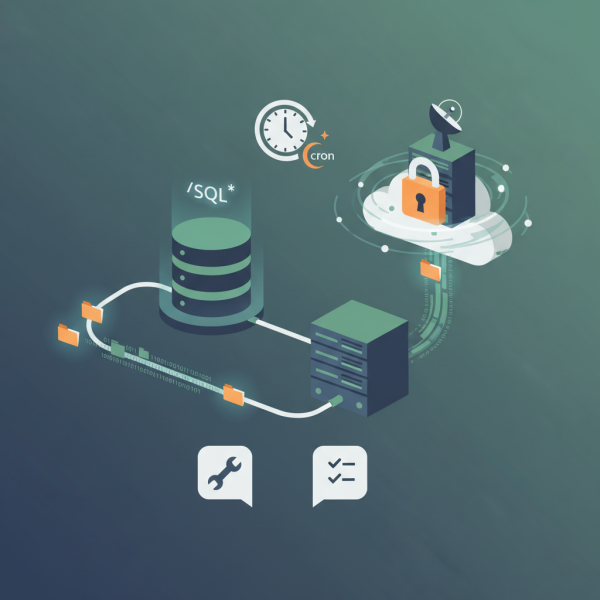
For open source web software developers, where projects often involve intricate codebases, user-generated content, and critical databases, the specter of data loss is a constant concern. Automating site backups is not merely a best practice; it is a fundamental requirement for maintaining business continuity, ensuring data integrity, and safeguarding against unforeseen disasters. This article will delve into the essential aspects of scheduling regular copies of your files and database to a secure remote location, providing a comprehensive guide to implementing an effective, automated backup strategy for your open source projects.
The Non-Negotiable Necessity of Automated Backups
Manual backups are prone to human error, inconsistency, and are simply not scalable. For developers managing multiple projects or contributing to large open-source initiatives, a manual approach quickly becomes unsustainable. Automation removes these frailties, ensuring that backups are performed regularly, consistently, and without direct intervention. This frees up valuable development time, allowing you to focus on innovation rather than tedious maintenance tasks.
Consider scenarios like server failures, accidental deletions, malicious attacks, or even a critical bug deployment that corrupts data. In such situations, a recent, reliable backup can be the difference between a minor setback and catastrophic data loss. Automated backups provide a safety net, allowing for rapid recovery and minimizing downtime, which is crucial for user trust and project viability.
Core Components of a Web Application Backup
A typical web application comprises two primary data types that require backup: files and databases. Both are equally critical and necessitate distinct backup approaches.
- Files: This category includes your application's source code, configuration files, uploaded media (images, documents), themes, plugins, and any other static assets. These files represent the structure and content of your website.
- Databases: The database holds all dynamic content, user information, settings, and transactional data. For most web applications, this is the most frequently changing and often the most critical component.
It is imperative that both these components are backed up in a synchronized manner, or at least with sufficient frequency to ensure data consistency upon restoration.
Choosing the Right Tools for Automation
The open-source ecosystem offers a wealth of tools perfect for automating your backup processes. Leveraging these tools often involves scripting and scheduling.
For File Backups:
Command-line utilities are your best friends here. Tools like rsync are incredibly powerful for incremental backups, transferring only the changed files between your source and destination. This drastically reduces transfer times and bandwidth usage after the initial full backup. Other options include simple scp or `sftp` commands for direct file transfers to a remote server, or utilizing cloud provider CLI tools (e.g., aws s3 cp, gcloud storage cp) for direct uploads to object storage.
For Database Backups:
Database-specific dump utilities are essential for creating consistent snapshots of your data. For MySQL and MariaDB, mysqldump is the standard, while PostgreSQL users rely on pg_dump. These tools export the database schema and data into a SQL file, which can then be compressed and transferred. For highly transactional databases, consider using logical or physical replication features if your setup supports it, creating a read-replica solely for backup purposes to minimize impact on the primary instance.
Orchestration and Scheduling:
cron is the ubiquitous job scheduler on Unix-like systems and forms the backbone of most automated backup strategies. You can define specific times and intervals for your backup scripts to run. For more complex, distributed, or containerized environments, tools like Kubernetes CronJobs or dedicated backup solutions might be more appropriate, but for many open source projects, cron is perfectly sufficient and robust.
Implementing Your Automated Backup Strategy
A typical setup involves creating shell scripts that execute your chosen backup commands, compress the output, and then transfer it to a secure remote location. Let's outline a conceptual workflow:
- Script Creation: Write a shell script (e.g.,
backup.sh) that first dumps your database, then archives your files, and finally transfers both to a remote destination. - Compression: Always compress your backup files (e.g., using
tarandgzip) to save space and reduce transfer times. - Encryption: For sensitive data, encrypt your backup files before transferring them to ensure data privacy, especially if the remote storage isn't fully under your control. Tools like
gpgcan be integrated into your script. - Remote Storage: Choose a secure, off-site location. This could be an SFTP server, cloud object storage like AWS S3, Google Cloud Storage, or Backblaze B2, or even another dedicated server in a different geographical region. The key is redundancy and physical separation from your primary server.
- Scheduling with
cron: Add an entry to your crontab to execute your backup script at desired intervals (e.g., daily, hourly). Ensure the user running the cron job has the necessary permissions.
Remember to configure your scripts to handle errors gracefully and potentially log their execution status. Implement a retention policy to automatically delete old backups, preventing storage bloat.
Testing and Monitoring: The Unsung Heroes
An automated backup system is only as good as its ability to restore data. Regularly testing your restore procedures is paramount. This involves: creating a separate test environment, attempting a full restore from a recent backup, and verifying data integrity and application functionality. This process uncovers any flaws in your backup scripts or restore documentation before a real emergency strikes.
Monitoring your backup jobs is equally critical. Implement mechanisms to notify you if a backup job fails, either through email, Slack integration, or system logs. Tools like Healthchecks.io or simple log parsing scripts can help ensure that your backups are consistently running as expected.
Summary
Automating site backups is a cornerstone of responsible web development, particularly for those working within the open-source community. By leveraging powerful open-source tools like rsync, database dump utilities, and cron, developers can establish a robust system for regularly copying both file assets and database content to secure, remote locations. Crucially, a proactive approach includes not just setting up the automation but also diligently testing restore procedures and actively monitoring backup job success, ensuring that your projects are resilient against data loss and can quickly recover from any unforeseen event.
Comprehension questions
 What are the two primary data types of a web application that require backup, and why is their synchronized backup important?Which open-source command-line utilities are recommended for file backups, and what is the primary benefit of using rsync?What is the ubiquitous job scheduler on Unix-like systems used for orchestrating automated backup tasks, and how is it utilized?Beyond setting up the automation, what two critical practices are emphasized to ensure the effectiveness and reliability of an automated backup strategy?