
Mastering Design Consistency with WordPress Global Styles
What you'll learn
 Understanding Global StylesCore Elements of a Design SystemImplementing with Theme.jsonWorkflow and Maintenance
When working within WordPress, where flexibility meets functionality, maintaining a consistent brand identity and user experience across a website can sometimes feel like a challenging endeavor. This is especially true when multiple contributors are involved or when a site grows significantly over time. Fortunately, the evolution of WordPress, particularly with the advent of the Block Editor and Full Site Editing, has introduced powerful tools like Global Styles. These tools provide an elegant and efficient solution for establishing and enforcing a robust design system, ensuring every element on your site aligns with your brand's aesthetic without requiring extensive custom coding.
What is a Design System and Why Does it Matter?
A design system is more than just a style guide; it's a comprehensive set of standards, principles, and reusable components that dictate the design of your digital products. Think of it as a living library of visual and functional elements, from typography and color palettes to spacing rules and component behaviors.
For open-source software users leveraging WordPress, a well-defined design system brings immense benefits. It eliminates ambiguity in design choices, streamlines the development process, and significantly reduces the effort required to maintain a consistent look and feel across all pages and posts. This consistency is crucial for building trust with your audience and enhancing the overall user experience.
A consistent design system ensures that every button, heading, and image block adheres to predefined rules, regardless of who is creating the content or where it appears on the site. This not only speeds up content creation but also makes future site updates and redesigns far more manageable and less prone to inconsistencies.
Introducing WordPress Global Styles
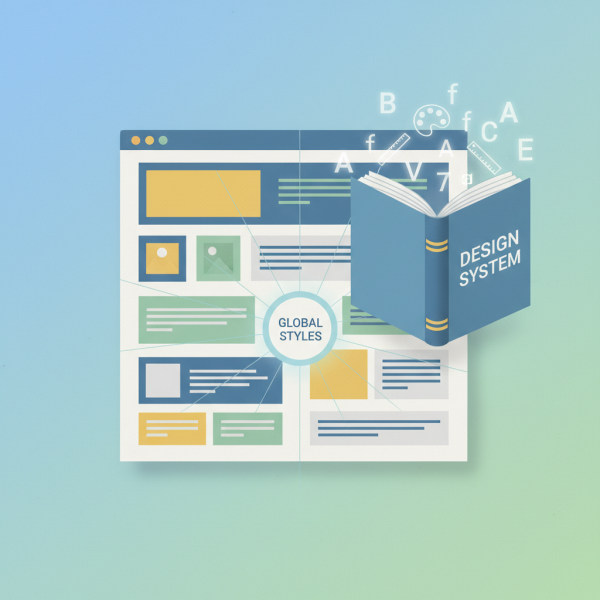
WordPress Global Styles, deeply integrated with the Block Editor and the theme.json file, are the cornerstone of creating a modern design system within WordPress. They allow you to define universal design settings that automatically apply across your entire website, from site-wide typography and colors to default block settings.
Before Global Styles, achieving site-wide consistency often involved custom CSS, which could become cumbersome and difficult to manage as a site evolved. Global Styles centralize these design decisions, making it possible to control your site's aesthetics from a single, intuitive interface: the Site Editor (or through direct manipulation of theme.json for advanced users).
This approach empowers users, even those without deep coding knowledge, to make impactful design changes that ripple through their entire site, ensuring brand cohesion and responsiveness without breaking individual page layouts.
Core Elements of Your Global Styles Design System
Building an effective design system with Global Styles involves defining key visual elements that form the foundation of your site's appearance. By standardizing these elements, you create a predictable and harmonious user experience.
- Typography: Define your brand's fonts, including font families, sizes for headings and body text, line heights, and letter spacing. Global Styles allow you to set these for various text elements and even specific blocks.
- Color Palette: Establish a comprehensive color palette including primary, secondary, accent, and neutral colors. These colors can then be easily selected and applied across all blocks, ensuring brand consistency.
- Spacing and Layout: Standardize margins, padding, and block spacing to create visual hierarchy and maintain a clean, organized layout. This includes setting default widths for content and wide alignments.
- Borders and Shadows: Define styles for borders (color, width, radius) and box shadows to give components a consistent visual treatment, enhancing their distinction and interactivity.
- Block-Specific Settings: Beyond site-wide styles, you can also define default styles for individual blocks, such as button colors, image alignments, or list item styling.
By meticulously defining these core elements within your Global Styles, you equip your content creators with a toolkit that inherently promotes consistency, reducing the likelihood of "design drift" over time.
Implementing Global Styles with theme.json
The theme.json file is the engine behind WordPress Global Styles, acting as the central configuration file for all your design system's settings. Located at the root of your active block theme, it's a JSON file where you declare your site's typography, color palettes, layout settings, and block-specific styles.
For users who prefer a visual interface, many of these settings can be configured directly within the WordPress Site Editor (Appearance > Editor). As you adjust settings like color palettes, typography, and block styles in the editor, WordPress automatically updates the theme.json file, making it accessible even without manual code editing.
However, for advanced customization and fine-grained control, directly editing theme.json offers unparalleled power. Here's a glimpse of what you can define:
settings: This section controls global features and default styles. You can enable or disable features like custom colors, custom font sizes, block spacing, and define your default color palettes and typography scales.styles: This section allows you to apply default styles to specific HTML elements (likebody,h1,p) or individual blocks (likecore/button,core/image). You can set colors, typography, spacing, and more.custom: Here you can define custom CSS variables that can be referenced throughout your theme andtheme.json, providing even greater flexibility and maintainability for design tokens.
Understanding and utilizing theme.json is key to unlocking the full potential of a robust design system in WordPress. It transforms your theme from a collection of templates into a dynamic, opinionated framework for consistent design.
Best Practices for Maintaining Consistency
Creating a design system is an ongoing process, not a one-time setup. To ensure its effectiveness and longevity, consider these best practices:
Start Small and Iterate: Don't try to define everything at once. Begin with the most critical elements like typography and primary colors. As your site evolves and you gain more experience, gradually expand your design system to include more components and intricate rules.
Document Your Decisions: While Global Styles enforce consistency technically, having a simple human-readable document or internal guide explaining your design choices (e.g., "Use this color for primary CTAs," "Headings should always use this font") can be invaluable for new team members or when making future revisions.
Educate Your Team: If multiple users are contributing content, ensure they understand the power of Global Styles. Explain how the system works and how their choices within the editor affect the overall site design. The beauty of Global Styles is that they often guide users towards consistent choices inherently.
Regularly Review and Refine: Websites are living entities. Periodically review your design system to ensure it still meets your brand's needs and current web standards. Gather feedback from users and content creators to identify areas for improvement or expansion.
By adopting these practices, your WordPress Global Styles design system will remain a powerful asset, ensuring your site consistently reflects your brand's professionalism and vision.
Summary
Establishing a consistent design system using WordPress Global Styles is a transformative step for any WordPress user, especially those focused on open-source projects. We've explored how a design system provides a standardized framework for your website's aesthetics, enhancing efficiency, scalability, and brand cohesion. Global Styles, powered by the theme.json file and integrated with the Block Editor, enable centralized control over typography, colors, spacing, and block-specific settings. By defining these core elements and adhering to best practices like iterative development and documentation, you can create a robust and maintainable design system that ensures a professional and consistent user experience across your entire WordPress site.
Comprehension questions
 What is the primary benefit of using Global Styles for design consistency?How does the `theme.json` file facilitate the creation of a design system in WordPress?Name two types of design elements that can be managed effectively with Global Styles.Why is it important to consider an iterative approach when developing your design system?