Mastering WordPress Site Maintenance
Course Details
Maintaining a WordPress website goes far beyond initial setup and content creation; it involves a continuous commitment to performance, security, and stability. For open-source web developers, understanding the intricacies of WordPress site maintenance is paramount to delivering robust and reliable solutions. Neglecting routine upkeep can lead to slow loading times, security vulnerabilities, and even catastrophic data loss, ultimately eroding user trust and client satisfaction. This course delves into establishing proactive maintenance routines that ensure your WordPress sites operate at peak efficiency and remain secure against evolving threats.
A critical component of effective WordPress maintenance is database optimization. Over time, WordPress databases can accumulate unnecessary overhead, temporary data, and revision history, leading to bloat and reduced performance. Learning how to regularly clean, optimize, and repair your database is essential for keeping your site fast and responsive. We will explore various techniques and tools to streamline your database, ensuring that it remains lean and efficient, directly impacting your site's overall speed and user experience. This foundational knowledge will empower you to fine-tune your WordPress installations for optimal performance.
Perhaps even more crucial than optimization is the implementation of a comprehensive backup and disaster recovery strategy. Creating reliable "disaster recovery" snapshots of your WordPress site is not just a best practice; it is an absolute necessity. Whether facing a malicious attack, a server failure, or a simple human error, having up-to-date, restorable backups means the difference between a minor setback and irreversible data loss. This course will guide you through establishing an automated, multi-layered backup routine, covering everything from file system backups to database dumps, ensuring you can quickly restore your site to a previous working state with minimal downtime.
We invite all open-source web software developers to join this comprehensive course, where you will gain practical, actionable skills to implement a robust WordPress maintenance and backup strategy. Elevate your development practices, safeguard your projects, and confidently manage your WordPress deployments, ensuring long-term stability and peak performance for all your sites.
Course Contents (13 lessons)
- 1.
 Regular WordPress site maintenance is crucial for ensuring security, optimal performance, and user satisfaction, mitigating risks like data loss and enhancing site longevity.
 - 2.
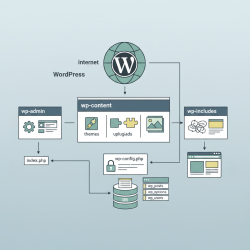 This article details the core components of a WordPress installation, explaining its essential file structure, the critical database schema, and the pivotal wp-config.php file.
 - 3.
 Understanding WordPress database health, common issues like bloat and fragmentation, and their profound impact on website performance is crucial for maintaining a fast, reliable, and efficient online presence.
 - 4.
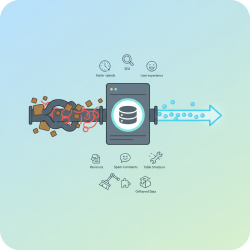 WordPress database optimization is key for website speed and user experience, achieved through cleaning unnecessary data, optimizing tables, and using specialized tools.
 - 5.
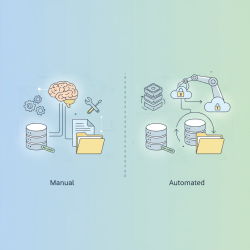 A comprehensive comparison of manual and automated WordPress backup approaches, detailing their advantages and disadvantages for effective website data protection strategies.
 - 6.
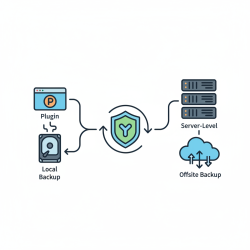 This article compares plugin-based and server-level backup solutions, detailing their pros and cons, and recommends a hybrid approach for comprehensive data protection.
 - 7.
 This article details how to implement a comprehensive, multi-layered backup routine covering files and databases, emphasizing local, offsite, and archival strategies for robust data protection and disaster recovery.
 - 8.
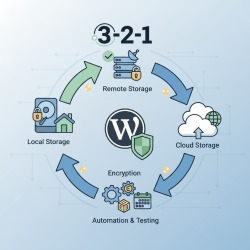 Mastering secure WordPress backup storage involves a multi-faceted approach, combining local convenience, robust remote redundancy, and scalable cloud solutions to protect your digital assets effectively.
 - 9.
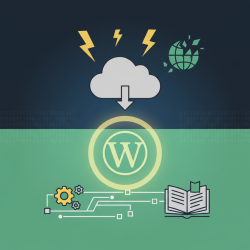 This guide covers WordPress site restoration from backup: preparation, file and database recovery, and post-restoration checks to ensure minimal downtime.
 - 10.
 Proactive WordPress site maintenance is essential for ensuring robust security, optimal performance, and an exceptional user experience, requiring regular updates, backups, and strategic optimization.
 - 11.
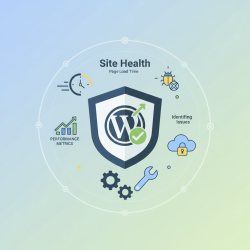 Learn to effectively monitor WordPress site health, identify common performance bottlenecks, interpret key metrics, and implement proactive strategies for maintaining optimal website speed and stability.
 - 12.
 Integrating essential security practices into your regular WordPress maintenance routine is paramount for safeguarding your website against ever-evolving digital threats and ensuring its continuous operation.
 - 13.
 Explore advanced command-line interfaces and automation techniques for efficient WordPress maintenance, covering WP-CLI, server-side scripting, and best practices to enhance site performance and security.