
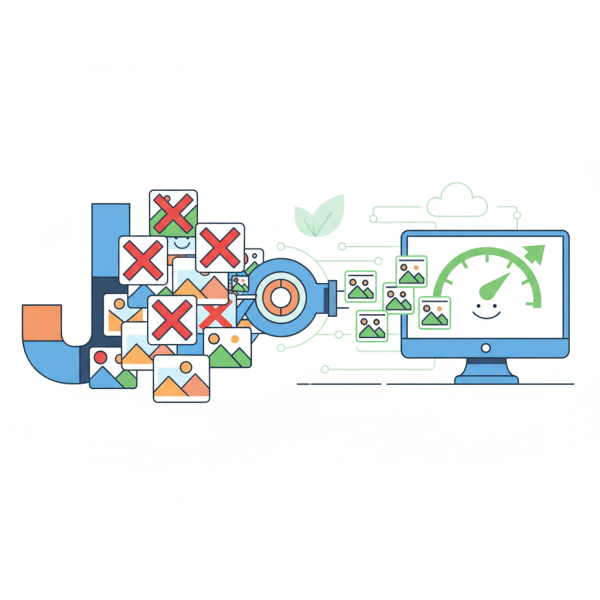
Joomla Image Optimization Tools and Strategies
What you'll learn
 Importance of Image OptimizationCore Image Optimization TechniquesJoomla Image Optimization ExtensionsStrategic Implementation for Joomla
For Joomla users, ensuring a swift and responsive site experience is crucial for engaging visitors, improving search engine rankings, and ultimately achieving your online objectives. A significant, often overlooked, factor impacting website speed is image file size. Large, unoptimized images can drastically slow down page load times, leading to frustrated users and higher bounce rates. This article will delve into the critical aspects of image optimization specifically for Joomla websites, exploring essential techniques and highlighting powerful extensions that can help you shrink file sizes without compromising visual quality.
Why Image Optimization Matters for Your Joomla Site
Optimizing images is not merely a technical task; it's a strategic move that affects multiple facets of your website's success. Slow-loading websites are detrimental to user experience. Visitors expect pages to load almost instantly, and any delay can cause them to abandon your site for a competitor. Furthermore, search engines like Google prioritize fast-loading websites in their rankings. A well-optimized site, therefore, enjoys better visibility and higher organic traffic.
Beyond user experience and SEO, image optimization conserves server resources and bandwidth. Smaller file sizes mean less data transfer, which can reduce hosting costs, especially for high-traffic sites. It also contributes to a more sustainable web by using fewer resources. For Joomla administrators, understanding these benefits is the first step towards a more efficient and impactful online presence.
Core Image Optimization Techniques
Effective image optimization involves a combination of techniques applied at different stages of your content creation workflow. Adopting these practices proactively can save significant time and effort later.
Choosing the Right Format
- JPEG (JPG): Ideal for photographs and images with many colors and gradients. JPEG uses lossy compression, meaning some data is discarded during compression, resulting in smaller file sizes but a potential reduction in quality.
- PNG: Best for images with transparency, logos, line art, and screenshots. PNG uses lossless compression, preserving all original data, but often results in larger file sizes than JPEGs for complex images.
- WebP: A modern image format developed by Google that offers superior lossy and lossless compression for images on the web. WebP images are often significantly smaller than JPEGs or PNGs while maintaining comparable quality, making them an excellent choice for modern Joomla sites.
Resizing and Scaling
One of the most impactful optimization steps is ensuring your images are correctly sized for their display dimensions. Uploading a 2000px wide image to be displayed at 500px is inefficient. Always resize images to the maximum dimensions they will appear on your website before uploading them. Responsive image techniques, which serve different image sizes based on the user's device, further enhance this strategy.
Compression (Lossy vs. Lossless)
Compression algorithms reduce file sizes. Lossy compression, as seen with JPEG, removes some image data permanently, which can lead to a slight degradation in quality but significant file size reduction. Lossless compression, like that used in PNG, retains all original image data, meaning no quality loss, but generally less dramatic file size reduction. The key is to find the right balance between file size and acceptable visual quality.
Lazy Loading
Lazy loading is a technique where images are only loaded when they enter the user's viewport, rather than all at once when the page loads. This improves initial page load times, especially for pages with many images below the fold. Modern browsers now support native lazy loading, which can be easily implemented.
Leveraging Joomla Extensions for Advanced Optimization
While manual optimization is always recommended, specialized Joomla extensions can automate much of the process, making it far more efficient, especially for large sites or those with frequent content updates.
Akeeba Image Recycler
This powerful extension automatically optimizes new and existing images on your Joomla site. It integrates with various third-party optimization services (like TinyPNG, Kraken.io) to compress images upon upload or on demand. It supports WebP conversion and offers a "revert" function, providing peace of mind. Image Recycler is a set-it-and-forget-it solution that significantly reduces the manual workload of image optimization.
JCH Optimize
While JCH Optimize is a comprehensive performance optimization plugin, it includes robust image optimization features. It can lazy load images, generate WebP versions, and optimize image delivery by combining CSS and JavaScript files. Its holistic approach to performance means you're addressing multiple speed bottlenecks simultaneously.
SP Smart Images
SP Smart Images is designed to deliver responsive images and improve page load speed by dynamically serving appropriate image sizes based on the visitor's device. It can also convert images to WebP format, ensuring that your users always receive the most optimized version suitable for their screen and browser, further enhancing the user experience and SEO.
Other Considerations: Cache Extensions
Many advanced caching extensions for Joomla, such as LiteSpeed Cache or JotCache, offer additional image optimization features. These might include client-side caching, browser caching headers, and sometimes even direct image compression or WebP conversion, working in conjunction with dedicated image optimizers to provide a fully optimized delivery chain.
Implementing a Comprehensive Optimization Strategy
A successful image optimization strategy for your Joomla site involves more than just installing an extension. It requires a thoughtful approach:
- Audit Existing Images: Start by identifying and optimizing the images already present on your site. Many extensions can help with bulk optimization.
- Proactive Optimization: Before uploading new images, process them using desktop tools (e.g., GIMP, Photoshop, ImageOptim) to ensure they are correctly sized and initially compressed.
- Integrate Extensions: Choose one or two powerful Joomla extensions that align with your needs and budget, and configure them carefully.
- Automate Where Possible: Leverage the automation capabilities of extensions to handle new uploads and ongoing optimization tasks.
- Monitor Performance: Regularly use tools like Google PageSpeed Insights or GTmetrix to monitor your site's performance and identify areas for further improvement.
Summary
Optimizing images on your Joomla website is a non-negotiable aspect of modern web development. It directly impacts your site's speed, user experience, search engine rankings, and resource consumption. By understanding core techniques like choosing appropriate formats, resizing, effective compression, and implementing lazy loading, you lay a strong foundation. Furthermore, leveraging robust Joomla extensions such as Akeeba Image Recycler, JCH Optimize, and SP Smart Images can automate and enhance these processes significantly, ensuring your website remains fast, efficient, and competitive in the digital space. Continuous monitoring and adaptation are key to maintaining peak performance.
Comprehension questions
 Why is image optimization particularly important for Joomla website performance and SEO?What are three core image optimization techniques discussed in the article?Name two specific Joomla extensions that can assist with automated image optimization.What is the main difference between lossy and lossless compression, and which image formats typically use each?