
How to Use Pre-built Block Layouts within WordPress for Faster Design
What you'll learn
 Introduction to WordPress Block PatternsBenefits for Efficient Website DesignUtilizing and Customizing Pre-built LayoutsCreating Custom Patterns and Best Practices
In the world of WordPress, efficiency and consistency in design are paramount, especially for those who manage multiple sites or frequently update content. While the Block Editor has revolutionized content creation by introducing a modular approach, an even more powerful feature lies within: pre-built block layouts, commonly known as Patterns. These patterns serve as ready-to-use collections of blocks, meticulously arranged to create common sections and designs, allowing users to accelerate their design process significantly without needing extensive coding knowledge. For open-source enthusiasts and WordPress users looking to streamline their workflow, understanding and leveraging patterns is a game-changer, transforming how quickly and professionally designs can be implemented.
What Are WordPress Patterns?
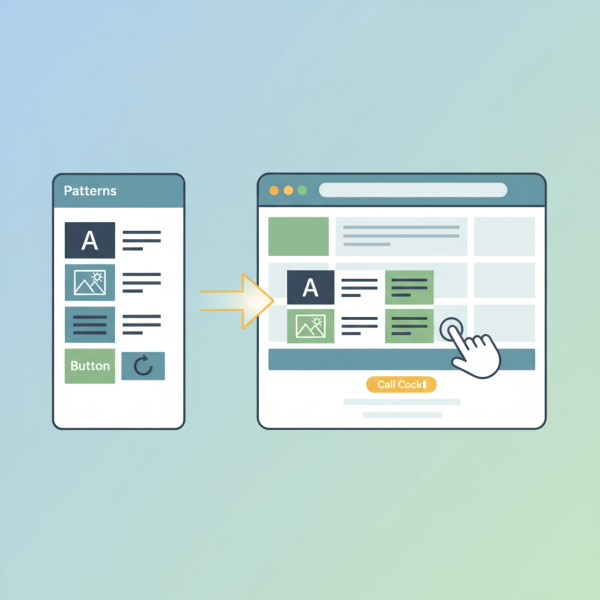
At its core, a WordPress pattern is a group of pre-arranged blocks designed to achieve a specific layout or visual element. Think of them as design templates for sections of your page or post. Instead of adding individual blocks—like a heading, a paragraph, an image, and a button—and then meticulously styling and positioning each one, a pattern bundles these blocks together into a cohesive unit. This could be anything from a call-to-action section, a team members display, a testimonials carousel, a pricing table, or a complex hero section. They are flexible and fully editable once inserted, meaning they provide a solid starting point that you can then tailor to your exact needs.
The Benefits of Embracing Patterns
The advantages of incorporating patterns into your WordPress design workflow are numerous, offering significant improvements in both speed and quality:
- Time-Saving Efficiency: The most immediate benefit is the dramatic reduction in design time. Instead of building layouts from scratch, you can insert a pre-designed pattern in seconds, freeing up valuable time for content creation and other tasks.
- Design Consistency: Patterns help maintain a uniform look and feel across your website. By using the same patterns or variations of them, you ensure that elements like call-to-action sections or feature lists have a consistent aesthetic, enhancing your site's professionalism and user experience.
- Empowering Non-Designers: For users who may not have a strong design background or deep CSS knowledge, patterns provide a robust framework. They eliminate the guesswork of block arrangement and styling, making sophisticated layouts accessible to everyone.
- Flexibility and Adaptability: While pre-built, patterns are not rigid. Every block within a pattern remains fully editable. You can change text, swap images, adjust colors, modify typography, or even remove blocks you don't need, allowing for complete customization.
- Learning Tool: Patterns can also serve as an excellent learning resource. By dissecting how professional designers combine and arrange blocks, users can gain insights into effective layout strategies and block editor functionalities.
Finding and Inserting Patterns
Accessing patterns within the WordPress Block Editor is straightforward. When you're editing a post or page, simply click the "Add Block" (+) icon, typically located in the top-left corner of the editor or within the content area. A sidebar or pop-up will appear, presenting various block options. At the top of this panel, you'll see tabs for "Blocks," "Patterns," and sometimes "Media." Click on the "Patterns" tab to browse the available options.
Patterns are often categorized to make finding the right one easier. You might see categories like "Buttons," "Columns," "Gallery," "Header," "Text," and more, depending on your theme and any installed plugins. Once you've found a pattern that suits your needs, simply click on it, and it will be inserted directly into your content, ready for customization.
Customizing Pre-built Patterns
The true power of patterns lies in their customizability. After inserting a pattern, it functions just like a group of individual blocks. You can click on any component within the pattern—be it a heading, a paragraph, an image, or a button—and edit its content and settings using the Block Editor's sidebar controls. For instance, you can easily:
- Replace placeholder text with your actual content.
- Swap out dummy images for your own media.
- Adjust colors, fonts, and spacing using the block settings.
- Rearrange blocks within the pattern or even add new ones.
- Delete any blocks from the pattern that you don't require for your specific design.
This level of flexibility ensures that while you start with a polished design, you have full control to adapt it perfectly to your brand and message.
Creating Your Own Reusable Patterns
Beyond using pre-built options, WordPress also empowers users to create their own patterns. This is particularly valuable for elements you use frequently across your site, perhaps with specific branding or complex layouts. To create a custom pattern, first design your desired block layout using individual blocks. Select all the blocks you wish to include in your pattern. In the toolbar that appears, click the three vertical dots (options menu) and choose "Create Pattern." You'll be prompted to give your pattern a name and decide if it should be synchronized (meaning changes to one instance update all others) or unsynchronized. Custom patterns are then saved and appear alongside the default ones, ready for quick insertion whenever needed.
Best Practices for Effective Pattern Usage
To maximize the benefits of WordPress patterns, consider these best practices:
Plan Your Layout: Before diving in, have a rough idea of the section you want to build. This helps in quickly identifying the most suitable pattern. Even if it's not perfect, it provides a great starting point.
Treat Patterns as Foundations: View patterns not as rigid templates, but as robust starting points. Be ready to customize and adapt them to fit your specific content and brand aesthetics. Don't be afraid to break them apart and reassemble if needed.
Maintain Brand Consistency: While patterns offer variety, always ensure your customizations align with your website's overall design guidelines, including color palettes, typography, and imagery style. This reinforces your brand identity.
Regularly Review and Refine: As your website evolves, periodically review the patterns you use. Consider if they still serve your needs or if creating new custom patterns might improve efficiency further. The open-source nature of WordPress encourages continuous improvement.
Summary
WordPress patterns are an indispensable tool for anyone looking to design and develop websites more efficiently within the Block Editor. By providing pre-built, customizable block layouts, they significantly reduce design time, promote consistency across your site, and empower users of all skill levels to create professional-looking web content. From finding and inserting existing patterns to customizing them and even creating your own, mastering patterns unlocks a new level of productivity and design flexibility in your WordPress journey. Embrace patterns to streamline your workflow and elevate your website's visual appeal with greater ease and speed.
Comprehension questions
 What is a WordPress pattern, and how does it differ from using individual blocks?List three key benefits of incorporating WordPress patterns into your website design workflow.How can users find and insert pre-built patterns within the WordPress Block Editor?Describe how patterns can be customized after they have been inserted into a post or page.