
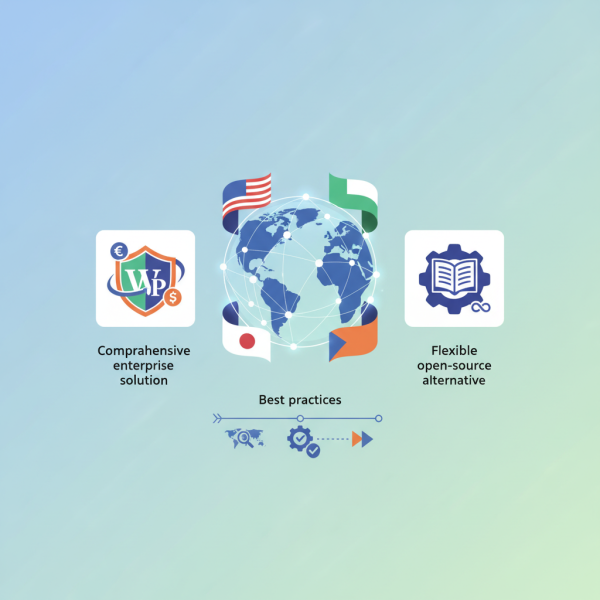
Crafting Multilingual WordPress Experiences using Polylang and WPML
What you'll learn
 Multilingual Website ImportanceWPML Plugin OverviewPolylang Plugin OverviewMultilingual Development Best Practices
The Imperative of Multilingual Websites
In an increasingly interconnected digital world, limiting your WordPress site to a single language means consciously restricting your audience reach. For open-source web software developers, creating a multilingual experience is not merely an optional feature but a strategic imperative. It unlocks access to diverse global markets, facilitates broader user adoption, and encourages contributions from a wider international community. Beyond raw numbers, offering content in a user's native language significantly enhances their engagement, trust, and overall experience, directly impacting conversion rates and brand loyalty. Search engines also favor websites that provide localized content, improving visibility in language-specific search results through proper hreflang implementation.
Choosing Your Multilingual Warrior: Polylang vs. WPML
WordPress, by default, does not offer native multilingual capabilities. To bridge this gap, developers turn to powerful plugins designed to transform a single-language site into a robust multilingual platform. Among the most popular and feature-rich options are WPML (WordPress Multilingual Plugin) and Polylang. While both achieve the goal of language localization, they approach the task with distinct philosophies, feature sets, and pricing models, making the choice often dependent on project requirements, budget, and development preferences.
WPML: The Comprehensive Enterprise Solution
WPML stands as a veteran in the WordPress multilingual landscape, known for its comprehensive feature set and robust support. It is a premium plugin, offering a suite of functionalities designed for professional and enterprise-level projects. WPML is renowned for its ability to translate virtually every element of a WordPress site, from posts, pages, and custom post types to taxonomies, menus, widgets, and even theme and plugin strings.
Key Features and Developer Insights for WPML:
- Advanced Translation Management: WPML offers a sophisticated dashboard for managing translation jobs, including integration with professional translation services. Developers can define specific users as translators for certain languages.
- String Translation: This module is critical for localizing theme and plugin texts that aren't part of standard post content. It scans for translatable strings and provides an interface for their translation.
- Media Translation: WPML allows for the duplication and translation of media attachments, ensuring images and other files can be language-specific with different alt texts and titles.
- Multilingual SEO: It automatically handles hreflang attributes, generates language-specific sitemaps, and allows for distinct SEO titles and descriptions per language, which is vital for international search engine optimization.
- Compatibility: WPML boasts wide compatibility with popular themes, plugins (e.g., WooCommerce, ACF), and page builders, often providing dedicated add-ons for seamless integration.
For developers, WPML provides hooks and APIs for extending its functionality and ensuring custom code is translatable. While its extensive features can introduce a steeper learning curve and potentially impact performance on poorly optimized servers, its capabilities for complex, high-traffic, and e-commerce multilingual sites are unparalleled.
Polylang: The Flexible Open-Source Alternative
Polylang presents itself as a more lightweight and open-source friendly alternative to WPML, with a free core version available in the WordPress plugin repository. It focuses on providing an intuitive and efficient way to create a multilingual site, often appealing to developers and small to medium-sized projects looking for flexibility without a mandatory subscription fee. Polylang operates by linking content translations together rather than duplicating posts for each language, which some developers find cleaner.
Key Features and Developer Insights for Polylang:
- Intuitive Content Linking: Polylang allows you to create separate posts, pages, categories, and tags for each language and then link them as translations of each other. This clear separation can simplify content management.
- Language Switcher: It provides a straightforward widget and template tags (like pll_the_languages()) for displaying a language switcher on the front-end, allowing users to easily navigate between language versions.
- Custom Post Types & Taxonomies Support: Polylang natively supports translating custom post types and taxonomies, essential for complex content structures.
- Basic String Translation: The free version handles basic string translation for site title, description, and some theme options. For more extensive theme/plugin string translations, the Polylang Pro version or third-party add-ons might be required.
- Performance: Generally considered more lightweight than WPML, Polylang can be a good choice for performance-sensitive projects, though careful database querying practices are always recommended.
Developers appreciate Polylang for its simplicity and the control it offers. It integrates well with the WordPress core and provides clear functions for developers to query content by language or display specific language elements. While the free version is robust, advanced needs like translating custom ACF fields or integrating with professional translation services often necessitate upgrading to Polylang Pro or using compatible extensions.
Best Practices for Multilingual WordPress Development
Regardless of whether you choose WPML or Polylang, several best practices are crucial for a successful multilingual WordPress implementation:
- Plan Your Content Strategy: Decide which content needs translation and in what languages before development begins. This foresight simplifies the translation workflow.
- Optimize for Multilingual SEO: Correctly implement hreflang tags (which both plugins help with), use language-specific URLs (subdirectories like /en/, /es/ or subdomains), and create localized metadata for search engines.
- Ensure Theme and Plugin Compatibility: Prioritize themes and plugins that are explicitly marked as "translation-ready" or "multilingual compatible." This significantly reduces future development headaches.
- Performance Considerations: Multilingual sites can be more resource-intensive due to increased database queries. Implement robust caching solutions (e.g., object caching, full page caching) and ensure your hosting environment is optimized.
- Testing Across Languages: Thoroughly test all aspects of your site in every supported language to ensure correct display, functionality, and user experience. Pay attention to text length variations and character sets.
- Developer Workflow: Integrate translation management into your development workflow. Use version control for language files, and establish a clear process for content updates and new language additions.
Summary
Implementing a multilingual strategy for a WordPress site is essential for reaching a global audience and enhancing user experience. Plugins like WPML and Polylang provide robust solutions for this, each with distinct advantages. WPML offers a comprehensive, enterprise-grade feature set ideal for complex projects, while Polylang provides a flexible, lightweight open-source alternative. Developers must carefully consider project scope, budget, and specific requirements when selecting between them. Adhering to best practices in content planning, SEO, compatibility, and performance optimization is paramount for building a successful and maintainable multilingual WordPress website, ensuring a truly global presence for your open-source endeavors.
Comprehension questions
 What are two primary benefits of implementing a multilingual strategy for a WordPress site targeting a global audience?Explain a key philosophical difference between WPML and Polylang regarding their approach to managing multilingual content.What specific SEO attribute is crucial for indicating equivalent content in different languages to search engines?When might a developer choose Polylang over WPML, considering factors beyond just cost?