
Hardening WordPress Login Security as Developers
What you'll learn
 Brute Force PreventionStrong Password PoliciesLogin Attempt LimitingWordPress Security Best Practices
Fortifying Your WordPress Gateways
As open-source web software developers, securing the applications we build and maintain is paramount. WordPress, while incredibly versatile and powerful, is also a frequent target for malicious actors due to its widespread adoption. Among the most common attack vectors is the brute force login attempt, where attackers repeatedly try to guess login credentials. This article will delve into critical strategies for hardening WordPress login security, focusing on two fundamental pillars: implementing strong password policies and effectively limiting login attempts, thereby creating robust defenses against these persistent threats.
Understanding Brute Force Attacks
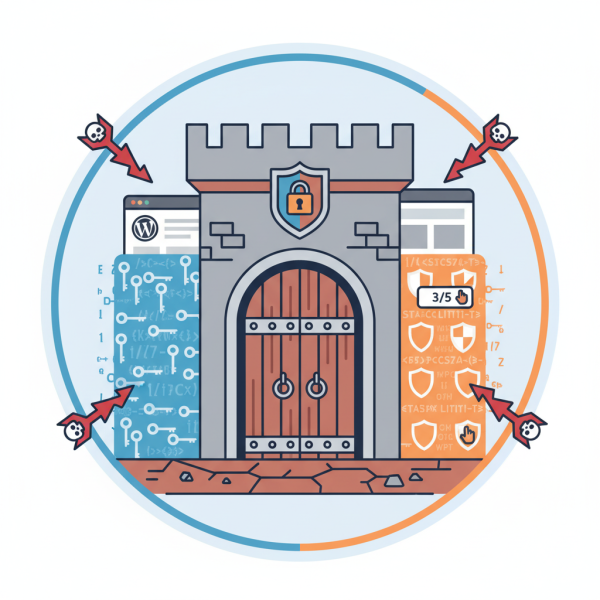
Brute force attacks involve automated scripts systematically trying every possible combination of usernames and passwords until access is gained. WordPress installations are particularly vulnerable because the default login URL (/wp-login.php) is universally known, providing a clear target for attackers. Without proper countermeasures, an attacker could eventually succeed, compromising the entire website, its data, and potentially spreading malware.
These attacks don't just pose a security risk; they can also severely impact server performance by consuming excessive resources due to the sheer volume of login requests. Identifying and mitigating these attempts is crucial not only for security but also for maintaining site stability and availability.
Implementing Strong Password Policies
The first line of defense against any unauthorized access is a strong, unique password. For developers, advocating and enforcing robust password practices within client and team environments is a professional responsibility. Weak, easily guessable passwords are an open invitation for brute force attackers.
Characteristics of a strong password include:
- Length: Ideally 12 characters or more. The longer the password, the exponentially harder it is to crack.
- Complexity: A mix of uppercase and lowercase letters, numbers, and special characters.
- Uniqueness: Not reused across multiple websites or services.
- Randomness: Not based on personal information, common dictionary words, or predictable patterns.
Encouraging the use of password managers for both administrators and users is highly recommended. These tools generate and store complex passwords securely, removing the burden of memorization and reducing the likelihood of users resorting to weaker, easier-to-remember options. WordPress itself provides a password strength meter during user creation, but this is merely a guide; developers can further enforce minimum strength requirements programmatically or through security plugins.
Regular password rotation, though sometimes debated for its efficacy, can add another layer of security, especially for high-privilege accounts. The key is to balance security requirements with user usability, ensuring that security measures don't become so cumbersome they lead to circumvention.
Limiting Login Attempts as a Crucial Countermeasure
Even with strong passwords, a determined attacker might attempt hundreds or thousands of combinations. Limiting login attempts is a direct countermeasure to brute force attacks, effectively slowing down or outright blocking malicious activity by locking out IP addresses after a specified number of failed attempts.
This strategy works by monitoring login attempts from a given IP address. Once a predefined threshold of failed logins is reached within a set timeframe, the system temporarily or permanently blocks that IP address from accessing the login page. This renders brute force attacks impractical, as the attacker would need an unfeasibly large number of unique IP addresses to continue their assault.
Implementing login attempt limiting can be achieved through various methods:
- Security Plugins: Many comprehensive WordPress security plugins offer this functionality as a core feature. These plugins often provide additional options like custom lockout messages, email notifications for lockouts, and whitelisting trusted IP addresses.
- Custom Code (for advanced developers): While plugins offer convenience, developers can also implement custom logic, often leveraging WordPress hooks and filters in
functions.phpor a custom plugin. This approach allows for fine-grained control and can be tailored precisely to specific project requirements, though it requires careful testing and maintenance.
When configuring login attempt limits, consider setting a reasonable threshold (e.g., 3-5 failed attempts) and a lockout duration (e.g., 15 minutes to 24 hours). Be mindful of legitimate users who might genuinely forget their password; an overly aggressive lockout policy could lead to frustrating user experiences.
Further Hardening Techniques
While strong passwords and limited login attempts form the bedrock of WordPress login security, developers should also consider additional measures for a multi-layered defense:
Two-Factor Authentication (2FA): This adds a second layer of verification beyond just a password, typically requiring a code from a mobile app or physical key. 2FA significantly mitigates the risk of compromised passwords, making it almost impossible for attackers to gain access even if they discover credentials.
Rename the Login URL: Changing the default wp-login.php and wp-admin URLs makes it harder for automated bots to even find your login page, reducing the volume of brute force attempts directed at your site. This is a simple yet effective obscurity measure.
IP Whitelisting/Blacklisting: For sites with a known administrative user base or specific regional access requirements, whitelisting specific IP addresses or ranges can restrict login access only to those approved locations. Conversely, blacklisting known malicious IPs can prevent repeat attacks.
Monitor Login Activity: Regularly reviewing login logs for unusual patterns, such as multiple failed attempts from a single IP, logins from unexpected geographical locations, or successful logins at odd hours, can help detect and respond to potential breaches quickly.
Summary: A Proactive Stance on WordPress Security
Securing WordPress logins is an ongoing process that demands a proactive and multi-faceted approach. By diligently implementing strong password policies, leveraging password managers, and crucially, enforcing login attempt limits, developers can significantly enhance the resilience of their WordPress installations against brute force attacks. Supplementing these core practices with measures like two-factor authentication, custom login URLs, and vigilant activity monitoring creates a comprehensive security posture, safeguarding both your projects and your clients' digital assets against ever-evolving cyber threats.
Comprehension questions
 What is the primary goal of limiting login attempts in WordPress security?Name three characteristics of a strong password.Besides limiting login attempts and strong passwords, what is another crucial security measure for WordPress login mentioned in the article?Why are brute force attacks particularly effective against default WordPress login pages?