A Comprehensive Guide to E-commerce on WordPress
- -->> 5. A Comprehensive Guide to E-commerce on WordPress
What you'll learn
 E-commerce IntegrationProduct ManagementOrder & Payment ProcessingSite Optimization
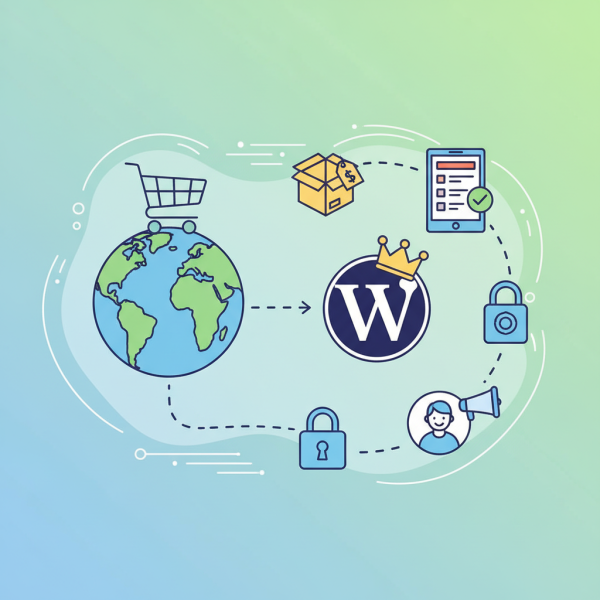
Integrating e-commerce capabilities into your WordPress website transforms it from a static online presence into a dynamic sales platform. This essential step allows businesses of all sizes to reach a broader audience, offer products or services directly, and streamline the entire sales process. From setting up your first product to securely processing customer payments and managing incoming orders, understanding the core components of an e-commerce integration is crucial for digital success. This guide will walk you through the necessary steps to build a robust online store right on your WordPress site.
Choosing Your E-commerce Solution
The first pivotal decision in establishing your online store is selecting the right e-commerce plugin for WordPress. While several options exist, WooCommerce stands out as the most popular and comprehensive solution, powering millions of online shops worldwide. It integrates seamlessly with WordPress, offers extensive flexibility, and boasts a vast ecosystem of extensions and themes.
WooCommerce is open-source, meaning its core functionality is free, providing a cost-effective entry point for many businesses. Its popularity also ensures a strong community support network and abundant resources for learning and troubleshooting.
- WooCommerce: Free, feature-rich, highly customizable, large community.
- Easy Digital Downloads: Specialized for selling digital products.
- Shopify Buy Button: Integrates Shopify's checkout into WordPress (requires a Shopify account).
Setting Up Your Products
Once your e-commerce plugin is installed and activated, the next step is to populate your store with products. WooCommerce makes this process intuitive, offering various product types to suit diverse business needs. You can add simple products like a single item with no variations, or more complex products with multiple options.
For each product, you'll need to provide essential details such as the product name, a detailed description, pricing (regular and sale price), inventory levels, and product images. High-quality images are vital for attracting customers and conveying product appeal. Organize your products using categories and tags to improve discoverability and navigation within your store.
- Simple Products: Standard single items.
- Variable Products: Items with options like size or color, each with unique pricing/SKUs.
- Grouped Products: Collections of related simple products.
- External/Affiliate Products: Link to products sold on other sites.
- Digital/Downloadable Products: For software, e-books, music, etc.
Managing Orders and Inventory
Effective order management is key to customer satisfaction and operational efficiency. WooCommerce provides a comprehensive dashboard where you can view all incoming orders, their statuses (pending, processing, completed, cancelled), and customer details. You can update order statuses, mark items as shipped, and communicate directly with customers from this interface.
Inventory management helps prevent overselling and ensures you always know your stock levels. WooCommerce allows you to enable stock management for individual products, setting quantities and receiving notifications when stock runs low. For larger operations, integrating with third-party inventory management systems or ERPs might be beneficial, but for most small to medium businesses, the built-in tools are sufficient.
Regularly reviewing your orders and inventory reports can provide valuable insights into sales trends and product performance, helping you make informed decisions about restocking and marketing efforts.
Secure Payment Processing
Processing payments securely is paramount for any online store. Customers need to feel confident that their financial information is protected. WooCommerce supports a wide array of payment gateways, enabling you to accept credit card payments, PayPal, bank transfers, and more.
Popular choices include Stripe, PayPal, and Square, all of which offer robust security features, including PCI DSS compliance, fraud detection, and encryption. When setting up your payment gateways, ensure you configure them correctly and conduct test transactions to verify everything is working as expected. Offering multiple payment options can also improve conversion rates by catering to customer preferences.
Always prioritize gateways that provide a seamless checkout experience and clear communication regarding transaction security to build trust with your customers.
Enhancing User Experience and Marketing
Beyond the core e-commerce functionality, optimizing your site for user experience (UX) and implementing marketing strategies are vital for success. A well-designed store with intuitive navigation, fast loading times, and a mobile-responsive layout will significantly improve customer satisfaction and conversion rates.
Consider implementing features such as customer reviews, wishlists, and related product recommendations to enhance engagement. For marketing, leverage built-in WooCommerce features and integrate with other WordPress plugins for SEO optimization, email marketing, and social media promotion. Running promotions, discounts, and creating targeted ad campaigns can drive traffic and boost sales effectively.
Continuously analyze your store's performance using analytics tools to identify areas for improvement and refine your strategies.
Summary
Integrating e-commerce into a WordPress site involves several key stages, starting with selecting a robust plugin like WooCommerce. Businesses then proceed to set up diverse product types, efficiently manage incoming orders and inventory levels through the plugin's dashboard, and establish secure payment processing options to ensure customer trust. Optimizing the user experience and actively engaging in marketing efforts are crucial for driving sales and sustaining growth. By following these steps, you can successfully transform your WordPress site into a powerful and profitable online store.
Comprehension questions
 What is the most popular e-commerce plugin for WordPress mentioned in the article?Name two different types of products that can be set up in WooCommerce.Why is secure payment processing important for an online store?Besides core e-commerce functionality, what two aspects are vital for success mentioned in the
 Community Poll
Next Lesson

Course Contents : Starting a New Website in WordPress
- >> 5.
 A Comprehensive Guide to E-commerce on WordPress