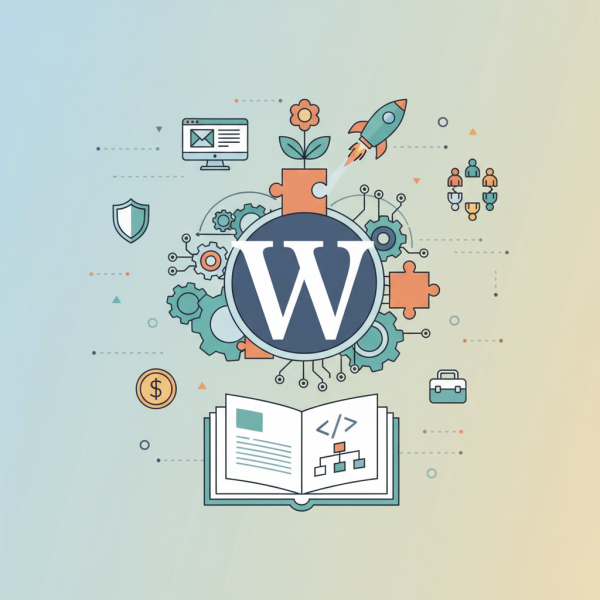
Core Concepts, Open-Source Power, and Strategic Planning
- -->> 1. Core Concepts, Open-Source Power, and Strategic Planning
What you'll learn
 WordPress Core ConceptsOpen-Source BenefitsWebsite Planning StrategiesBusiness Structure Integration
WordPress, as the world's most popular Content Management System (CMS), offers an incredibly versatile and powerful foundation for achieving this. Understanding its fundamental principles, embracing the advantages of its open-source nature, and meticulously planning your website's structure in alignment with your business goals are crucial steps toward building a successful and sustainable digital platform. This article will delve into these core aspects, providing a roadmap for leveraging WordPress effectively from conception to ongoing growth.
Understanding WordPress: The Core Concepts
At its heart, WordPress is a free, open-source content management system that allows users to create, manage, and modify website content without needing specialized technical knowledge. While often associated with blogging, its capabilities extend far beyond, powering everything from simple personal sites to complex enterprise-level applications and e-commerce stores. It provides a user-friendly interface for content creation, media management, and site customization.
It's important to briefly distinguish between WordPress.org and WordPress.com. WordPress.org refers to the self-hosted version, where you download the software, host it yourself, and have full control over your site's functionality and monetization. WordPress.com is a hosted solution, offering a simpler, more managed experience but with certain limitations unless you opt for premium plans. This article primarily focuses on the self-hosted WordPress.org variant due to its superior flexibility and power.
The core components of a WordPress installation are:
- Core Software: The foundational files and code that make WordPress function, including the admin dashboard, content editor, and basic functionalities.
- Themes: These dictate the visual appearance and layout of your website. Themes control everything from color schemes and typography to page structures and responsiveness.
- Plugins: These are software add-ons that extend the functionality of WordPress. Plugins can add new features like contact forms, e-commerce capabilities, SEO tools, security enhancements, and much more without needing to write custom code.
- Database: WordPress uses a MySQL database to store all your website's content, settings, user information, and plugin data. This is where your posts, pages, comments, and configurations reside.
The Power of Open-Source: Why WordPress Thrives
The open-source nature of WordPress is a fundamental aspect of its strength and widespread adoption. Being open-source means its source code is freely available for anyone to use, modify, and distribute. This model fosters a collaborative environment with significant advantages:
- Community-Driven Development: A vast global community of developers, designers, and users constantly contributes to its improvement, developing new features, fixing bugs, and enhancing security.
- Flexibility and Customization: Without proprietary restrictions, users have complete freedom to customize their websites to exact specifications, whether through themes, plugins, or custom code.
- Cost-Effectiveness: The WordPress software itself is free. While you incur costs for hosting and domain names, the absence of licensing fees significantly lowers the barrier to entry for website creation.
- Security through Transparency: The open nature allows security vulnerabilities to be identified and addressed quickly by the community, often leading to rapid updates and patches.
- Vast Ecosystem: The open-source model has cultivated an enormous ecosystem of themes, plugins, and supporting services, offering solutions for almost any conceivable website requirement.
Strategic Website Planning for Success
Building a successful WordPress website goes far beyond simply installing the software; it requires thoughtful and strategic planning. A well-defined plan ensures your website serves its intended purpose effectively and contributes to your business objectives.
The planning phase should begin with a clear understanding of your goals. What do you want your website to achieve? Is it for lead generation, sales, information dissemination, or community building? Equally important is identifying your target audience. Who are they, what are their needs, and how will your website address them?
Developing a robust content strategy is critical. This involves outlining the types of content you'll produce, how it will be organized (site structure, navigation), and how often it will be updated. Consider the user experience (UX) and user interface (UI) from the outset. Your website should be intuitive, easy to navigate, and aesthetically pleasing across all devices. Map out the user journeys to ensure a seamless experience.
Beyond content and design, detail your functionality requirements. List all essential features your website needs, such as contact forms, e-commerce capabilities, membership areas, or specific integrations. This helps in selecting appropriate plugins and themes. Finally, consider scalability. Design your website with future growth in mind, ensuring it can accommodate increased traffic, new features, and evolving business needs without requiring a complete overhaul.
Aligning Your Website with Your Business Structure
For businesses, your website is often an extension of your organizational structure and operational workflows. Strategic alignment between the two is vital for efficiency and long-term success. Your website's architecture should reflect how your business operates and how different departments or services interact.
Consider how your internal teams will manage the website. Who is responsible for content creation, updates, technical maintenance, and analytics? Defining clear roles and responsibilities within your business structure ensures smooth website operation and accountability. If your business has distinct departments, your website's navigation and content categories might mirror this structure, making it easier for both internal management and external users to find relevant information.
Integrate your website with existing business tools and workflows where possible. This could involve CRM systems, email marketing platforms, inventory management for e-commerce, or project management tools. Seamless integration reduces manual effort, improves data accuracy, and streamlines business processes. A website that works in harmony with your business structure is more likely to support your strategic objectives and adapt to future changes, fostering sustainable growth and operational synergy.
Implementation Best Practices
Once planning is complete, focus on implementation with best practices. Choosing reliable hosting is paramount; it impacts your site's speed, security, and uptime. Prioritize robust security measures from day one, including strong passwords, SSL certificates, and reputable security plugins, along with regular backups. Consistent maintenance, such as updating core WordPress, themes, and plugins, is essential for security and performance. Finally, always optimize for performance, ensuring fast loading times for an optimal user experience and improved search engine rankings.
Summary
In conclusion, mastering WordPress involves more than just technical setup; it requires a holistic approach that embraces its core functionalities, leverages its powerful open-source advantages, and integrates meticulous planning with your business strategy. By understanding the components of WordPress, capitalizing on its flexible and community-driven nature, and thoughtfully designing your website to align with your organizational structure and goals, you can build a highly effective, scalable, and successful online platform that serves as a true asset to your endeavors. Strategic foresight in planning and continuous attention to best practices are the foundations of long-term digital success.
Comprehension questions
 What are the core components that make up a WordPress installation and what is their primary function?How does the open-source nature of WordPress contribute to its widespread adoption and innovation?What key considerations should be addressed during the discovery phase of website planning for a business?Explain the importance of aligning your website's architecture with your business structure for long-term growth.
Community Poll
Next Lesson
Course Contents : Starting a New Website in WordPress
- >> 1.
 Core Concepts, Open-Source Power, and Strategic Planning