Domain Names and Web Hosting for Your WordPress Site
- -->> 2. Domain Names and Web Hosting for Your WordPress Site
What you'll learn
 Domain Name SelectionDomain Name RegistrationWeb Hosting TypesWordPress Hosting Considerations
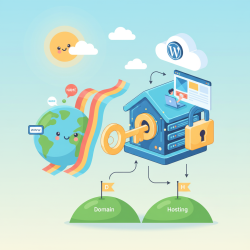
Launching a new WordPress website involves several fundamental steps, with two of the most critical being the selection and registration of a suitable domain name and the choice of a reliable web hosting provider. These initial decisions lay the groundwork for your entire online presence, impacting everything from your site's branding and accessibility to its performance and security. A well-chosen domain name is memorable and reflects your brand, while the right hosting ensures your site is fast, available, and scalable. Understanding this process is essential for anyone looking to build a successful and professional website.
Understanding Domain Names
A domain name is your website's unique address on the internet, like a street address for your physical home. For example, "example.com" is a domain name. It's how visitors find your site without having to remember a complex string of numbers (an IP address). For a WordPress site, your domain name is not just an address; it's a vital part of your brand identity and crucial for user recognition and search engine optimization.
The importance of a good domain name for your WordPress site cannot be overstated. It's often the first interaction users have with your brand. A strong domain name can convey professionalism, trustworthiness, and make your site easier to remember and share. It also plays a role in how search engines categorize and rank your website, though content and other factors are far more influential.
The Domain Name Selection Process
Selecting the right domain name requires careful thought and strategic planning. Begin by brainstorming a list of potential names that align with your brand, business, or the purpose of your website. Consider keywords related to your niche, your company name, and any unique selling propositions.
Here are some tips for choosing a memorable and effective domain name:
- Keep it short and simple: Shorter names are easier to remember and type, reducing the chance of typos.
- Make it easy to pronounce and spell: Avoid hyphens, numbers, and unusual spellings that can confuse users.
- Use relevant keywords: If appropriate, incorporating keywords can help users understand what your site is about and can be beneficial for SEO, though search engines prioritize content quality.
- Choose the right TLD (Top-Level Domain): While ".com" is generally preferred due to its widespread recognition, other TLDs like ".net", ".org", ".co", or country-specific TLDs can be suitable depending on your target audience and availability.
- Avoid trademark infringement: Ensure your chosen name doesn't infringe on existing trademarks to prevent legal issues.
Once you have a list of ideas, the next crucial step is to check their availability. Many domain registrars and web hosting providers offer a domain search tool where you can enter your desired name and see if it's taken. If your first choice is unavailable, be prepared with alternatives or consider minor variations.
Domain Registration
After you've identified an available and suitable domain name, it's time to register it. Domain names are registered through accredited companies called domain registrars. Popular registrars include GoDaddy, Namecheap, and many web hosting companies also offer domain registration services as part of their packages.
The registration process typically involves:
- Searching for your desired domain name.
- Adding it to your cart and selecting the registration period (usually 1-10 years).
- Providing your contact information, which is required by ICANN (the Internet Corporation for Assigned Names and Numbers).
- Completing the payment.
During registration, you'll often be offered domain privacy protection. This service hides your personal contact information (name, address, email, phone number) from the public WHOIS database, which is otherwise publicly accessible. It's highly recommended to protect your personal details from spammers and unwanted solicitations.
Choosing the Right Web Hosting for WordPress
Web hosting is the service that makes your website accessible on the internet. A web host stores all your website's files and databases on powerful servers and delivers them to visitors' browsers when they type in your domain name. For a WordPress site, choosing the right hosting is paramount for performance, security, and ease of management.
There are several types of web hosting, each suited for different needs:
- Shared Hosting: The most affordable option, where your website shares server resources with many other websites. Ideal for small blogs and new sites with low traffic.
- VPS Hosting (Virtual Private Server): Offers more resources and control than shared hosting, as you get a virtual partitioned section of a server. Suitable for growing sites needing more power and flexibility.
- Dedicated Hosting: You get an entire server exclusively for your website. Best for large, high-traffic websites requiring maximum performance and control.
- Managed WordPress Hosting: Specifically optimized for WordPress, this type of hosting handles technical aspects like updates, backups, and security, allowing you to focus on content. It often comes with premium features and dedicated support for WordPress users.
When evaluating hosting providers for your WordPress site, consider these key features:
- Uptime Reliability: Look for providers guaranteeing 99.9% uptime or higher to ensure your site is always available.
- Speed and Performance: Fast loading times are crucial for user experience and SEO. Check for features like SSD storage, CDN integration, and server locations.
- Customer Support: Responsive and knowledgeable support, especially WordPress-specific support, is invaluable.
- Scalability: Ensure the host can accommodate your site's growth as traffic increases without requiring a complete migration.
- Security Features: Look for firewalls, malware scanning, SSL certificates, and regular backups.
- Pricing and Renewal Costs: Understand the initial promotional pricing versus standard renewal rates.
Managed WordPress hosting is often the best choice for beginners and those who want to focus on their content without getting bogged down in technical server management. These providers optimize their environments specifically for WordPress, offering enhanced security, automatic updates, and expert support tailored to the platform.
Connecting Your Domain and Hosting, and Installing WordPress
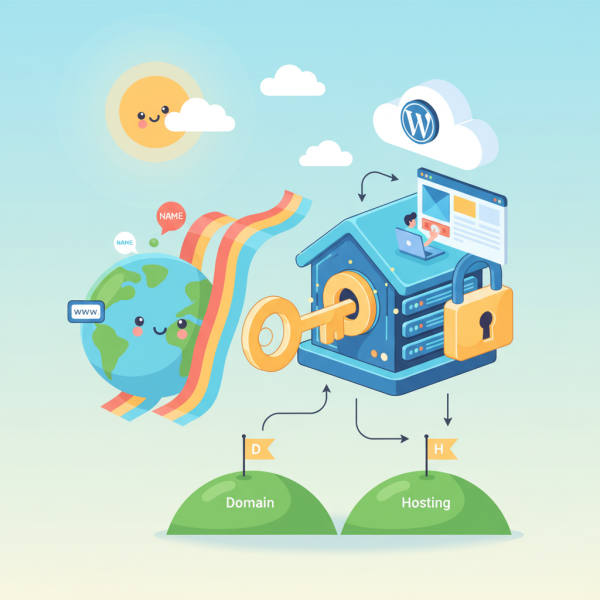
Once you have both a registered domain name and a hosting account, the next step is to link them together. This is typically done by updating the domain's nameservers to point to your web host's nameservers. Your hosting provider will give you these specific nameserver details. After updating, it can take anywhere from a few minutes to 48 hours for the changes to propagate across the internet.
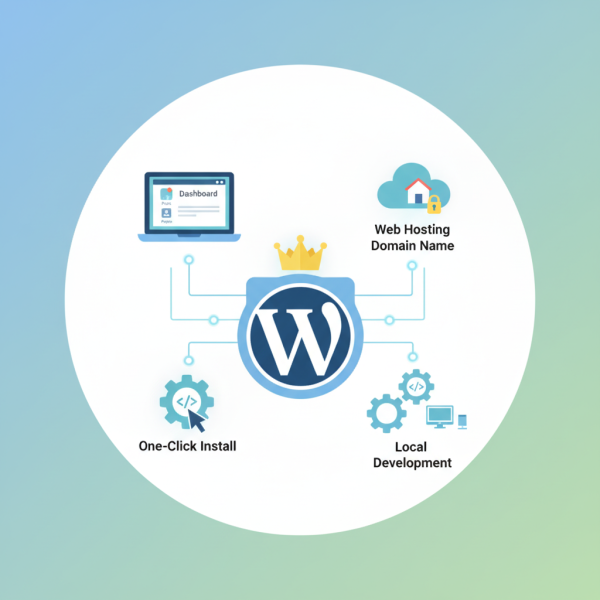
With your domain pointing to your host, you can then install WordPress. Most reputable web hosts offer a one-click WordPress installation tool, usually found within their control panel (like cPanel). This simplifies the process immensely, allowing you to set up your WordPress site in minutes. Once installed, you can access your WordPress dashboard and begin building your website.
Summary
Embarking on the journey of creating a WordPress website starts with two foundational decisions: selecting and registering a memorable domain name and choosing a robust web hosting provider. This article has guided you through the process of brainstorming effective domain names, understanding the registration steps including the importance of domain privacy, and exploring various web hosting types with a focus on essential features like speed, uptime, and support. Finally, we covered the critical steps of connecting your domain to your hosting and easily installing WordPress to bring your online vision to life. Making informed choices in these areas will set your WordPress site up for success, providing a stable, secure, and performant platform for your content and audience.
Comprehension questions
 What are three key considerations when choosing a memorable domain name?Explain the difference between shared hosting and managed WordPress hosting.Why is domain privacy protection important during registration?What is the final step after registering a domain and choosing a host to get your WordPress site live?
Review Quiz
Next Lesson
Course Contents : Starting a New Website in WordPress
- >> 2.
 Domain Names and Web Hosting for Your WordPress Site