Advanced WordPress Speed Optimization
- -->> 11. Advanced WordPress Speed Optimization
What you'll learn
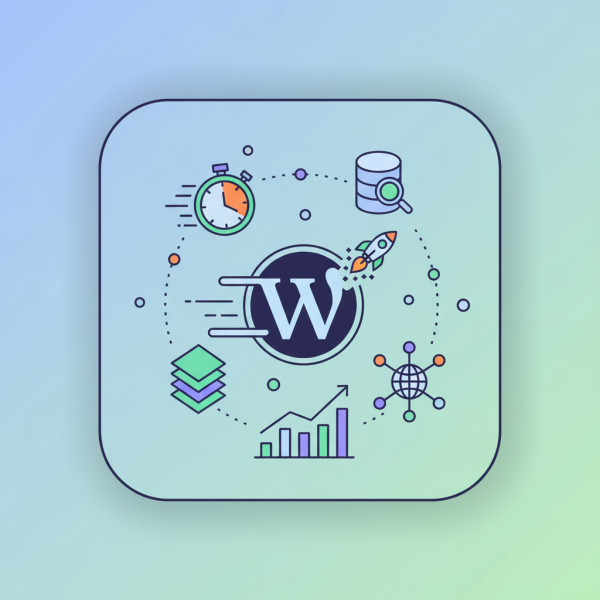
 Caching MechanismsEfficient Media HandlingDatabase Performance TuningFront-end Code Optimization
A slow website frustrates users, leads to higher bounce rates, and negatively impacts your search engine rankings. While basic optimization plugins can offer a good starting point, achieving truly exceptional loading times often requires a deeper dive into advanced techniques. This article will explore sophisticated methods that go beyond the usual recommendations, empowering you to unlock your WordPress site's full speed potential, crucial for both an outstanding user experience and robust SEO performance.
Understanding the "Why": The Critical Impact of Site Speed
Before diving into the how, it's essential to grasp the profound implications of site speed. Google, among other search engines, prioritizes fast-loading websites, factoring speed directly into its ranking algorithms. Beyond SEO, user experience is paramount. Visitors expect instant gratification; even a delay of a few hundred milliseconds can significantly increase bounce rates and deter potential customers or readers. A slow site projects an unprofessional image and can erode trust, directly impacting conversions and engagement.
Advanced Caching Strategies
Caching is perhaps the most impactful technique for accelerating WordPress. While simple page caching is common, advanced strategies involve multiple layers:
- Browser Caching: Instructs a user's browser to store static files (images, CSS, JS) locally, so they don't need to be re-downloaded on subsequent visits.
- Page Caching: Stores the fully rendered HTML output of a page, serving it directly to users without needing WordPress to process the request repeatedly.
- Object Caching: Stores results of database queries and other complex operations, reducing the load on the database and PHP processing. Redis or Memcached are popular choices.
- Database Caching: Specifically caches frequently accessed database queries, improving dynamic content delivery.
Implementing these often requires a robust caching plugin (like WP Rocket, LiteSpeed Cache, or W3 Total Cache configured meticulously) combined with server-level caching solutions provided by your hosting environment, such as Varnish or NGINX FastCGI cache.
Optimizing Images for Blazing Fast Loads
Images are often the largest contributors to page size. Proper optimization is non-negotiable:
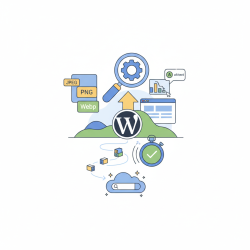
- Next-Gen Formats: Convert images to modern formats like WebP, which offer superior compression without significant quality loss compared to JPEG or PNG.
- Lossless vs. Lossy Compression: Apply intelligent compression. Lossy compression significantly reduces file size but with some quality degradation, suitable for most web images. Lossless maintains quality but offers less size reduction.
- Responsive Images: Serve different image sizes based on the user's device and screen resolution, ensuring they only download what's necessary. WordPress handles this somewhat automatically, but plugins can refine it.
- Lazy Loading: Defer the loading of images (and videos) until they are about to enter the user's viewport. This dramatically improves initial page load times, especially for content-rich pages. Most modern browsers support native lazy loading, and plugins can fill the gaps.
Streamlining Your WordPress Database
Over time, a WordPress database can become cluttered with post revisions, spam comments, transient options, and orphaned data from uninstalled plugins. A bloated database slows down query times, directly impacting page generation speed.
Regular database maintenance is crucial. This involves:
Performing regular cleanups to remove unnecessary data. Plugins like WP-Optimize or Advanced Database Cleaner can automate this process. Optimize database tables to reclaim space and improve efficiency. Consider limiting post revisions to a reasonable number or disabling them entirely if not needed. A lean, optimized database ensures that WordPress can retrieve information quickly, reducing server load and improving response times.
Minifying and Deferring JavaScript and CSS
JavaScript and CSS files are essential for your site's functionality and appearance, but they can block rendering and add to load times.
Minification: This process removes unnecessary characters (white space, comments) from code without changing its functionality, making files smaller and quicker to download.
Concatenation: Combining multiple CSS or JavaScript files into a single file can reduce the number of HTTP requests, though with HTTP/2 and HTTP/3, its impact is less significant than before.
Deferring and Asynchronous Loading: Load non-critical JavaScript files after the main content has rendered using the defer or async attributes. This prevents them from blocking the initial page display. For CSS, generate "Critical CSS" to style the above-the-fold content immediately, and defer the rest.
The Power of a Content Delivery Network (CDN)
A CDN is a geographically distributed network of proxy servers and their data centers. When a user requests content from your site, a CDN serves static assets (images, CSS, JS) from the server closest to them, dramatically reducing latency and improving loading times.
Beyond speed, CDNs offload traffic from your primary web server, making your site more resilient to traffic spikes and denial-of-service attacks. Popular CDN providers include Cloudflare, Kinsta CDN, and Sucuri. Integrating a CDN is a relatively straightforward but highly effective advanced optimization step.
Choosing Performance-Oriented Hosting
No amount of optimization will fully compensate for poor hosting. The foundation of a fast WordPress site is a robust hosting environment.
- Managed WordPress Hosting: Often includes server-level caching, optimized configurations, and expert support tailored specifically for WordPress performance.
- VPS or Dedicated Servers: Offer more resources and control for larger, high-traffic sites, but require technical expertise to manage.
- High-Quality Shared Hosting: If budget is a constraint, choose a reputable shared host known for performance, even though resources are shared.
Look for hosts that utilize modern technologies like NGINX, PHP 8+, and SSD storage, and offer features like server-side caching and HTTP/3 support. Your hosting provider is a partner in your site's performance journey.
Summary
Achieving advanced WordPress speed optimization involves a multi-faceted approach, moving beyond basic plugin installations to encompass deep technical strategies. We've explored the critical importance of understanding site speed's impact on SEO and user experience, then delved into sophisticated caching layers, meticulous image optimization techniques including WebP and lazy loading, and the necessity of a streamlined database. Furthermore, we covered how minifying and deferring JavaScript and CSS can prevent render-blocking issues, leveraged the global reach of Content Delivery Networks for reduced latency, and emphasized the foundational role of choosing performance-oriented hosting. By systematically implementing these advanced methods, WordPress site owners can achieve significantly faster loading times, leading to improved search engine rankings, enhanced user satisfaction, and ultimately, greater online success.
Comprehension questions
 What are the four advanced caching strategies discussed in the article, and what benefit does each provide?Beyond simple compression, what modern image format and loading technique are recommended for optimizing images, and why are they effective?How does regular database maintenance contribute to WordPress site speed, and what types of data should be targeted for cleanup?Explain the concepts of minification and deferring for JavaScript and CSS files, and how they improve page rendering.
Community Poll
Next Lesson
Course Contents : Mastering WordPress SEO for Developers
- >> 11.
 Advanced WordPress Speed Optimization