Understanding SEO Fundamentals for WordPress
- -->> 1. Understanding SEO Fundamentals for WordPress
What you'll learn
 How Search Engines WorkKeyword Research BasicsOn-Page SEO for WordPressTechnical SEO Considerations
Having a website is only half the battle; ensuring it can be found by your target audience is the other, more significant half. Search Engine Optimization (SEO) is the crucial practice of improving your website's visibility on search engine results pages (SERPs) like Google, Bing, and Yahoo. For the millions of websites built on the WordPress platform, understanding the fundamental principles of SEO is not just beneficial, but essential for attracting organic traffic, engaging with potential customers, and establishing online authority. This article will delve into how search engines operate and how these mechanisms directly impact the success of your WordPress site, providing a foundational understanding to kickstart your optimization journey.
How Search Engines Operate
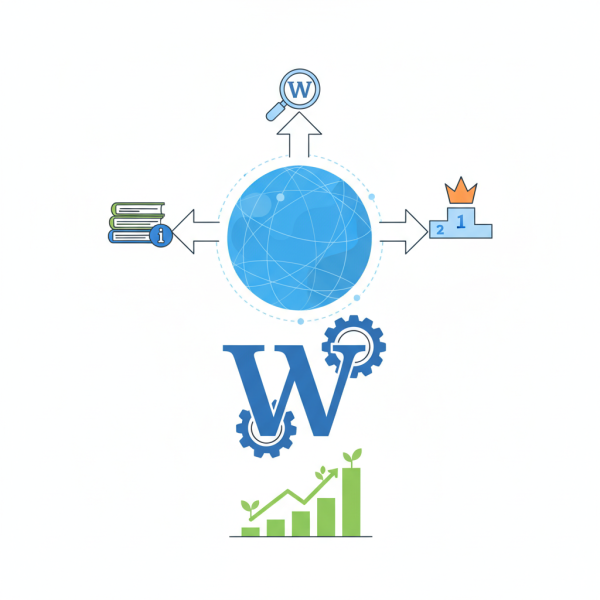
Search engines are sophisticated systems designed to discover, understand, and organize all the content on the internet to provide the most relevant results to user queries. This process can be broken down into three primary stages: crawling, indexing, and ranking.
- Crawling: Search engine bots, often called spiders or crawlers, constantly explore the internet, following links from one page to another. Their job is to find new and updated web pages and feed this information back to the search engine.
- Indexing: Once a page is crawled, the search engine analyzes its content, categorizes it, and stores it in a massive database called the index. This index is essentially a library of all the content the search engine has discovered, allowing it to quickly retrieve relevant information when a user performs a search.
- Ranking: When a user types a query, the search engine consults its index to find all relevant pages. It then uses complex algorithms, which consider hundreds of ranking factors, to determine the order in which these pages should appear in the search results. The goal is always to provide the most authoritative, relevant, and high-quality content to satisfy the user's intent.
These algorithms are constantly evolving, becoming smarter at understanding context, natural language, and user behavior, making it imperative for website owners to keep abreast of best practices rather than trying to game the system.
The SEO-Friendly Nature of WordPress
WordPress, by its very design, offers a solid foundation for SEO. It's built with clean code and a logical structure that search engine crawlers appreciate. Furthermore, its extensive ecosystem of plugins makes it highly customizable for advanced SEO implementations without needing deep coding knowledge. This inherent SEO-friendliness, coupled with the ability to easily manage content, makes WordPress an excellent choice for businesses and individuals looking to optimize their online presence.
Optimizing your WordPress site means greater visibility, which translates directly into more organic traffic. More traffic means more opportunities for conversions, whether that's sales, leads, or readership. Ultimately, a well-optimized site builds credibility and authority within its niche, distinguishing it from competitors.
Keyword Research: The Cornerstone of Visibility
Before you even begin optimizing your website, you need to understand what words and phrases your target audience uses when searching for information related to your content or products. This is where keyword research comes in. It's the process of identifying these terms and analyzing their search volume, competition, and relevance.
Effective keyword research involves:
- Understanding User Intent: Are users looking to buy something (transactional), find information (informational), or navigate to a specific website (navigational)? Aligning your content with user intent is crucial for relevance.
- Brainstorming Seed Keywords: Start with broad terms related to your business or content.
- Using Keyword Research Tools: Tools like Google Keyword Planner, SEMrush, Ahrefs, or even Google's "People also ask" and "Related searches" can help you discover a vast array of related keywords and their metrics.
- Focusing on Long-Tail Keywords: These are longer, more specific phrases (e.g., "best budget DSLR camera for beginners") that often have lower search volume but higher conversion rates due to their specificity. They also face less competition.
By integrating well-researched keywords naturally into your content, you signal to search engines that your page is highly relevant to those specific queries, increasing your chances of ranking.
On-Page SEO Best Practices for WordPress
On-page SEO refers to all the optimizations you can make directly on your website pages to improve their search engine rankings. For WordPress users, this is largely facilitated by intuitive interfaces and powerful plugins.
Key on-page elements to optimize include:
- Content Quality and Relevance: Create high-quality, original, and valuable content that thoroughly addresses user queries. This is the single most important factor.
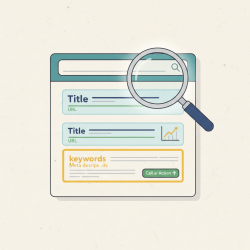
- Title Tags: The HTML title element that appears in the browser tab and as the clickable headline in SERPs. Include your primary keyword near the beginning and keep it concise.
- Meta Descriptions: A brief summary of your page's content that appears under the title tag in SERPs. While not a direct ranking factor, a compelling meta description can significantly improve click-through rates.
- Header Tags (H1, H2, H3, etc.): Use these to structure your content logically, making it easy for both users and search engines to understand the hierarchy and main topics. Each page should have one H1 tag (your main topic).
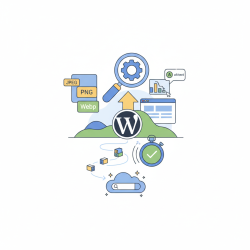
- Image Optimization: Compress images for faster loading and use descriptive alt text that includes keywords where appropriate. Alt text helps search engines understand image content and improves accessibility.
- Internal Linking: Link relevant pages within your own website. This helps crawlers discover more of your content, distributes "link juice," and keeps users engaged.
- Readability: Use short paragraphs, clear headings, bullet points, and white space to make your content easy to read and digest.
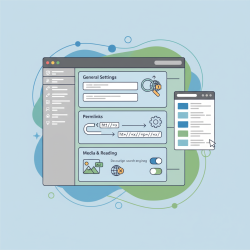
- WordPress SEO Plugins: Plugins like Yoast SEO or Rank Math provide user-friendly interfaces to manage title tags, meta descriptions, sitemaps, and more, making on-page optimization straightforward.
Consistent application of these practices across your WordPress site will significantly enhance its appeal to search engines.
Technical SEO Considerations for WordPress
Technical SEO focuses on website and server optimizations that help search engine crawlers index your site more effectively. While often behind-the-scenes, these factors play a critical role in your site's overall performance and ranking potential.
- Site Speed: A slow website frustrates users and can lead to higher bounce rates and lower rankings. Optimize images, use a reliable hosting provider, implement caching plugins (e.g., WP Super Cache, W3 Total Cache), and minimize unnecessary code.
- Mobile-Friendliness: With the majority of internet users accessing content via mobile devices, having a responsive WordPress theme is paramount. Google uses mobile-first indexing, meaning it primarily uses the mobile version of your content for indexing and ranking.
- SSL/HTTPS: Secure Sockets Layer (SSL) encryption, indicated by HTTPS in your URL, is a minor ranking factor and essential for user trust and data security. Most hosting providers offer free SSL certificates.
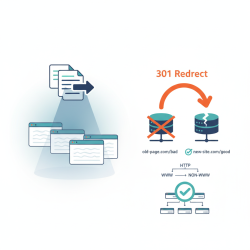
- XML Sitemaps: An XML sitemap lists all the important pages on your website, helping search engines crawl and index your content more efficiently. WordPress SEO plugins can automatically generate and update these.
- Robots.txt: This file tells search engine crawlers which parts of your site they should and should not access. It's crucial for directing crawlers to your most valuable content and preventing indexing of irrelevant pages.
Addressing these technical elements ensures that your WordPress site is not only user-friendly but also optimally structured for search engine discovery.
Summary of SEO Fundamentals for WordPress
Understanding SEO fundamentals is a continuous journey, but grasping the basics of how search engines crawl, index, and rank content is the essential first step for any WordPress website owner. By conducting thorough keyword research to understand user intent, meticulously applying on-page optimization techniques for each piece of content, and ensuring your site's technical foundation is solid, you pave the way for increased visibility and organic traffic. WordPress provides an excellent, flexible platform for implementing these strategies, making effective SEO achievable for everyone. Consistent effort in these areas will lead to improved search engine rankings and greater online success.
Comprehension questions
 What are the three main processes search engines use to organize information from the internet?Why is keyword research considered a fundamental first step in optimizing a WordPress website for search engines?Name and describe three essential on-page SEO elements that WordPress users can optimize directly on their content pages.List two critical technical SEO factors that significantly influence a WordPress site's performance and ranking potential.
Review Quiz
Next Lesson
Course Contents : Mastering WordPress SEO for Developers
- >> 1.
 Understanding SEO Fundamentals for WordPress