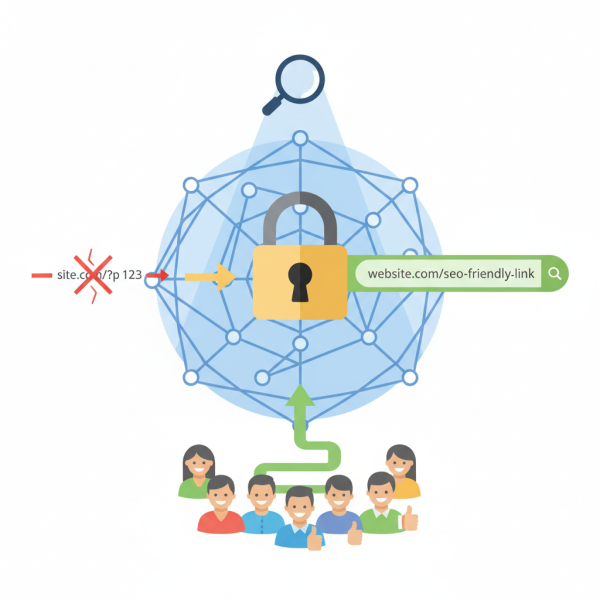
WordPress Permalinks for SEO-Friendly URLs
- -->> 4. WordPress Permalinks for SEO-Friendly URLs
What you'll learn
 Permalink structure best practicesImpact on SEO and user experienceTechnical considerations for implementationCommon permalink pitfalls to avoid
For WordPress users, one of the foundational elements in achieving success, particularly from an SEO perspective, is the permalink. Permalinks, or permanent links, are the full URLs to your individual posts, pages, categories, and other content on your WordPress site. Optimizing these URLs is not merely a technical tweak; it's a strategic move that significantly influences how search engines crawl and index your site, and how easily users can understand and navigate your content. Mastering the art of creating SEO-friendly permalink structures is a critical skill for any WordPress site owner looking to enhance their visibility and user experience.
Understanding Permalinks and Their Importance
At its core, a permalink is the unique web address for each piece of content on your website. It's what users type into their browser or click on to reach a specific page. In WordPress, you have control over the format of these permalinks, which can range from generic numbers to descriptive, keyword-rich phrases. The choices you make here have far-reaching implications.
The significance of permalinks for both search engine optimization (SEO) and user experience cannot be overstated. A well-crafted permalink offers several benefits:
- Improved Search Engine Crawlability: Clear, logical URLs help search engine bots understand the context and hierarchy of your content more efficiently, leading to better indexing.
- Enhanced Keyword Relevance: Including relevant keywords in your URLs can give search engines a stronger signal about your page's topic, potentially boosting rankings for those terms.
- Better User Experience: Descriptive permalinks provide users with an immediate understanding of what a page is about, even before they click. This transparency builds trust and improves navigation.
- Increased Shareability: Shorter, meaningful URLs are easier to share across social media and other platforms, making your content more accessible and promoting natural backlinks.
WordPress Permalink Settings Explained
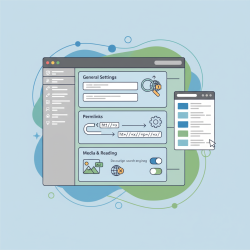
WordPress offers several built-in permalink structures that you can choose from in your dashboard under Settings > Permalinks. Understanding these options is the first step towards optimization.
- Plain: The default structure, using
?p=123. This is generally the least SEO-friendly option as it provides no descriptive information. - Day and name: Includes the full date and post name, e.g.,
/2023/10/26/sample-post/. While descriptive, it can make URLs unnecessarily long. - Month and name: Similar to day and name, but without the specific day, e.g.,
/2023/10/sample-post/. Still quite long for many sites. - Numeric: Uses a post ID, e.g.,
/archives/123/. Also not very SEO-friendly or user-friendly. - Post name: Simply uses the post title, e.g.,
/sample-post/. This is often considered the most SEO-friendly and user-friendly option due to its conciseness and clarity. - Custom Structure: Allows you to create your own combination of available tags like
%category%,%postname%,%year%, etc.
For most websites, especially blogs and content-heavy sites, the "Post name" structure is highly recommended. It keeps URLs clean, descriptive, and keyword-rich without being overly long or complex. If you need to include categories or other elements, a custom structure using %category%/%postname% can also be effective, but remember to keep it as simple as possible.
Best Practices for SEO-Friendly Permalinks
Once you've chosen your base structure, individual permalinks can still be optimized. Adhering to these best practices will maximize their impact:
Keep it Concise and Descriptive: Aim for short, meaningful URLs that accurately reflect the page's content. Long, rambling URLs are harder to read, remember, and share. Edit the auto-generated slug to remove unnecessary words.
Use Keywords Naturally: Integrate your primary target keywords into your permalink slug. This reinforces the topic for search engines and users. However, avoid keyword stuffing, as this can appear spammy and harm your SEO.
Avoid Stop Words: Words like "a," "an," "the," "is," "and," etc., generally do not add value to your permalink and can often be removed to make it more concise without losing meaning. For example, "how-to-optimize-permalinks" is better than "how-to-optimize-the-permalinks."
Hyphens for Word Separation: Always use hyphens (-) to separate words in your permalink slugs. Search engines interpret hyphens as word separators, whereas underscores (_) often treat words as joined, making them harder to parse.
Consistent Structure: Maintain a consistent permalink structure across your entire site. This helps search engines crawl your site more efficiently and provides a predictable experience for users. Avoid mixing different structures if possible.
Implementing and Managing Permalink Changes
Implementing a new permalink structure is straightforward for a new WordPress site, but requires careful planning for an existing one.
Initial Setup: For a new site, navigate to Settings > Permalinks, select your desired structure (e.g., "Post name"), and save changes. WordPress will then automatically generate permalinks based on your post titles for all new content.
Changing Existing Permalinks: If you're updating permalinks on an established site, proceed with caution. While changing the base structure (e.g., from "Plain" to "Post name") will automatically update all existing URLs internally, external links pointing to your old URLs will break. This can lead to a significant drop in SEO rankings and a poor user experience.
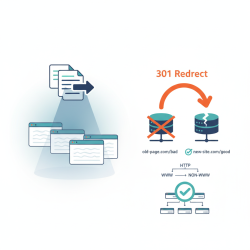
The Importance of 301 Redirects: When changing permalinks on an existing site, implementing 301 redirects is absolutely critical. A 301 redirect is a permanent redirect that tells browsers and search engines that a page has moved permanently to a new location. This ensures that visitors accessing old URLs are seamlessly redirected to the new ones, and more importantly, that the SEO value (link equity) from the old URL is passed to the new URL. You can use plugins like Rank Math or Yoast SEO, or configure redirects manually via your .htaccess file, to manage these redirects effectively.
Common Permalink Pitfalls to Avoid
Even with the best intentions, some common mistakes can undermine your permalink optimization efforts.
Overly Long URLs: While descriptive, don't let your permalinks become excessively long. They become cumbersome to read, share, and don't necessarily provide additional SEO benefit beyond a certain point. Aim for clarity and conciseness.
Keyword Stuffing: Resisting the urge to cram every possible keyword into your URL slug is important. This practice can make your URL look spammy to both users and search engines and can result in penalties rather than improved rankings.
Broken Links: Failing to implement 301 redirects when changing existing URLs is a major pitfall. Broken links frustrate users and signal to search engines that your site is poorly maintained, leading to decreased crawlability and potentially lower rankings.
Changing Too Frequently: Once a permalink structure is established, try to stick with it. Frequent changes, even with redirects, can create unnecessary complexity, lead to temporary SEO fluctuations, and can be resource-intensive to manage.
Summary
Optimizing WordPress permalinks is a foundational aspect of effective search engine optimization and a positive user experience. By understanding the various permalink options, choosing a clear and descriptive structure like "Post name," and adhering to best practices such as using hyphens and relevant keywords while avoiding stop words, site owners can significantly enhance their site's crawlability and search visibility. Crucially, when making changes to existing permalinks, the strategic implementation of 301 redirects is indispensable to preserve SEO equity and maintain a seamless user journey. Avoiding common pitfalls like overly long URLs, keyword stuffing, and broken links will ensure your permalinks effectively serve their purpose in your overall digital strategy, making your WordPress site more accessible and appealing to both search engines and human visitors.
Comprehension questions
 How do custom permalink structures contribute to better user experience?What are some potential issues to be aware of when changing permalinks on an existing site?Explain the role of 301 redirects in permalink optimization.
Community Poll
Next Lesson
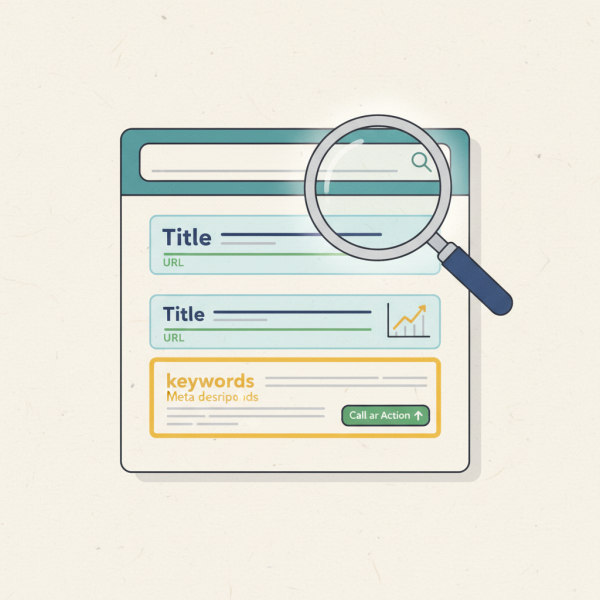
Course Contents : Mastering WordPress SEO for Developers
- >> 4.
 WordPress Permalinks for SEO-Friendly URLs