Enhancing WordPress SEO Through Effective Image Optimization
- -->> 8. Enhancing WordPress SEO Through Effective Image Optimization
What you'll learn
 Image File Size OptimizationAlt Text Best PracticesWordPress SEO StrategyImage Format Selection
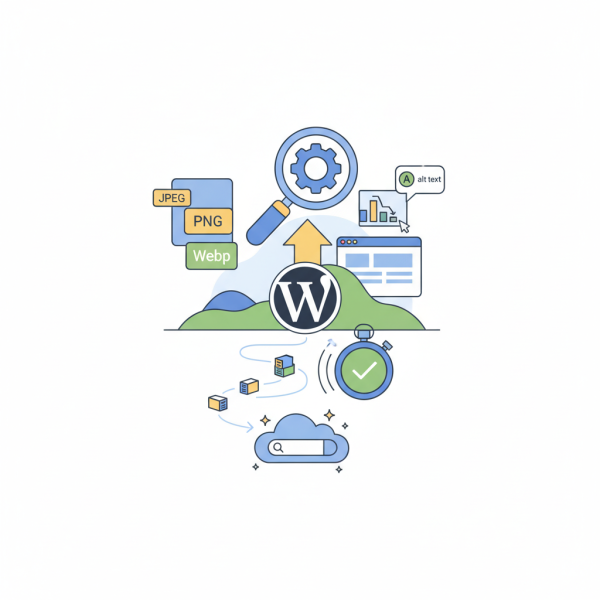
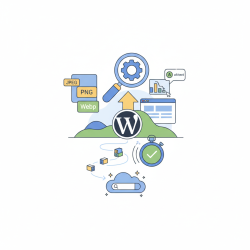
In the digital landscape, where visual content reigns supreme, images play a pivotal role not just in engaging users but also in influencing your website's search engine ranking. For WordPress users, optimizing images is a crucial yet often overlooked aspect of a comprehensive SEO strategy. Properly optimized images can lead to faster page load times, improved user experience, and better search visibility, ultimately driving more organic traffic to your site. This article will delve into practical techniques for optimizing image file sizes, crafting effective alt text, and utilizing image titles to significantly enhance your WordPress site's performance in search engine results.
Why Image Optimization is Crucial for SEO
Search engines, particularly Google, prioritize websites that offer a fast and seamless user experience. Large, unoptimized images are a primary culprit behind slow loading pages, which can deter visitors and negatively impact your SEO. Google's algorithms consider page speed a significant ranking factor, meaning that a site laden with heavy images will struggle to rank competitively. Moreover, optimizing images isn't just about speed; it's also about providing search engines with valuable context about your visual content.
- Page Speed: Faster loading times improve user experience and are a direct SEO ranking factor.
- User Experience: Visitors are more likely to stay on a site that loads quickly and displays images clearly.
- Search Engine Visibility: Optimized images can rank in image search results, providing an additional source of traffic.
- Accessibility: Proper image optimization, especially alt text, makes your content accessible to users with visual impairments.
Mastering Image File Sizes
Reducing image file sizes without compromising quality is perhaps the most impactful step in image optimization. High-resolution images, while visually appealing, often come with hefty file sizes that can significantly drag down your website's performance. The goal is to strike a balance between visual fidelity and optimal file size.
Several techniques contribute to effective file size reduction:
- Choose the Right Format:
- JPEG: Ideal for photographs and images with many colors, as it offers excellent compression with minimal quality loss.
- PNG: Best for images requiring transparency or sharp lines, like logos and graphics, but generally results in larger file sizes than JPEG.
- WebP: A modern image format developed by Google, WebP offers superior lossless and lossy compression for images on the web. It can reduce file sizes by 25-34% compared to JPEG and PNG without noticeable quality degradation. Implementing WebP significantly boosts page speed.
- Compress Images: Even after selecting the correct format, images can be further compressed. This involves reducing the amount of data in an image file. There are two main types:
- Lossless Compression: Reduces file size without discarding any data, meaning the image quality remains identical.
- Lossy Compression: Reduces file size by selectively discarding some image data. While it can achieve significantly smaller file sizes, it may result in a slight, often imperceptible, loss of quality. For most web images, a slight lossy compression is acceptable and highly beneficial for performance.
- Resize Images to Display Dimensions: Uploading an image that is 4000px wide when it will only be displayed at 800px wide is a common mistake. Before uploading, resize images to the maximum dimensions they will actually appear on your website. This reduces the overall data that needs to be loaded.
WordPress plugins can automate many of these tasks, converting images to WebP, compressing them, and even serving responsive images for different screen sizes.
Leveraging Alt Text for SEO
Alt text, short for "alternative text," is a descriptive phrase added to an image's HTML tag. It serves two primary purposes: providing context to search engines about the image's content and acting as a descriptor for screen readers used by visually impaired individuals. From an SEO perspective, alt text is a powerful tool for improving search visibility.
When crafting alt text, consider the following best practices:
- Be Descriptive and Specific: Clearly describe what is in the image. Instead of "dog," use "golden retriever fetching a red ball in a park."
- Include Keywords Naturally: Integrate relevant keywords where appropriate, but avoid keyword stuffing. The alt text should still make sense to a human reader.
- Keep it Concise: While descriptive, aim for brevity. Screen readers typically cut off alt text after about 125 characters.
- Avoid "Image of" or "Picture of": It's redundant, as search engines and screen readers already know it's an image.
Effective alt text not only helps your images rank in Google Images but also reinforces the relevance of your surrounding content to search engine algorithms, contributing to your overall page SEO.
Optimizing Image Titles and Captions
Beyond alt text, WordPress provides fields for image titles and captions. While their direct SEO impact is generally less significant than alt text and file size, they contribute to user experience and can offer secondary SEO benefits.
- Image Title: The image title is primarily used by WordPress internally and can appear as a tooltip when a user hovers over an image (depending on your theme). While it doesn't directly influence SEO as much as alt text, using descriptive, keyword-rich titles can still be beneficial for internal organization and consistency.
- Image Caption: Captions are displayed directly below or near an image on your website. They are visible to users and provide additional context or information about the image. Captions are an excellent opportunity to engage your audience and, if naturally integrated, to include relevant keywords that enhance the overall topical relevance of your page. Users often scan captions, making them valuable real estate for reinforcing your message.
Think of titles and captions as opportunities to further describe your images and reinforce your content's theme, thereby subtly aiding both user understanding and search engine comprehension.
Practical WordPress Optimization Tools
WordPress offers a robust ecosystem of plugins designed to simplify image optimization. These tools can automate much of the heavy lifting, ensuring your images are always web-ready without manual effort.
Popular image optimization plugins often feature:
- Automatic image compression upon upload.
- Conversion of images to modern formats like WebP.
- Lazy loading, which defers loading of images until they are about to enter the viewport, speeding up initial page load.
- Resizing images to appropriate dimensions.
- Bulk optimization for existing images.
Implementing one of these plugins is highly recommended for any WordPress site owner serious about SEO and performance. They save significant time and ensure a consistent level of optimization across all your visual content.
Summary
Image optimization is an indispensable component of successful WordPress SEO. By diligently reducing image file sizes through appropriate formats and compression, crafting descriptive and keyword-rich alt text, and thoughtfully utilizing image titles and captions, website owners can significantly enhance page load speeds, improve user experience, and boost their search engine rankings. Embracing automated tools within WordPress further streamlines this process, ensuring that your visual content actively contributes to your site's overall search visibility and accessibility.
Comprehension questions
 How does image file size directly impact a WordPress website's SEO and user experience?What are the key best practices for writing effective alt text to improve image search visibility?Which modern image format is recommended for superior compression on the web, and why is it beneficial for WordPress SEO?How can WordPress plugins assist site owners in automating and simplifying the image optimization process?
Review Quiz
Next Lesson
Course Contents : Mastering WordPress SEO for Developers
- >> 8.
 Enhancing WordPress SEO Through Effective Image Optimization