WordPress Built-In SEO Settings for Organic Growth
- -->> 2. WordPress Built-In SEO Settings for Organic Growth
What you'll learn
 Permalink Structure OptimizationGeneral Site Settings for SEOMedia Optimization for SearchSearch Engine Visibility Controls
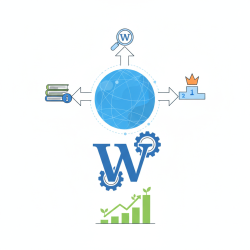
WordPress is renowned for its user-friendliness and flexibility, making it a popular choice for websites worldwide. While many users immediately think of third-party plugins for Search Engine Optimization, WordPress itself comes equipped with a suite of built-in settings that form the foundational layer of any successful SEO strategy. Understanding and properly configuring these standard settings is crucial before even considering additional tools. These native features allow webmasters to control how search engines crawl and index their content, influence site structure, and manage various aspects that contribute to a site's visibility and performance in search results. By mastering these core functionalities, you can lay a robust groundwork for your website's organic reach.
General WordPress SEO Settings
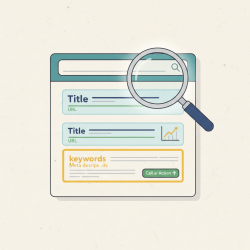
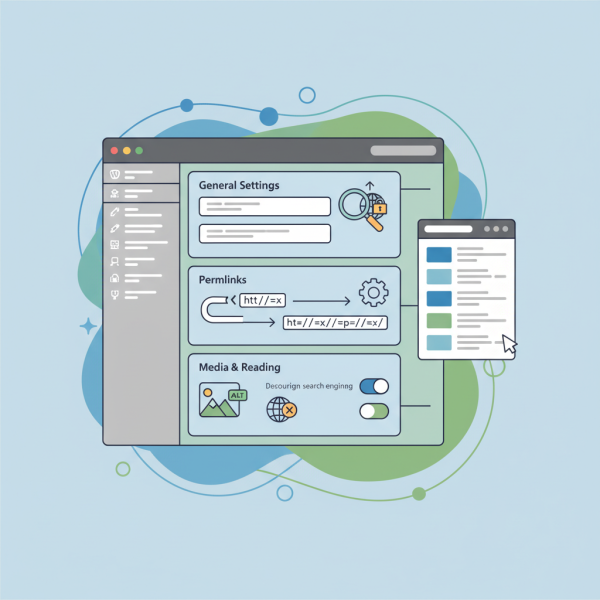
The "General" settings section, accessible via "Settings" > "General" in your WordPress dashboard, holds several crucial elements for SEO. The "Site Title" and "Tagline" are perhaps the most immediately visible. The Site Title often serves as the primary title tag for your homepage, and it's vital to include your brand name and potentially a core keyword here. The Tagline, while less impactful for direct keyword ranking than the title, provides a concise description of your site and can appear in search results, influencing click-through rates. Ensure both are unique, descriptive, and accurately represent your website's purpose. It's important to craft these carefully as they are often the first impression a search engine user gets of your site.
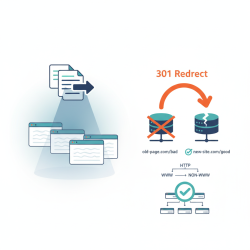
Another often overlooked but significant setting in the General section is the "WordPress Address (URL)" and "Site Address (URL)". These define where your WordPress core files reside and what address visitors type to reach your site. Consistency is key here. If your site uses HTTPS, ensure both URLs reflect `https://` to avoid mixed content issues and to signal security to search engines, which is a ranking factor. Choosing between `www` and non-`www` versions is also critical; once chosen, stick with it and implement redirects if necessary to prevent duplicate content issues, which can dilute your site's authority.
Permalinks: The Foundation of URL Structure
Under "Settings" > "Permalinks," you'll find one of the most powerful built-in SEO tools: the ability to customize your URL structure. Default WordPress permalinks might be unwieldy and non-descriptive, like `?p=123`. For SEO purposes, a "Post name" or "Custom Structure" that includes keywords is highly recommended. Clear, human-readable, and keyword-rich URLs are easier for both users and search engines to understand. They provide context about the page's content even before it's visited.
- Plain: `example.com/?p=123` (Not SEO-friendly)
- Day and name: `example.com/2023/11/01/sample-post/` (Can be too long)
- Month and name: `example.com/2023/11/sample-post/` (Better, but still includes date)
- Numeric: `example.com/archives/123` (Not SEO-friendly)
- Post name: `example.com/sample-post/` (Highly recommended for most blogs)
- Custom Structure: Allows for advanced combinations like `/category/%postname%/`
Choosing "Post name" is generally the most effective strategy for most content-focused websites as it creates clean, concise URLs. When changing permalink structures on an existing site, remember to implement 301 redirects for old URLs to new ones to preserve SEO value and prevent broken links. This is a crucial step that is often overlooked and can lead to significant drops in search rankings if not handled correctly.
Comprehension questions
 What are the two most crucial elements found in WordPress's General settings for initial SEO, and why are they important?
Review Quiz
Next Lesson

Course Contents : Mastering WordPress SEO for Developers
- >> 2.
 WordPress Built-In SEO Settings for Organic Growth