Using Custom Fields for Enhanced Media Management
- -->> 11. Using Custom Fields for Enhanced Media Management
What you'll learn
 Understanding Media MetadataThe Power of Custom FieldsEnhancing Content ManagementBoosting Searchability and Discovery
While standard metadata provides a foundational layer of information, it often falls short in addressing the unique and nuanced organizational needs of various businesses and creators. This is where leveraging custom fields and extending media metadata comes into play. By strategically implementing custom fields, organizations can unlock enhanced content management capabilities, drastically improve searchability, and streamline workflows, ultimately transforming how digital assets are utilized and discovered.
Understanding Media Metadata
Metadata, simply put, is data about data. For media files, this includes essential information such as the date created, file size, author, and resolution. Common standards like EXIF for photographs, IPTC for news and editorial content, and XMP (Extensible Metadata Platform) provide structured ways to embed this information directly into files. These standard metadata types are crucial for basic organization and understanding a file's origin.
However, the limitation of standard metadata becomes apparent when an organization requires highly specific, industry-relevant, or internal categorization. A stock photography agency, for example, needs to track licensing details, model releases, and intricate keyword taxonomies that go far beyond what standard fields offer. Similarly, a marketing department might need to track campaign IDs, usage rights expiration dates, or specific product lines associated with an image or video.
The Power of Custom Fields
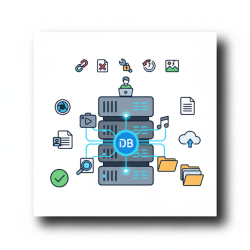
Custom fields are user-defined data fields that allow organizations to add bespoke information to their media assets. Unlike fixed standard metadata, custom fields are entirely flexible and can be tailored to capture virtually any piece of relevant data. They extend the descriptive power of metadata, enabling a deeper, more granular level of content annotation that is critical for specialized content management requirements.
Imagine assigning a unique project ID to every image created for a particular client, or adding a boolean field to indicate if an asset is approved for public use. Custom fields can include text areas for detailed descriptions, dropdown menus for predefined categories, date pickers for expiration dates, numerical inputs for asset values, or checkboxes for multiple attribute selections. This adaptability ensures that media assets are enriched with precisely the information needed to manage them effectively throughout their lifecycle.
Enhancing Content Management
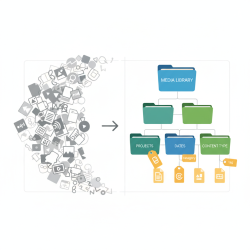
Implementing custom fields profoundly enhances how media is managed. They move beyond simple tagging, allowing for sophisticated categorization and organization tailored to an organization's specific operational needs. This leads to a more structured and intuitive media library, where assets can be grouped, filtered, and accessed with unprecedented precision.
Key benefits for content management include:
- Improved Organization: Categorize assets by client, project phase, brand guidelines, geographical location, or any other custom criteria.
- Streamlined Workflows: Teams can quickly locate relevant assets using specific custom field filters, reducing search time and increasing productivity.
- Better Version Control: Custom fields can track asset versions, approval statuses, and historical modification dates, ensuring the correct file is always used.
- Enhanced Data Integrity: Enforce consistent data entry through predefined custom field types, minimizing errors and maintaining high data quality.
Comprehension questions
 What is the fundamental difference between standard media metadata and custom fields?Can you provide examples of when standard metadata falls short and custom fields become necessary?List three ways implementing custom fields can enhance an organization's content management capabilities.How do custom fields contribute to improving the searchability and discovery of digital assets?
Community Poll
Next Lesson

Course Contents : WordPress Media: Asset Management for Developers
- >> 11.
 Using Custom Fields for Enhanced Media Management