Media Management Workflows for Developers
- -->> 9. Media Management Workflows for Developers
What you'll learn
 Workflow AutomationAsset OptimizationVersion ControlCollaborative Tools
Integrating media assets seamlessly into applications is a common yet often underestimated challenge. From images and videos to audio files and 3D models, managing these assets efficiently is crucial for application performance, scalability, and developer productivity. Without a structured approach, developers can quickly find themselves entangled in a web of unversioned files, slow loading times, and collaboration bottlenecks. Establishing robust media management workflows is not just about organizing files; it's about optimizing the entire lifecycle of digital assets from creation to delivery, ensuring they enhance rather than hinder the development process.
The Growing Challenge of Media Assets
Modern applications are increasingly media-rich, driven by user expectations for visually appealing and interactive experiences. This proliferation of media assets introduces several complexities for development teams. Large file sizes can dramatically slow down application performance, leading to poor user experiences and higher bandwidth costs. Manual optimization processes are time-consuming and error-prone. Furthermore, asset versioning, ensuring designers and developers are always working with the latest iterations, often becomes a significant hurdle. Collaboration across design, content, and development teams also necessitates clear guidelines and tools for sharing and approving media.
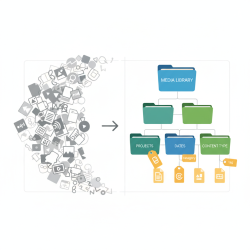
Without a defined workflow, developers might resort to inefficient practices such as storing assets directly in source control without proper LFS (Large File Storage) solutions, leading to bloated repositories. Ad-hoc asset handling can result in inconsistencies, duplicate files, and difficulties in scaling content delivery. The lack of a centralized system means designers struggle to find where their assets are being used, and developers spend valuable time searching for the correct media variants.
Core Principles for Efficient Media Workflows
Building an effective media management workflow hinges on several fundamental principles that guide tool selection and process definition:
- Centralization: All media assets should reside in a single, accessible repository, acting as the definitive source of truth. This prevents fragmentation and ensures consistency.
- Automation: Automate repetitive tasks such as image resizing, format conversion, and compression. This frees up developer time and reduces human error.
- Optimization: Assets should always be optimized for their intended use case and delivery platform. This includes responsive images, video transcoding, and intelligent caching strategies.
- Version Control: Implement robust version control for media assets to track changes, revert to previous states, and facilitate collaborative editing.
- Collaboration: Provide tools and processes that enable seamless communication and handoff between designers, content creators, and developers.
Key Workflow Stages and Tools
An efficient media management workflow can be broken down into distinct stages, each benefiting from specific tools and practices.
Asset Creation and Acquisition: This initial stage involves generating new media (e.g., UI elements, illustrations, product photos) or acquiring existing ones (e.g., stock photography, user-generated content). Designers use tools like Adobe Creative Suite, Figma, or Sketch. For acquisition, integration with stock photo APIs or digital asset marketplaces can streamline the process.
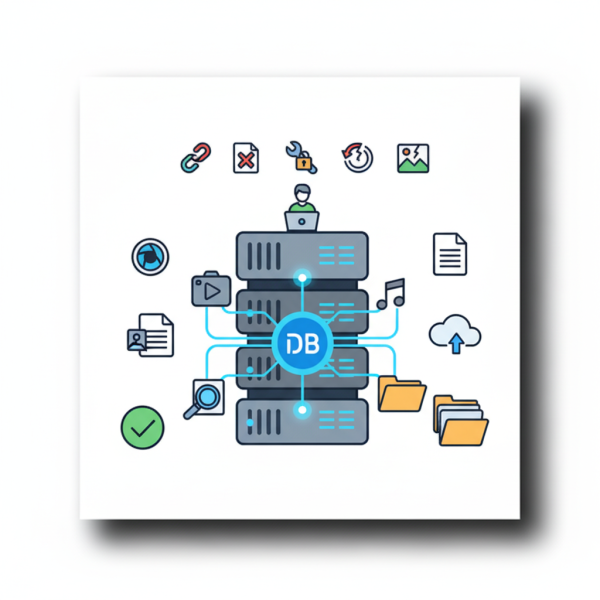
Storage and Versioning: Once created, assets need to be securely stored and versioned. Digital Asset Management (DAM) systems like Cloudinary, Bynder, or Filerobot are invaluable here, offering centralized storage, metadata management, and robust versioning capabilities. For developers, Git LFS (Large File Storage) can manage large binary files within Git repositories, making source control viable for smaller media sets, though a dedicated DAM is usually superior for large-scale operations.
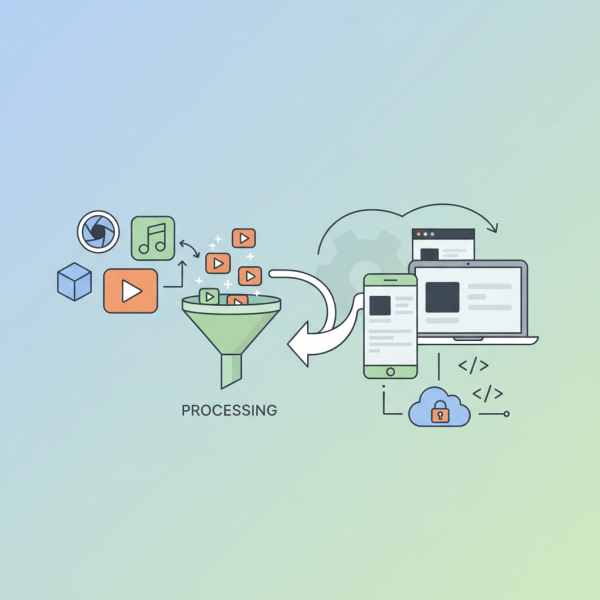
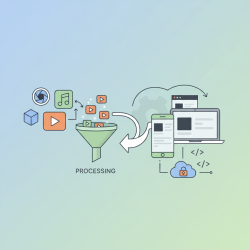
Processing and Optimization: This crucial stage prepares assets for delivery. Image and video APIs can automatically transform, compress, and resize media on-the-fly or upon upload. This ensures assets are delivered in the optimal format and size for each device and network condition. Services often integrate with content delivery networks (CDNs) for global distribution.
Integration and Delivery: Optimized assets must be easily integrated into the application and delivered efficiently to end-users. Developers can use SDKs or APIs provided by DAMs or CDNs to fetch assets directly. Build tools and frameworks can be configured to process and include media during the deployment pipeline, ensuring that only optimized and required assets are bundled.
Maintenance and Archiving: Over time, assets may become outdated or no longer needed. A proper workflow includes processes for auditing, deprecating, and archiving assets. This keeps the asset library clean, reduces storage costs, and prevents the use of old or irrelevant media.
Implementing a Media Management System
Adopting a comprehensive media management system requires thoughtful planning and execution.
- Assess Current Needs: Identify the types of media, volume, team structure, and existing pain points.
- Select the Right Tools: Choose DAMs, CDNs, and image/video APIs that align with your technical stack and budget. Consider factors like scalability, API flexibility, and integration capabilities.
- Define Roles and Responsibilities: Clearly assign who is responsible for asset creation, approval, optimization, and integration.
- Automate Where Possible: Leverage webhooks, serverless functions, and CI/CD pipelines to automate asset processing, validation, and deployment.
- Iterate and Refine: Media needs evolve. Regularly review your workflows, gather feedback, and adapt your processes and tools to maintain efficiency.
Benefits of Streamlined Workflows
Integrating efficient media management workflows brings significant advantages:
- Improved Performance: Optimized assets lead to faster page loads and a smoother user experience, positively impacting SEO and conversion rates.
- Reduced Development Time: Developers spend less time on manual media tasks and more on core features, accelerating development cycles.
- Enhanced Collaboration: Centralized access and clear processes foster better communication between design, content, and development teams.
- Scalability: Systems designed for media management can handle increasing volumes of assets and traffic without major overhauls.
- Cost Efficiency: Reduced storage and bandwidth costs through effective optimization and lifecycle management.
By investing in well-defined media management workflows, development teams can transform what is often a chaotic process into a streamlined, efficient, and scalable operation. This not only improves the quality and performance of applications but also empowers developers to focus on innovation rather than tedious asset handling.
Summary
This article explored the critical importance of establishing efficient media management workflows for developers to effectively integrate and handle digital assets throughout the development lifecycle. We covered the common challenges posed by media assets, outlined core principles such as centralization and automation, and detailed key workflow stages from creation to delivery. The discussion also included guidance on implementing such systems and highlighted the numerous benefits, including improved performance, reduced development time, and enhanced collaboration, ultimately leading to more robust and scalable applications.
Comprehension questions
 What are some common challenges developers face when managing media assets in their projects?Name three core principles essential for establishing efficient media management workflows.How do Digital Asset Management (DAM) systems contribute to streamlined media workflows?What are two key benefits developers can expect from integrating efficient media management into their processes?
Community Poll
Next Lesson
Course Contents : WordPress Media: Asset Management for Developers
- >> 9.
 Media Management Workflows for Developers