WordPress Media: Asset Management for Developers
Course Details
For Open Source Web Software Developers, the efficient management of digital assets within WordPress is not merely a convenience; it's a fundamental pillar of performance, user experience, and maintainable codebases. As websites become increasingly media-rich, the strategic handling of images, videos, and PDFs directly impacts load times, SEO, and overall site usability. Neglecting proper asset management can lead to bloated sites, slow loading speeds, and a frustrating experience for both end-users and fellow developers.
The WordPress Media Library, while robust, often requires a nuanced approach to truly excel. Its default functionalities, though helpful for basic operations, can quickly become a bottleneck for projects demanding high performance and scalability. Understanding how to go beyond simple uploads—how to optimize for web, crop precisely, and establish systematic organizational structures—is critical. This course will delve into the intricacies of configuring WordPress for optimal media handling, ensuring your assets are always serving your site's best interests.
This course will guide you through a comprehensive exploration of best practices for the WordPress Media Library, addressing the unique challenges faced by developers. We will cover advanced techniques for uploading various media types, ensuring they are correctly optimized for performance and display across devices. You'll learn sophisticated cropping methods, not just within WordPress, but also considering external tools and automated processes. Furthermore, we will establish robust strategies for organizing your media, from folder structures to custom taxonomies, making your assets easily discoverable and manageable throughout the development lifecycle.
We invite you to join us on this journey to master the WordPress Media Library and transform your approach to asset management. Equip yourself with the knowledge and techniques to build faster, more efficient, and more maintainable WordPress websites, enhancing both your development workflow and the end-user experience. Enroll today and take the first step towards becoming an expert in WordPress media asset optimization.
Course Contents (11 lessons)
- 1.
 Understand the WordPress Media Library's core functionalities and architectural components, detailing its crucial role in content management, organization, and optimization.
 - 2.
 Discover effective techniques for preparing and uploading images to ensure optimal quality, file size, web compatibility, and superior user experience on any digital platform.
 - 3.
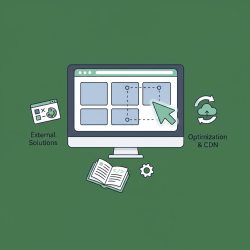 Mastering WordPress's native image manipulation tools and exploring external solutions empowers users to achieve precise visual aesthetics and optimize performance via expert cropping and resizing.
 - 4.
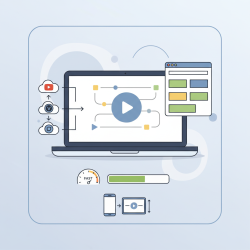 This article explores efficient methods for integrating, delivering, and optimizing video content within WordPress, focusing on improving site performance and user experience.
 - 5.
 Learn to effectively upload, display, and manage PDF files and document types in WordPress, ensuring optimized site organization and a superior user experience.
 - 6.
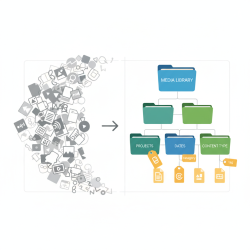 This article presents strategies for efficient digital media organization, utilizing systematic folder structures and custom taxonomies to enhance discoverability and productivity.
 - 7.
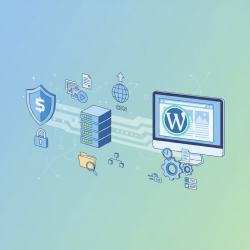 Optimize WordPress media handling by learning essential core settings, pre-upload image optimization, vital plugin configurations, and critical security best practices for improved site performance and robustness.
 - 8.
 Optimize website media through efficient compression, strategic lazy loading, and meticulous alt tag creation to significantly boost site speed and search engine rankings.
 - 9.
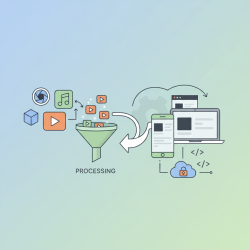 This article guides developers through establishing efficient media asset creation and management workflows, integrating them seamlessly into the development lifecycle to enhance project scalability, performance, and collaborative efficiency.
 - 10.
 This guide helps diagnose and resolve common media library issues, including upload failures, display errors, and organization problems, ensuring effective asset management.
 - 11.
 Custom fields extend media metadata, allowing unique data capture that greatly enhances content management, searchability, and streamlines digital asset workflows.