Digital Media Organization with Folders and Taxonomies
- -->> 6. Digital Media Organization with Folders and Taxonomies
What you'll learn
 Benefits of Media OrganizationSystematic Folder StructuresCustom Taxonomies for OrganizationBest Practices for Implementation
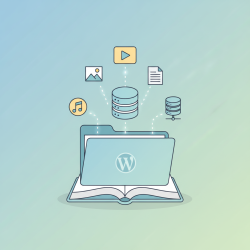
Websites are constantly accumulating vast quantities of media – photographs, videos, documents, and audio files. Without a robust system in place, this ever-growing collection can quickly devolve into a chaotic digital mess, making it nearly impossible to locate specific items when needed. Efficient media organization is no longer a luxury but a necessity, crucial for productivity, collaboration, and peace of mind. This article will explore two powerful strategies to bring order to your digital world: implementing systematic folder structures and leveraging the advanced capabilities of custom taxonomies.
Why Organize Your Media?
The benefits of a well-organized media library extend far beyond simply finding files faster. A structured approach fundamentally improves your digital workflow and impacts various aspects of your daily tasks.
- Enhanced Discoverability: Quickly pinpoint any file, regardless of its age or where it was initially saved.
- Improved Workflow and Productivity: Spend less time searching and more time creating or working on projects.
- Easier Collaboration: Share relevant assets with team members effortlessly, as everyone knows where to find what they need.
- Better Data Integrity and Backup Management: A clear structure simplifies backing up your most important files, reducing the risk of data loss.
- Reduced Frustration: Eliminate the stress and wasted time associated with lost or misfiled digital assets.
The Foundation: Systematic Folder Structures
The first and most fundamental step in media organization is establishing a logical and systematic folder structure. This acts as the physical framework for your digital assets, guiding where files are stored and how they relate to one another.
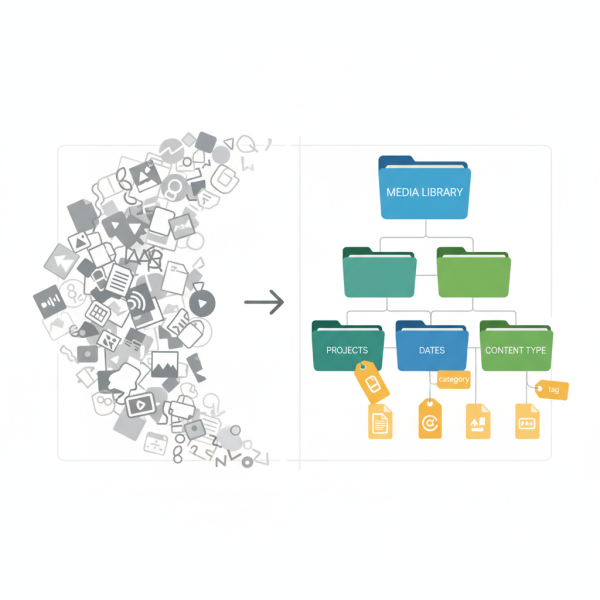
A hierarchical approach is typically most effective, allowing you to categorize from broad to specific. Consistency is paramount; once a structure is decided, adhere to it strictly. Common strategies include:
- Date-Based: Organizing by year, then month, then day (e.g., /2023/10-October/2023-10-26-EventPhotos/). This is excellent for chronological content like personal photos and videos.
- Project-Based: Creating top-level folders for each project, then subfolders for specific asset types (e.g., /ClientName/ProjectName/Images/, /ClientName/ProjectName/Videos/, /ClientName/ProjectName/Documents/). Ideal for professional or collaborative work.
- Content-Type-Based: Grouping similar types of media together (e.g., /Images/Photos/, /Images/Graphics/, /Videos/Raw/, /Videos/Edited/, /Documents/Reports/, /Documents/Contracts/). This can be effective for large, diverse collections.
Avoid excessively deep nesting, which can make navigation cumbersome. Aim for a balance that provides sufficient detail without requiring too many clicks to reach a file. Clear, descriptive folder names are also crucial for immediate understanding.
Enhancing Organization with Custom Taxonomies
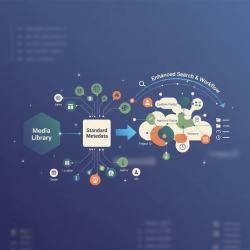
While folder structures provide a robust framework, they often offer only one dimension of organization. A file can only exist in one folder at a time. This is where custom taxonomies – categories and tags – revolutionize media management by adding multiple layers of descriptive metadata.
Custom taxonomies allow you to define attributes for your media files that go beyond their physical location. These are essentially labels or keywords that can be applied to individual assets, making them discoverable through various criteria, irrespective of their folder path.
- Categories: These are broader groupings that classify media into predefined types. For instance, in a photo library, categories might include “Landscape,” “Portrait,” “Event,” “Wildlife,” or “Urban.” A video collection could use categories like “Tutorial,” “Vlog,” “Documentary,” or “Animation.”
- Tags: Tags are more specific, freeform keywords that describe particular aspects or content within a file. For a landscape photo, tags might include “sunset,” “beach,” “ocean,” “golden hour,” and “vacation.” For a video, tags could be “interview,” “product demo,” “software review,” or specific speaker names.
The power of taxonomies lies in their ability to allow for multi-faceted searches. You could search for all “Landscape” photos tagged with “sunset” and “beach,” even if those photos are scattered across different date-based or project-based folders. This granular level of detail significantly enhances searchability and flexibility.
Best Practices for Implementation
Implementing an effective media organization system requires discipline and a commitment to best practices. It's an ongoing process, not a one-time task.
Start Small and Be Consistent
Don't try to reorganize everything at once. Start with new incoming media, applying your chosen system diligently. Gradually work backward on older files. Consistency in naming conventions and applying tags is more important than immediate perfection.
Consistent Naming Conventions
Develop clear naming conventions for both folders and files. Use descriptive names that include relevant information like date, project name, or content type. Avoid generic names like “image1.jpg” or “document.pdf.” For example, “2023-10-26_ClientX_LogoDesign_v3.ai” is far more useful than “logo.ai.”
Regular Review and Maintenance
Periodically review your media library. This involves deleting duplicate or unnecessary files, updating categories or tags, and adjusting your folder structure if it no longer serves your needs. Automation tools can assist with finding duplicates or orphaned files.
Leverage Software Features
Many digital asset management (DAM) systems, content management systems (CMS), photo editors, and operating systems offer built-in features for tagging, categorization, and advanced search. Invest time in learning and utilizing these functionalities to their full potential.
Summary
Organizing your digital media effectively is a foundational practice for anyone working with digital assets. By combining systematic, hierarchical folder structures with the descriptive power of custom taxonomies like categories and tags, you create a robust and flexible system that ensures your files are not just stored, but are truly discoverable. This dual approach saves time, boosts productivity, facilitates collaboration, and ultimately transforms a chaotic digital landscape into an efficiently managed resource.
Comprehension questions
 What are the two primary strategies discussed in the article for organizing digital media?List three benefits of implementing a well-organized media library.Explain the key difference between categories and tags when using custom taxonomies for media organization.What are some recommended best practices for successfully implementing and maintaining a media organization system?
Review Quiz
Next Lesson

Course Contents : WordPress Media: Asset Management for Developers
- >> 6.
 Digital Media Organization with Folders and Taxonomies