WordPress Pages: Structure and Navigation
- -->> 3. WordPress Pages: Structure and Navigation
What you'll learn
 WordPress Page FundamentalsHierarchical Structure of PagesPages in Site NavigationBest Practices for Page Organization
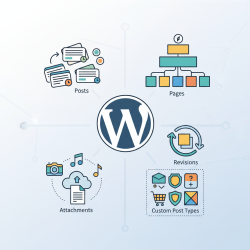
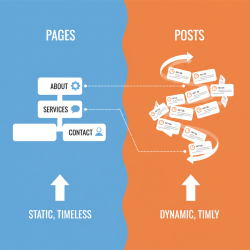
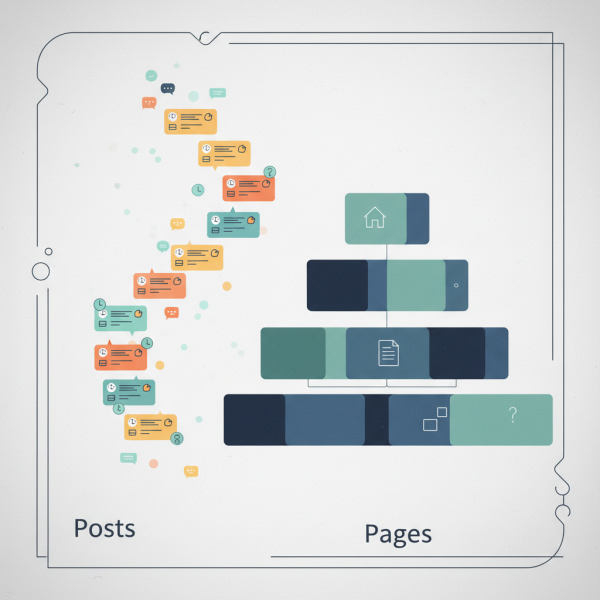
WordPress is a versatile content management system, and at its core are two fundamental content types: Posts and Pages. While Posts are typically used for dynamic, time-sensitive content like blog entries, WordPress Pages serve a distinct and crucial purpose in establishing a website's foundational structure. Understanding the static nature and hierarchical capabilities of WordPress Pages is essential for creating a well-organized, intuitive, and navigable website that effectively guides visitors through its information.
What are WordPress Pages?
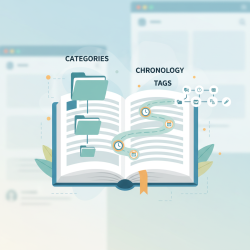
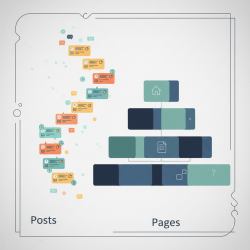
WordPress Pages are designed for static, evergreen content that doesn't change frequently and isn't typically time-sensitive. Think of pages like the foundational sections of a physical book: "About Us," "Contact," "Services," "Privacy Policy," or "Portfolio." Unlike blog posts, which are ordered chronologically and often categorized and tagged for discovery, pages generally stand alone and are not part of a continuous blog feed.
They are the building blocks for information that needs a permanent home on your website. Their content is expected to remain relevant for long periods, providing core information about your business, organization, or personal brand. This distinction is vital for planning your website's architecture.
The Static Nature of Pages
The term "static" refers to the relatively unchanging nature of page content. While you can certainly edit and update a page whenever necessary, its primary purpose isn't to be part of a regularly updated stream of content. For example, your "About Us" page provides consistent information about your company's mission and history, rather than daily news updates.
This static quality makes pages ideal for presenting essential information that website visitors will repeatedly look for, regardless of when they visit. They form the stable backbone of your site, providing context and core data that underpins more dynamic content like blog posts or news articles. This predictability is key to a good user experience.
Understanding Hierarchy with Parent/Child Pages
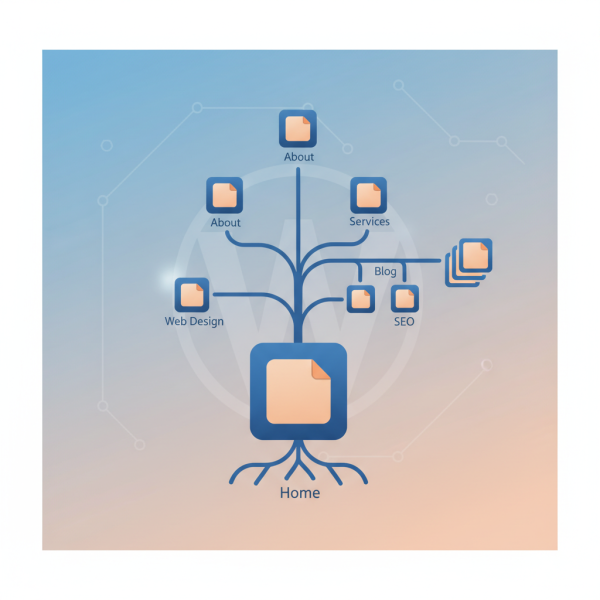
One of the most powerful features of WordPress Pages is their ability to form a hierarchical structure through parent/child relationships. This allows you to organize your content logically, much like folders and subfolders on a computer. A "parent" page can have multiple "child" pages, and those child pages can, in turn, become parents to their own "grandchild" pages, creating a deep and sensible content tree.
This hierarchy is not just for organizational purposes behind the scenes; it directly impacts how your site is perceived and navigated by users. For instance, a "Services" parent page might have child pages like "Web Design," "SEO Consulting," and "Content Creation." Each of these child pages could then have its own sub-pages detailing specific aspects of that service.
Benefits of Page Hierarchy:
- Improved Organization: Keeps related content grouped together, making it easier for administrators to manage and update.
- Enhanced User Experience: Guides visitors through complex topics by presenting information in a logical, step-by-step manner.
- Better SEO: Can create clear URL structures (e.g., yoursite.com/services/web-design/) which are often favored by search engines and provide a better indication of content relevance.
- Streamlined Navigation: Directly informs the creation of clean and intuitive menus and breadcrumbs, making it easier for users to understand where they are on your site.
To establish this hierarchy, when creating or editing a page in WordPress, you simply select a "Parent" page from a dropdown menu in the Page Attributes section. If you leave it blank, the page will be a top-level page.
Pages and Their Role in Site Navigation
WordPress Pages are fundamentally important for building your website's primary navigation menus. While you can technically include posts or custom links in menus, pages are almost always the cornerstone of a site's main menu structure. This is because they represent the core, stable sections of your website that users are most likely to seek out.
When you create a menu in WordPress, you can easily add any of your published pages. The hierarchical structure you've established with parent/child pages can also be reflected in your menus, allowing for dropdowns or sub-menus that visually represent the content relationships. For example, hovering over "Services" might reveal "Web Design" and "SEO Consulting" as sub-items.
Beyond main menus, pages also contribute to other navigation elements:
- Breadcrumbs: Many themes display breadcrumbs (e.g., Home > Services > Web Design) which are directly derived from the page hierarchy, helping users understand their current location within the site structure.
- Sitemaps: Pages are included in XML sitemaps, aiding search engines in crawling and indexing your site's full structure.
- Internal Linking: The logical grouping of pages encourages effective internal linking, which is beneficial for both user navigation and SEO.
A well-planned page structure directly translates into an intuitive navigation experience, reducing bounce rates and encouraging visitors to explore more of your content.
Best Practices for Structuring WordPress Pages
Effective page organization requires foresight and strategic planning. Here are some best practices:
- Plan Your Structure First: Before you even start creating pages, map out your site's main sections and any sub-sections. Use a sitemap tool or simply a pen and paper.
- Keep URLs Clean and Descriptive: WordPress automatically generates URLs based on page titles. Ensure your page titles are clear and concise, leading to easy-to-understand URLs that reflect the content.
- Limit Hierarchy Depth: While hierarchy is powerful, avoid going too many levels deep (e.g., more than 3-4 levels). Very deep hierarchies can make navigation cumbersome and hard to maintain.
- Use Descriptive Page Titles: Your page titles should clearly indicate the content of the page. This helps both users and search engines.
- Regularly Review and Optimize: As your website grows, periodically review your page structure and navigation. Are there pages that can be merged? Are there new sections that need to be added?
By adhering to these guidelines, you can ensure your WordPress site remains organized, scalable, and user-friendly as it evolves.
Summary
WordPress Pages are foundational elements for building a well-structured and navigable website, distinct from the dynamic nature of posts. Their static quality makes them ideal for evergreen content such as "About Us" or "Services." Crucially, pages can be organized into a powerful hierarchical parent/child structure, which significantly enhances site organization, user experience, and SEO through logical content grouping and clear URL paths. This hierarchical arrangement directly informs the creation of intuitive navigation menus and breadcrumbs, guiding users seamlessly through the site. Adopting best practices in planning and maintaining page structures ensures a robust, user-friendly, and scalable online presence.
Comprehension questions
 What is the primary difference between a WordPress Page and a WordPress Post regarding their content update frequency and purpose?How does the parent/child relationship function within WordPress Pages, and what benefit does it provide for site organization?Explain how WordPress Pages contribute to a website's primary navigation menus and user experience.What are some recommended best practices for effectively structuring WordPress Pages to ensure a logical and user-friendly website?
Community Poll
Next Lesson
Course Contents : WordPress Posts vs. Pages for Developers
- >> 3.
 WordPress Pages: Structure and Navigation