Posts vs. Pages: A Detailed Functional Comparison
- -->> 4. Posts vs. Pages: A Detailed Functional Comparison
What you'll learn
 Content Management SystemsWebsite StructureContent Types
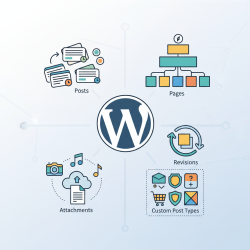
Within WordPress, two fundamental content types often serve as the building blocks of a website: Posts and Pages. While both are used to publish information, their core functionalities, intended purposes, and structural implications differ significantly. Understanding these distinctions is paramount for effective website planning, content organization, and ultimately, delivering an optimal user experience. This article will delve into a detailed comparison of Posts and Pages, highlighting their unique attributes and helping you discern when to use each for your content strategy.
The Dynamic Nature of Posts
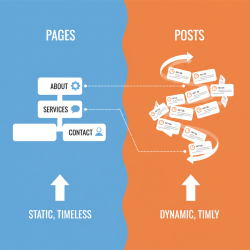
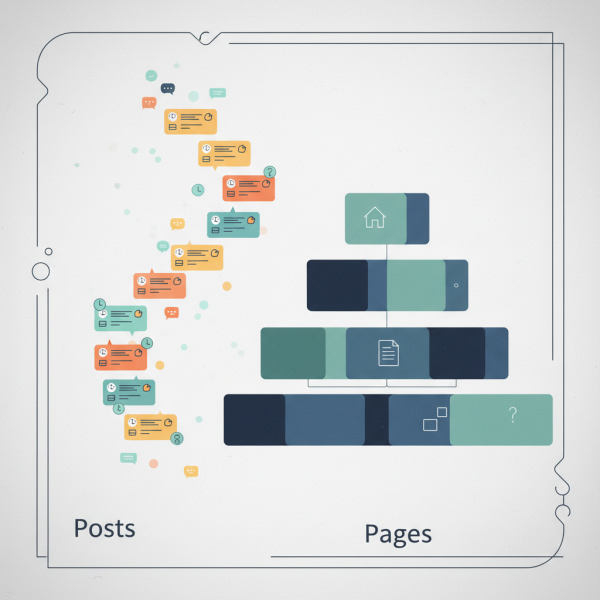
Posts are the chronological backbone of a blog or news section. They are designed for dynamic content that is regularly updated and intended to appear in a stream. Think of them as individual entries in a diary or articles in a newspaper. Their inherent characteristics make them ideal for timely information.
Key features of Posts include:
- Chronological Ordering: Posts are automatically ordered by publication date, with the newest content typically appearing first on the blog feed.
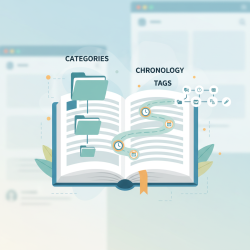
- Categorization and Tagging: They are heavily reliant on categories and tags for organization, allowing readers to browse related content easily. Categories offer broad grouping, while tags provide specific, granular keywords.
- Author and Date Metadata: Each Post prominently displays the author's name and publication date, providing context and authority to the content.
- Comments Functionality: Posts are inherently designed to encourage reader interaction through comment sections, fostering community and discussion.
- RSS Feeds and Social Sharing: Due to their dynamic nature, Posts are typically included in RSS feeds, making it easy for subscribers to stay updated. They are also optimized for social media sharing.
- Archiving: Posts are automatically archived by date, category, and tag, creating a rich navigable history of content.
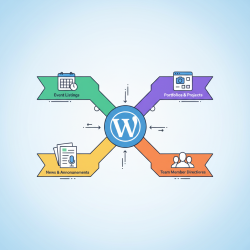
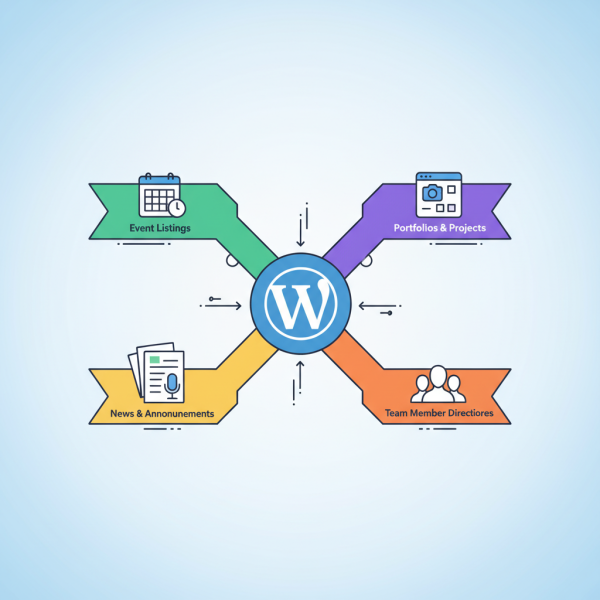
Common use cases for Posts include blog articles, news updates, company announcements, event summaries, and portfolio items that have a time-sensitive element or are part of an ongoing series.
The Static Permanence of Pages
In contrast to the dynamic nature of Posts, Pages are designed for static, evergreen content that remains largely unchanged over time. They represent the foundational, structural elements of a website, providing essential information that users expect to find consistently.
Key characteristics of Pages include:
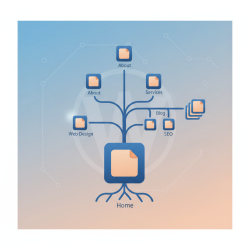
- Hierarchical Structure: Pages can be organized hierarchically, allowing for parent-child relationships. For example, a "Services" page might have sub-pages like "Web Design" and "SEO."
- Fixed Position: Pages do not appear in a chronological feed by default. Instead, they are typically accessed via navigation menus or direct links.
- Limited Categorization/Tagging: By default, Pages do not utilize categories or tags for organization. Their structure is primarily defined by hierarchy.
- Absence of Standard Metadata: Pages usually do not display author information, publication dates, or comment sections, reinforcing their static and authoritative nature.
- Template Control: Many CMS platforms allow users to apply different page templates to Pages, offering greater control over layout and design for specific content types (e.g., a full-width template for a landing page).
- Evergreen Content: The content on Pages is typically considered "evergreen," meaning it remains relevant and valuable regardless of when it was published.
Typical use cases for Pages include "About Us," "Contact," "Privacy Policy," "Terms of Service," "Services," "Our Team," and landing pages for marketing campaigns. These are pages that form the stable navigation and informational core of a website.
Core Functional Differences Summarized
To crystallize the distinctions, here's a direct comparison of their fundamental functionalities:
- Display Order: Posts are chronological (time-based), while Pages are static (fixed position).
- Organization: Posts use categories and tags; Pages use a hierarchical (parent/child) structure.
- Metadata: Posts include author, date, and sometimes categories/tags in their display; Pages typically do not.
- Interactivity: Posts commonly feature comment sections for user engagement; Pages generally do not.
- Purpose: Posts are for dynamic, timely, and frequently updated content (blogs, news); Pages are for static, foundational, and evergreen content (info pages).
- Inclusion in Feeds: Posts are included in RSS feeds; Pages are not.
When to Choose Posts vs. Pages
Making the right choice between a Post and a Page largely depends on the content's purpose and how you want it to behave within your website architecture.
- Use a Post when:
- You are publishing news, updates, or articles that are part of an ongoing series.
- You want the content to appear in your blog feed and be chronologically discoverable.
- You want to encourage comments and foster community interaction.
- You need to organize content using categories and tags for easy browsing of related topics.
- Use a Page when:
- The content is static, foundational, and rarely changes (e.g., "About Us").
- You want the content to be part of your main navigation menu.
- You need to organize content hierarchically (e.g., a main "Services" page with sub-service pages).
- You prefer a clean, uncluttered presentation without publication dates or author details.
Conclusion
In summary, Posts and Pages, despite both being content publishing tools, serve distinctly different roles in website construction and content delivery. Posts are the dynamic, time-stamped entries ideal for blogs and news, emphasizing chronology, interaction, and categorization. Pages, conversely, are the static, hierarchical pillars that form the stable, evergreen foundation of a website, providing essential information with a focus on permanence and structural organization. A clear understanding and strategic application of these core functional differences are vital for building a well-structured, user-friendly, and effective website that efficiently communicates its message and manages its content.
Comprehension questions
 What is the primary characteristic that distinguishes Posts from Pages in terms of content display?How do Pages typically organize content, and what structural feature supports this organization?Name two pieces of metadata commonly associated with Posts but generally absent from Pages.Describe a typical scenario where using a Post would be more appropriate than a Page, and vice versa.
Community Poll
Next Lesson
Course Contents : WordPress Posts vs. Pages for Developers
- >> 4.
 Posts vs. Pages: A Detailed Functional Comparison