Content Types and Their Purposes
- -->> 1. Content Types and Their Purposes
What you'll learn
 WordPress Content OrganizationDynamic vs. Static ContentMedia ManagementExtending WordPress with CPTs
WordPress, at its heart, is a powerful content management system built to make publishing on the web accessible to everyone. A fundamental aspect of understanding WordPress and harnessing its full potential lies in grasping its foundational content types and their initial purposes. These core structures dictate how information is stored, organized, and presented on your website, influencing everything from dynamic blogs to static informational pages and beyond. Familiarizing yourself with these building blocks is the first step toward effectively managing and scaling any WordPress-powered site.
Understanding Core Content Types
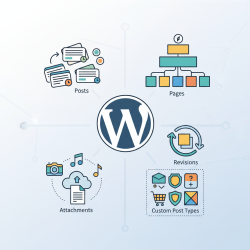
WordPress provides several intrinsic content types right out of the box. These are the basic templates for information you can create and publish. Each type serves a distinct purpose, designed to handle different kinds of information in a structured manner. While they might seem simple, their specific characteristics enable WordPress to be incredibly versatile, adapting to various website needs without extensive custom development.
Posts: The Dynamic Blog Foundation
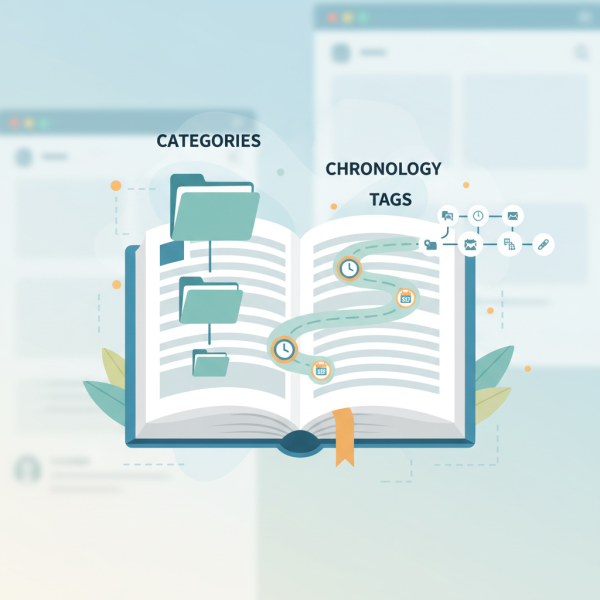
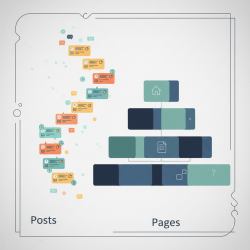
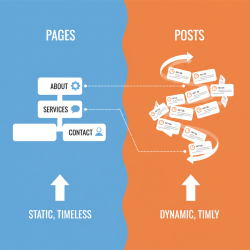
Posts are arguably the most iconic content type in WordPress, primarily designed for blogging and news articles. They are time-sensitive, meaning they are typically displayed in reverse chronological order on your blog page. Posts are dynamic by nature, encouraging regular updates and interaction through comments.
Key characteristics of Posts:
- Chronological Ordering: Automatically ordered by publication date, newest first.
- Categories and Tags: Used for organizing content into broader subjects (categories) and specific keywords (tags), enhancing discoverability.
- Author Information: Often display the author's name, enhancing content credibility and personal branding.
- Comment Functionality: Typically enabled by default, fostering engagement with readers.
- RSS Feeds: Easily subscribable, allowing users to follow updates.
A typical blog post might discuss a recent event, share an opinion, or provide a tutorial. Their structure makes them ideal for regularly updated content where the timeliness of information is important.
Pages: Static and Hierarchical Content
In contrast to posts, pages are designed for static, more permanent content that doesn't change frequently and isn't typically time-sensitive. Think of "About Us," "Contact," "Privacy Policy," or "Services" pages. Pages are meant to reside in fixed locations within your website's navigation structure and are often part of the main menu.
Key characteristics of Pages:
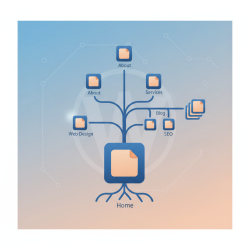
- Hierarchical Structure: Pages can have parent and child relationships, allowing for organized content structures (e.g., "About Us" can have a child page "Our Team").
- No Categories or Tags: By default, pages do not use categories or tags for organization, relying instead on their hierarchical structure.
- No Publication Date Display: Typically, the publication date is not prominently displayed, reinforcing their static nature.
- Custom Templates: WordPress themes can offer specific page templates, allowing for unique layouts and designs for different pages.
- Fixed Navigation: Pages often form the backbone of a website's primary navigation menu.
Pages are essential for establishing the foundational information architecture of any website, providing stable points of reference for visitors.
Attachments: Media Management
Attachments, more commonly known through the Media Library, are another crucial content type. Whenever you upload an image, video, audio file, or document to your WordPress site, it becomes an attachment. While often associated with posts or pages, attachments are distinct entities within the WordPress database.
Each attachment has its own unique URL, title, description, and alternative text. This allows for efficient media management, enabling you to reuse files across multiple posts and pages without re-uploading. The Media Library provides a centralized location to manage all your digital assets, ensuring they are easily accessible and organized.
Revisions: The Safety Net
While not a primary content type in the same sense as posts or pages, revisions are an invaluable feature closely tied to content management. Whenever you save a draft or update a post or page, WordPress automatically saves a revision. This creates a historical record of all changes made to your content.
Revisions act as a safety net, allowing you to compare different versions of your content, revert to an earlier state, or recover accidentally deleted material. This feature is particularly useful in collaborative environments or when making significant changes, providing peace of mind and flexibility in content creation.
Custom Post Types (CPTs): Expanding WordPress's Power
One of WordPress's most powerful features is its extensibility, largely realized through Custom Post Types. While posts and pages cover many basic website needs, specific projects often require unique content structures. CPTs allow developers and advanced users to define entirely new content types beyond the default posts and pages.
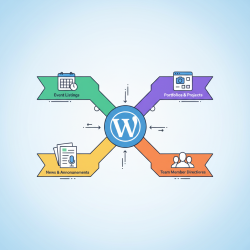
For example, if you're building an e-commerce store, you might create a "Product" CPT. For a portfolio site, you could have a "Portfolio Item" CPT. A directory site might use a "Listing" CPT. Each CPT can have its own custom fields (e.g., product price, portfolio client, listing address) and taxonomies (like custom categories or tags specific to that CPT, such as "Product Categories" or "Portfolio Skills").
CPTs enable WordPress to transcend its blogging origins, making it a robust platform for almost any kind of website. They provide the flexibility to tailor the administrative interface and frontend display to perfectly match the specific data requirements of a project, showcasing WordPress's true versatility as an application framework.
Summary
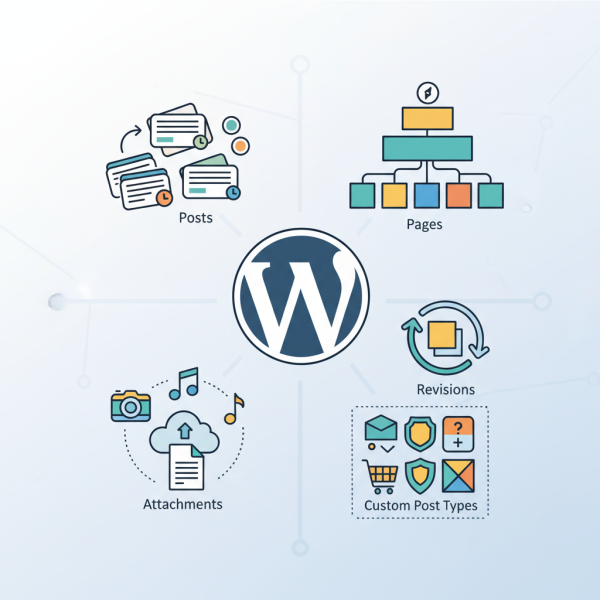
Understanding WordPress's foundational content types—Posts, Pages, and Attachments—is crucial for effective website management. Posts are for dynamic, chronological content like blog entries, organized by categories and tags. Pages are for static, hierarchical information, forming the core navigation. Attachments manage media files, centralizing digital assets in the Media Library. Revisions provide a critical safety net, allowing tracking and restoration of content changes. Finally, Custom Post Types extend WordPress's capabilities, enabling the creation of bespoke content structures like "Products" or "Portfolio Items," transforming it into a highly adaptable platform for diverse web projects. Mastering these elements empowers users to build sophisticated and well-organized websites.
Comprehension questions
 What is the primary difference in purpose between WordPress Posts and Pages?How do categories and tags primarily contribute to the organization of WordPress Posts?What function does the Media Library serve in managing attachments within WordPress?Explain the main benefit of using Custom Post Types in WordPress development.