Enforcing Two-Factor Authentication Across All User Roles
- -->> 4. Enforcing Two-Factor Authentication Across All User Roles
What you'll learn
 2FA Imperative2FA Implementation TypesEnforcement Strategies2FA Best Practices
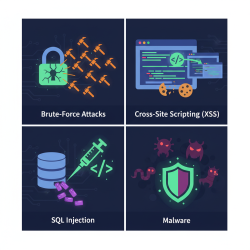
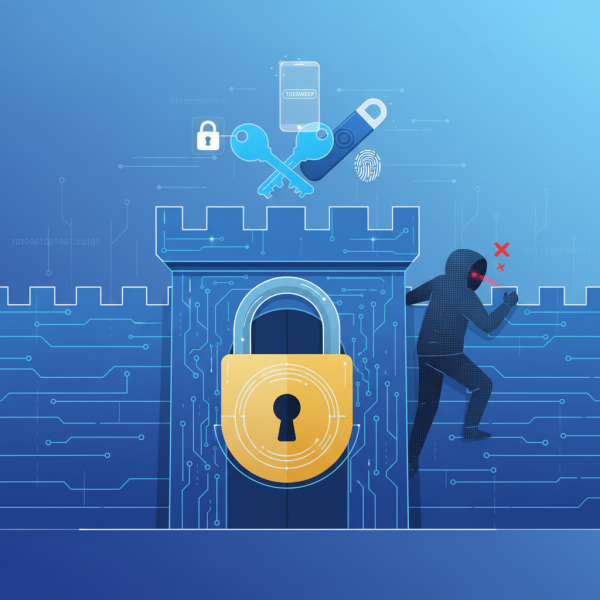
Traditional password-only authentication, once considered sufficient, is now widely recognized as a significant vulnerability. Cybercriminals continuously evolve their tactics, employing sophisticated methods like phishing, brute-force attacks, and credential stuffing to compromise user accounts. This escalating threat landscape necessitates a stronger defense mechanism: two-factor authentication (2FA). Implementing and enforcing 2FA for all user roles, from entry-level staff to executive leadership and system administrators, is no longer a best practice recommendation but a fundamental security imperative to erect a robust barrier against malicious intrusions.
The Imperative of Two-Factor Authentication
The reliance on single-factor authentication (passwords alone) leaves organizations highly susceptible to data breaches. Even strong, complex passwords can be compromised through various means. Once a password is stolen, an attacker gains immediate and complete access to the associated account. This single point of failure can have catastrophic consequences, leading to data theft, financial losses, reputational damage, and regulatory penalties. 2FA significantly mitigates these risks by requiring users to present two distinct forms of identification before granting access, thereby adding a crucial layer of security that makes unauthorized entry far more challenging.
Consider the impact of a compromised administrator account. An attacker with admin privileges could potentially access vast swathes of sensitive data, alter system configurations, deploy malware, or even lock out legitimate users. By enforcing 2FA across all user roles, especially those with elevated permissions, organizations can drastically reduce the attack surface and protect their most critical assets from internal and external threats alike.
Understanding How 2FA Works
Two-factor authentication operates on the principle of requiring verification from two different categories of credentials. These categories are typically: "something you know" (like a password or PIN) and "something you have" (like a smartphone, hardware token, or smart card) or "something you are" (like a fingerprint or facial scan). For an attacker to gain access to an account protected by 2FA, they would not only need to know the password but also possess the second factor.
Even if a cybercriminal successfully obtains a user's password, they would still be unable to log in without the second factor, which they typically do not possess. This fundamental design makes 2FA an incredibly effective security measure against the most common forms of online attacks.
Common Types of 2FA Implementations
Various methods exist for implementing the second factor, each with its own advantages and considerations:
- SMS/Email One-Time Passcodes (OTP): A temporary code is sent to the user's registered mobile number or email address. While convenient, this method can be vulnerable to SIM swapping attacks or email account compromises.
- Authenticator Apps (Time-Based One-Time Passwords - TOTP): Applications like Google Authenticator, Microsoft Authenticator, or Authy generate a new, time-sensitive code every 30-60 seconds directly on the user's device. These are generally more secure than SMS/email as they don't rely on telecommunication networks.
- Hardware Security Keys (e.g., FIDO U2F, YubiKey): Physical devices that plug into a USB port or connect via NFC/Bluetooth. These offer a very high level of security as they are resistant to phishing and man-in-the-middle attacks. They are considered one of the most secure 2FA methods.
- Biometrics: While often used for device unlock, biometrics (fingerprint, facial recognition) can serve as a second factor when integrated into specific login flows, typically through device-based authentication.
- Push Notifications: Users receive a prompt on their registered mobile device to approve or deny a login attempt. This is user-friendly and offers good security, provided the device itself is secure.
Strategies for Enforcing 2FA Across All User Roles
Successful 2FA implementation requires more than just enabling the technology; it demands a comprehensive strategy encompassing policy, deployment, and ongoing management.
Policy Development and Mandate
The first step is to establish a clear, mandatory policy that dictates the use of 2FA for all user accounts, regardless of role or access level. This policy should outline acceptable 2FA methods, recovery procedures, and consequences for non-compliance. Communication of this policy is crucial to ensure all employees understand its importance and their responsibilities.
Phased Rollout and User Education
Instead of a "big bang" approach, consider a phased rollout. Start with high-privilege users (IT administrators, executives, finance personnel) and then extend to other departments. Throughout the process, provide extensive user education and training. Explain why 2FA is necessary, how to set it up, how to use it, and how to troubleshoot common issues. User adoption is critical, and a well-informed user base is more likely to embrace the change positively.
Technical Implementation and Integration
Leverage existing identity and access management (IAM) solutions and identity providers (IdPs) like Azure AD, Okta, or Ping Identity, which often have robust 2FA capabilities built-in. Integrate 2FA directly into all critical applications, services, and VPNs. Ensure that the chosen 2FA methods are compatible with your existing infrastructure and provide a seamless user experience while maintaining strong security.
Auditing, Monitoring, and Support
Continuously monitor 2FA usage and compliance. Regularly audit logs to detect any attempts to bypass 2FA or suspicious authentication patterns. Establish clear support channels for users who encounter issues with their 2FA devices or need assistance with recovery. A well-supported system ensures ongoing user adherence and security.
Best Practices for 2FA Deployment
To maximize the effectiveness of your 2FA strategy, adhere to these best practices:
- Prioritize Stronger Methods: Whenever possible, favor hardware security keys and authenticator apps over SMS-based OTPs due to their superior resistance to common attack vectors.
- Provide Redundant Recovery Options: Ensure users have secure and verifiable methods to regain access if they lose their primary 2FA device. This might include backup codes, an alternate registered device, or an established help desk procedure.
- Regularly Review and Update Configurations: Periodically assess your 2FA policies and configurations to ensure they remain aligned with current threat landscapes and organizational needs. Update software and systems to patch vulnerabilities.
- Implement Conditional Access Policies: Enhance 2FA with conditional access. For instance, require 2FA only when users are logging in from an untrusted network, an unknown device, or attempting to access highly sensitive data. This balances security with user convenience.
Summary
Implementing and enforcing two-factor authentication for all user roles is a cornerstone of modern cybersecurity. It fortifies an organization's defenses against a myriad of cyber threats by requiring a second, distinct verification factor beyond a simple password. By understanding the different types of 2FA, developing clear policies, educating users, and deploying robust technical solutions, organizations can significantly reduce their risk of unauthorized access and data breaches. Consistent auditing and adherence to best practices ensure that 2FA remains an effective and resilient shield in the ever-evolving battle against cyber adversaries.
Comprehension questions
 Why is traditional password-only authentication considered a significant vulnerability in today's digital landscape?What are the three primary categories of credentials typically used in two-factor authentication?Name two different types of 2FA implementations discussed in the article and briefly describe their security characteristics.According to the article, what is a crucial first step for organizations when establishing a comprehensive 2FA strategy?
Community Poll
Next Lesson

Course Contents : WordPress Security Essentials
- >> 4.
 Enforcing Two-Factor Authentication Across All User Roles