Secure Coding Practices in Theme and Plugin Development
- -->> 11. Secure Coding Practices in Theme and Plugin Development
What you'll learn
 Input Validation and SanitizationOutput EscapingNonce ImplementationDatabase Security
Developing themes and plugins for WordPress opens up a world of possibilities for customization and extended functionality. However, with great power comes great responsibility, especially when it pertains to security. Integrating secure coding practices and principles into your WordPress theme and plugin development workflow is not merely a best practice; it is an absolute necessity to protect your users and their data from ever-evolving threats. A proactive approach to security from the ground up can prevent a multitude of vulnerabilities that could otherwise compromise entire websites, leading to data breaches, defacement, or even complete loss of service. This article will guide you through essential secure coding methodologies tailored for the WordPress environment, empowering you to build more robust and trustworthy solutions.
Understanding Common WordPress Vulnerabilities
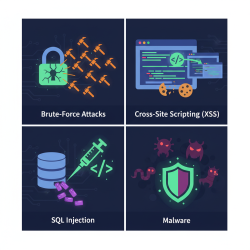
Before diving into specific coding practices, it's crucial to understand the types of vulnerabilities that frequently plague WordPress sites. Awareness of these threats helps developers anticipate potential attack vectors and implement appropriate defenses. Common vulnerabilities include:
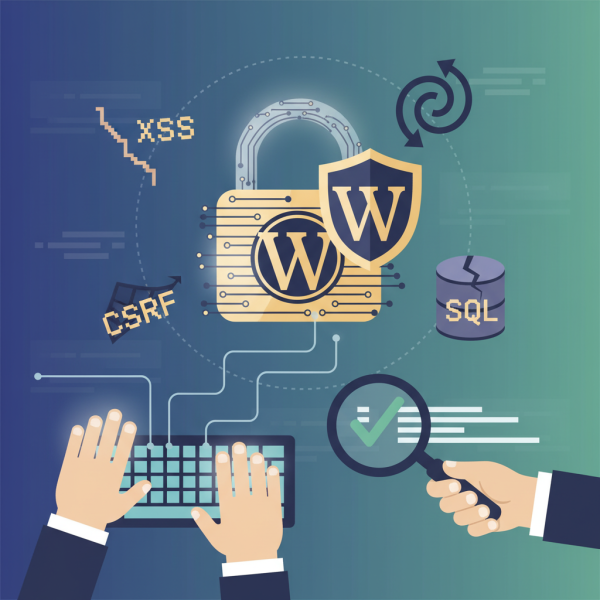
- Cross-Site Scripting (XSS): Attackers inject malicious scripts into web pages viewed by other users.
- Cross-Site Request Forgery (CSRF): Malicious requests are sent from a user's browser without their knowledge, leveraging their authenticated session.
- SQL Injection (SQLi): Attackers inject malicious SQL code into input fields to manipulate or extract data from the database.
- Insecure Direct Object References (IDOR): Users can access resources or data they are not authorized to view by manipulating a parameter referencing the object.
- Broken Authentication and Session Management: Weaknesses in how users are authenticated or how sessions are managed can lead to account takeovers.
- Insecure File Uploads: Allowing users to upload executable files or files with malicious content.
Core Secure Coding Principles
Adhering to fundamental secure coding principles forms the bedrock of robust theme and plugin development. These principles should guide every decision you make throughout the development lifecycle.
- Input Validation and Sanitization: Never trust user input. Always validate and sanitize all data received from external sources before processing or storing it.
- Output Escaping: Always escape data immediately before outputting it to the browser to prevent XSS attacks.
- Principle of Least Privilege: Grant only the minimum necessary permissions to users, roles, and processes.
- Use WordPress APIs and Functions: Leverage WordPress's built-in secure functions and APIs instead of reinventing the wheel with potentially insecure custom code.
- Defense in Depth: Employ multiple layers of security controls, so if one fails, others can still protect the system.
Input Validation and Sanitization
Input validation ensures that data conforms to expected formats and types, while sanitization cleans or filters data to remove potentially harmful elements. For WordPress development, this is paramount. When dealing with user input, such as form submissions, URL parameters, or data from external APIs, it's essential to:
- Validate: Check if the input is in the correct format (e.g., an email address is valid, a number is indeed a number). Use functions like
is_email(),is_numeric(),filter_var(). - Sanitize: Clean the input to remove any malicious code or unwanted characters. WordPress provides excellent sanitization functions:
sanitize_text_field()for general text.sanitize_email()for email addresses.sanitize_url()for URLs.sanitize_key()for keys and slugs.wp_kses_post()orwp_kses()for HTML content, allowing only a safe subset of tags and attributes.
Always perform validation on the server-side, as client-side validation can be easily bypassed by a determined attacker.
Output Escaping
Once data has been processed or retrieved from the database, it often needs to be displayed in the browser. This is where output escaping becomes critical. Escaping converts special characters into their HTML entities, preventing them from being interpreted as executable code by the browser. Failing to escape output is a primary cause of Cross-Site Scripting (XSS) vulnerabilities.
WordPress offers a suite of escaping functions:
esc_html(): For escaping HTML blocks.esc_attr(): For escaping attributes in HTML tags.esc_url(): For escaping URLs.esc_js(): For escaping JavaScript.wp_kses_post()orwp_kses(): For escaping HTML content where specific tags and attributes are allowed.
Always choose the most specific escaping function for the context in which the data will be outputted. Never assume data is safe simply because it came from the database; always escape it right before output.
Nonce Implementation for CSRF Protection
Nonces (Numbers used ONCE) are a security measure in WordPress designed to protect against Cross-Site Request Forgery (CSRF) attacks. They are unique, single-use tokens that are added to URLs or forms and checked when a request is made. If the nonce doesn't match or is missing, WordPress rejects the request.
Key nonce functions to use:
wp_nonce_field(): Generates a hidden field for forms.wp_nonce_url(): Appends a nonce to a URL.check_admin_referer(): Verifies a nonce, typically in admin screens.check_ajax_referer(): Verifies a nonce for AJAX requests.wp_verify_nonce(): A more general function to verify a nonce.
Implement nonces for any action that modifies data or performs a significant operation, especially within the admin area or for AJAX calls.
Database Security: Prepared Statements
SQL Injection is a severe vulnerability that can allow attackers to access, modify, or delete database contents. WordPress developers should exclusively use the wpdb class methods that properly handle prepared statements to interact with the database. Functions like wpdb->prepare() are crucial for preventing SQL injection by separating the SQL query from the user-provided data.
Avoid direct string concatenation to build SQL queries. Instead, use placeholders (%s for strings, %d for integers, %f for floats) within wpdb->prepare() and pass your variables as arguments. This ensures that user input is correctly escaped before being included in the query, treating it as data rather than executable SQL code.
Principle of Least Privilege
The principle of least privilege dictates that any user, program, or process should be granted only the minimum necessary permissions to perform its function. In WordPress development, this applies to:
- User Roles: Do not grant administrator access to users who only need editor or author capabilities. Custom roles can be created for granular control.
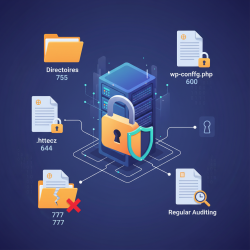
- File and Directory Permissions: Ensure that file and directory permissions on your server are set securely (e.g., 644 for files, 755 for directories) to prevent unauthorized writing or execution.
- API Keys and Credentials: Store API keys and sensitive credentials securely, preferably outside the web root or in environment variables, and limit their capabilities to only what is required.
Secure File Handling
If your theme or plugin allows file uploads, this feature can be a significant attack vector. Implementing secure file handling practices is essential:
- Validate File Types: Only allow specific, safe file types (e.g., images, PDFs). Use
wp_check_filetype()to verify extensions and MIME types. - Sanitize Filenames: Use
sanitize_file_name()to clean filenames, removing potentially malicious characters. - Store Uploads Outside Web Root (if possible): For highly sensitive files, storing them outside the publicly accessible web root adds an extra layer of protection. If within, ensure proper server configurations.
- Scan for Malware: Integrate with security solutions that scan uploaded files for malware.
- Restrict Execution: Prevent direct execution of uploaded files by placing them in directories without execute permissions or by adding appropriate
.htaccessrules.
Regular Security Audits and Updates
Security is not a one-time task but an ongoing process. Regularly auditing your code, staying informed about new vulnerabilities, and keeping your development environment and dependencies updated are crucial.
- Code Reviews: Peer review or self-review code for security flaws.
- Security Scanners: Utilize tools and plugins designed to scan for known vulnerabilities in your code.
- Stay Updated: Keep WordPress core, themes, plugins, and your server software updated to patch known security issues.
- Learn Continuously: The threat landscape evolves; continuously educate yourself on new attack techniques and defense strategies.
Summary
Integrating secure coding practices into WordPress theme and plugin development is critical for building reliable and trustworthy web solutions. By understanding common vulnerabilities like XSS, CSRF, and SQL Injection, and by consistently applying principles such as input validation, output escaping, nonce implementation, and database security with prepared statements, developers can significantly enhance the security posture of their projects. Adhering to the principle of least privilege, ensuring secure file handling, and committing to regular security audits and updates further solidify defenses. Prioritizing security from the initial stages of development protects not only the integrity of your code but also the safety of your users and their data, fostering a more secure WordPress ecosystem for everyone.
Comprehension questions
 What is the primary difference between input validation and input sanitization in WordPress development?Name three WordPress functions used for output escaping and explain when each should be applied.How do nonces protect against CSRF attacks in WordPress, and when should they be implemented?Why is it crucial to use wpdb->prepare() for database interactions in WordPress, and what vulnerability does it prevent?
Next Lesson

Course Contents : WordPress Security Essentials
- >> 11.
 Secure Coding Practices in Theme and Plugin Development