Essential WordPress Database Security Practices
- -->> 7. Essential WordPress Database Security Practices
What you'll learn
 Regular BackupsStrong CredentialsDatabase HardeningMonitoring Security
Your WordPress website is more than just files; its heart beats within the database. This central repository stores all your posts, pages, comments, user information, and crucial settings. Consequently, the security of your WordPress database is paramount. A compromised database can lead to data loss, website defacement, or even the theft of sensitive user information. Protecting this vital asset requires a proactive and multi-faceted approach, integrating regular backups, robust credentials, and a suite of hardening techniques to safeguard against common vulnerabilities.
The Importance of Database Security
A secure database is the foundation of a reliable and trustworthy website. In today's digital landscape, cyber threats are ever-present and constantly evolving. Without adequate protection, your database becomes a prime target for malicious actors seeking to exploit weaknesses. The consequences of a breach can range from reputational damage and loss of user trust to significant financial and legal repercussions, particularly if personal data is involved. Understanding this criticality is the first step toward building an impenetrable defense.
Regular Backups: Your First Line of Defense
Even with the most stringent security measures, incidents can occur. This is where regular backups become indispensable. They are your safety net, allowing you to restore your website to a previous, uncompromised state quickly. Neglecting backups is akin to operating without insurance; it's a risk no website owner should take.
- Automated Backup Solutions: Manually backing up a database can be tedious and prone to human error. Utilize WordPress backup plugins or server-level backup services that can automate the process on a daily or even hourly basis. Ensure these backups include both your database and your website files.
- Offsite Storage: Storing backups on the same server as your live website is risky. If the server experiences a catastrophic failure, you could lose both your site and its backups. Always store copies of your backups in a secure, remote location, such as cloud storage, a separate server, or an external hard drive.
- Testing Backups: A backup is only valuable if it works. Regularly test your backups by restoring them to a staging environment. This verifies their integrity and familiarizes you with the restoration process, ensuring you can act quickly in an emergency.
Strong Credentials and User Management
Weak passwords and poor user management are gateways for attackers. Strengthening your credentials creates a formidable barrier against unauthorized access.
First and foremost, use strong, unique passwords for your WordPress admin account, your database user, and any other user accounts with administrative privileges. A strong password combines uppercase and lowercase letters, numbers, and symbols, and is at least 12-16 characters long. Avoid easily guessable information like birthdays or common words.
Furthermore, never use the default 'admin' username for your WordPress administrator account. Change it to something unique and less obvious. For database users, if possible, avoid the default 'root' username. Limit user privileges to the absolute minimum necessary for their role. For instance, an author doesn't need administrator capabilities. Regularly review user accounts and remove any that are no longer needed.
Database Hardening Techniques
Beyond credentials and backups, several techniques can further fortify your database's defenses.
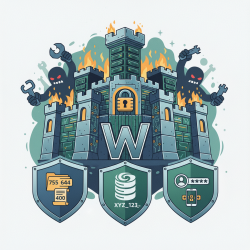
- Change the Default Database Prefix: When installing WordPress, the default database table prefix is `wp_`. This is widely known to attackers. Change this prefix to something unique and complex during installation or via a plugin later. This simple step makes it harder for SQL injection attacks to target your tables.
- Limit Database Access: Restrict direct access to your database from external sources. Configure your server's firewall to allow database connections only from your web server's IP address. In your `wp-config.php` file, ensure database connection details are correct and consider moving this file outside the public HTML directory if your host supports it.
- Disable File Editing: WordPress allows administrators to edit theme and plugin files directly from the dashboard. While convenient, this feature can be a security risk if an attacker gains admin access. Add `define('DISALLOW_FILE_EDIT', true);` to your `wp-config.php` file to disable it.
- Keep Everything Updated: This is a golden rule of website security. Regularly update your WordPress core, themes, and plugins to their latest versions. Updates often include critical security patches that address newly discovered vulnerabilities. Running outdated software is like leaving your front door unlocked.
Monitoring and Auditing
Proactive monitoring helps detect suspicious activity before it escalates into a full-blown breach. Implement security plugins that can scan your database for malicious code, monitor file changes, and log login attempts. Regularly review server access logs and database activity logs for any unusual patterns or unauthorized access attempts. Tools like Sucuri or Wordfence can provide real-time alerts and comprehensive security scanning.
Summary
Securing your WordPress database is not a one-time task but an ongoing commitment requiring vigilance and best practices. The strategies outlined, from implementing regular, tested backups and establishing robust credentials to applying essential hardening techniques and continuous monitoring, collectively form a powerful defense. By embracing these security measures, you significantly reduce the risk of database breaches, protect your website's integrity, and maintain the trust of your users, ensuring your online presence remains safe and resilient.
Comprehension questions
 Why are regular backups considered the first line of defense for a WordPress database?What are two key aspects of creating strong credentials for WordPress and database users?Name three database hardening techniques mentioned in the article.How often should WordPress, themes, and plugins be updated to maintain security?
Review Quiz
Next Lesson
Course Contents : WordPress Security Essentials
- >> 7.
 Essential WordPress Database Security Practices