Troubleshooting Role Conflicts and Permission Issues
- -->> 10. Troubleshooting Role Conflicts and Permission Issues
What you'll learn
 Access ManagementRole-Based Access ControlPermission TroubleshootingSecurity Best Practices
User role conflicts and permission issues are common yet critical challenges in managing user access across various systems and applications. These problems can lead to significant disruptions, ranging from users being unable to perform their daily tasks to potential security vulnerabilities if access is inadvertently over-granted. Effectively troubleshooting these issues is not merely about fixing immediate problems; it's about ensuring operational efficiency, maintaining data integrity, and upholding the security posture of an organization. A systematic approach to understanding, identifying, and resolving these access-related challenges is essential for any IT professional or system administrator tasked with managing user accounts and their associated privileges. This article will delve into the intricacies of user roles and permissions, explore common causes of conflicts, outline effective troubleshooting methodologies, and present best practices for prevention.
Understanding User Roles and Permissions
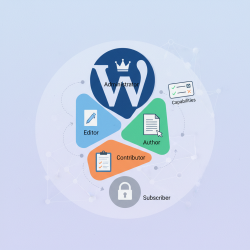
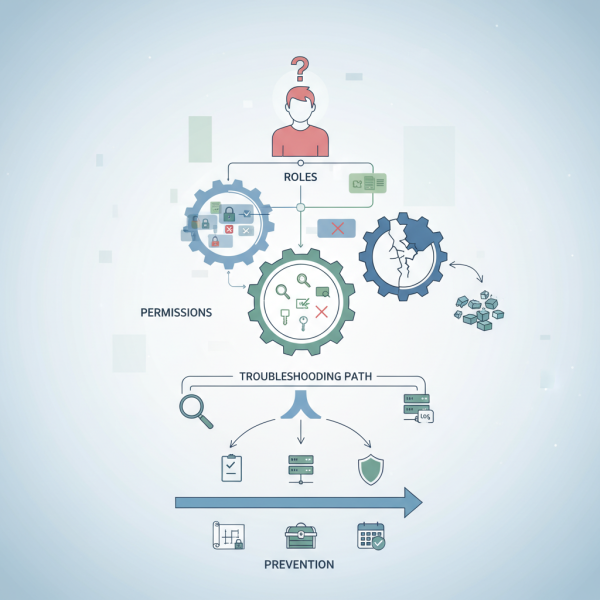
At the core of access management are user roles and permissions. A role is a collection of predefined permissions that grants users specific capabilities within a system or application. Instead of assigning individual permissions to each user, which can be cumbersome and error-prone, users are assigned one or more roles. For example, a "Marketing Manager" role might include permissions to edit campaign content, view sales reports, and create new advertisements.
Permissions, on the other hand, are the granular rights that allow a user to perform a specific action on a specific resource. This could be "read access" to a file, "write access" to a database table, or "execute" a particular function within an application. Permissions are the building blocks that, when grouped, form a role. The relationship is hierarchical: roles encompass permissions, and users are assigned roles.
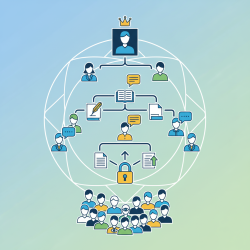
The most prevalent model for this is Role-Based Access Control (RBAC), which simplifies administration by abstracting permissions into roles. While effective, even well-implemented RBAC systems can encounter conflicts due to various factors.
Common Causes of Conflicts
User role conflicts and permission issues often arise from a combination of factors, leading to users having either too much or too little access. Recognizing these root causes is the first step towards effective troubleshooting.
Overlapping Roles: A user might be assigned multiple roles, where the permissions granted by one role conflict with or are overridden by another. This can lead to unexpected behavior, especially in systems where 'deny' permissions explicitly take precedence or where the most permissive access is granted.
Incorrectly Assigned Permissions: Mistakes happen. A specific permission might be inadvertently included or excluded from a role, or a user might be manually granted/denied a permission that bypasses their assigned roles, leading to an inconsistent state.
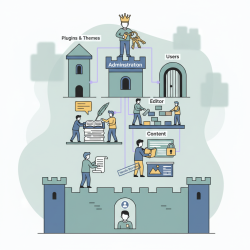
Inherited Permissions: Many file systems and applications utilize inheritance, where permissions set at a higher level in a hierarchy (e.g., a parent folder) are automatically applied to child objects (e.g., subfolders and files). If the inheritance chain is broken or misconfigured, it can result in incorrect access.
Changes in Organizational Structure: As departments merge, teams restructure, or employees change roles, their access requirements evolve. If role assignments and permissions are not updated promptly and accurately, conflicts are bound to emerge.
Misconfigured Access Control Lists (ACLs): Beyond roles, many systems use ACLs to define explicit access rights for users or groups on specific resources. Errors in ACL configuration can override or complicate role-based access.
Migration Issues: When migrating users, systems, or data from one platform to another, permission structures might not translate perfectly, leading to new conflicts or missing access post-migration.
Strategies for Troubleshooting
A methodical approach is crucial when tackling user access problems. Jumping to conclusions can waste time and potentially exacerbate the issue.
- Identify the User and System: Clearly identify the user experiencing the problem (their exact username) and the specific system, application, or resource they are trying to access. Pinpoint the exact action they are attempting to perform.
- Gather Information: Collect all relevant details such as the exact error message received (including screenshots), when the issue started, any recent changes (e.g., software deployments, role modifications, system updates), and what access the user should ideally have based on their job function.
- Verify Role Assignments: Access the user management interface of the affected system and meticulously check all roles assigned to the user. Confirm these roles align appropriately with their responsibilities and expected access levels.
- Examine Permission Sets for Each Role: Drill down into each assigned role to understand the precise permissions it grants. Compare these against the required access for the user's task, paying particular attention to any 'deny' permissions that might explicitly override 'allow' permissions.
- Check for Inherited Permissions: If the issue involves file or folder access, thoroughly investigate the permission inheritance chain. Ensure there are no explicit denials at lower levels of the hierarchy or breaks in inheritance that are inadvertently preventing access.
- Test with a Test User Account: Create a new test user account and assign it the identical roles as the affected user. Attempt to replicate the reported issue. This step helps determine if the problem is user-specific or indicates a broader role or system-wide configuration problem.
- Review Audit Logs: Many systems maintain detailed audit logs of access attempts, permission changes, and security events. These logs can be invaluable in pinpointing exactly when a permission was altered or why an access attempt was denied. Focus on entries related to the user, resource, or recent administrative actions.
- Consult System Documentation: Always refer to the system's official documentation for a comprehensive understanding of how roles, permissions, and access control lists are designed to function. This can reveal specific nuances, configurations, or known limitations relevant to the problem.
- Escalation: If, after a thorough investigation, the problem persists or falls beyond your current level of expertise, escalate the issue to a higher-tier support team, the system owner, or the vendor. Provide all gathered information to facilitate a quicker and more effective resolution.
Best Practices for Prevention
Preventing user role conflicts and permission issues is far more efficient than constantly reacting to them. Implementing robust access management practices can significantly reduce the occurrence of such problems.
- Clearly Defined Roles: Establish well-documented roles that align directly with specific job functions and responsibilities. Avoid creating an excessive number of generic roles that have significant overlap, as this often leads to confusion and conflicts.
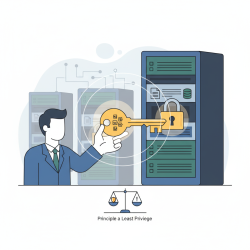
- Principle of Least Privilege (PoLP): Consistently grant users only the absolute minimum access necessary to perform their required job duties. Adhering to PoLP significantly reduces the attack surface and minimizes the potential impact of compromised accounts or misconfigurations.
- Regular Audits: Periodically review all user role assignments and associated permissions. Promptly remove any access that is no longer needed, such as when an employee changes roles or departs the company. Automated tools can greatly assist in streamlining these auditing processes.
- Centralized Access Management: Where feasible, implement and utilize a centralized Identity and Access Management (IAM) solution. This provides a single, unified interface for managing users, roles, and permissions across multiple disparate systems, effectively reducing inconsistencies and administrative overhead.
- Robust Change Management: Establish and enforce a formal process for requesting, approving, and implementing all changes to user roles and permissions. Meticulously document every change to maintain an accurate historical record.
- User and Administrator Training: Educate end-users on their expected access levels and the proper channels for reporting access-related issues. Crucially, train administrators on the correct procedures for managing roles and permissions, emphasizing potential pitfalls and best practices.
Summary
Effectively troubleshooting user role conflicts and permission issues is a critical skill for maintaining system security and operational efficiency. This article has explored the foundational concepts of roles and permissions, identified common causes ranging from overlapping assignments to migration challenges, and provided a structured approach to diagnosing and resolving these problems. Key strategies involve thorough information gathering, meticulous verification of assignments and permissions, leveraging audit logs, and adhering to system documentation. Furthermore, proactive measures like defining clear roles, adhering to the Principle of Least Privilege, conducting regular audits, and implementing robust change management are essential for preventing such issues from arising in the first place, ensuring a secure and streamlined user experience.
Comprehension questions
 What is the primary difference between a 'role' and a 'permission' in an access management context?List three common causes of user role conflicts or permission issues.What is the 'Principle of Least Privilege' and why is it important in preventing access problems?Describe at least two troubleshooting steps you would take when a user reports an access denial.
Community Poll
Next Lesson

Course Contents : WordPress User Roles and Permission
- >> 10.
 Troubleshooting Role Conflicts and Permission Issues