Introduction to WordPress User Roles and Capabilities
- -->> 1. Introduction to WordPress User Roles and Capabilities
What you'll learn
 WordPress User ManagementAccess Control PrinciplesDefault WordPress RolesCustom Role Implementation
WordPress, renowned for its flexibility and ease of use, powers millions of websites globally. A crucial aspect of managing any WordPress site, especially those with multiple contributors or specific access requirements, is understanding its robust system of user roles and capabilities. This system dictates who can do what on your site, from publishing articles to managing plugins. Effectively structuring user access is paramount for maintaining site security, streamlining workflows, and ensuring that every team member has precisely the right level of control without over-permissioning.
What are WordPress User Roles?
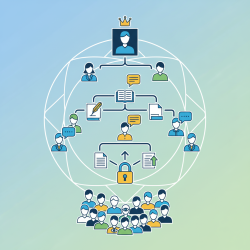
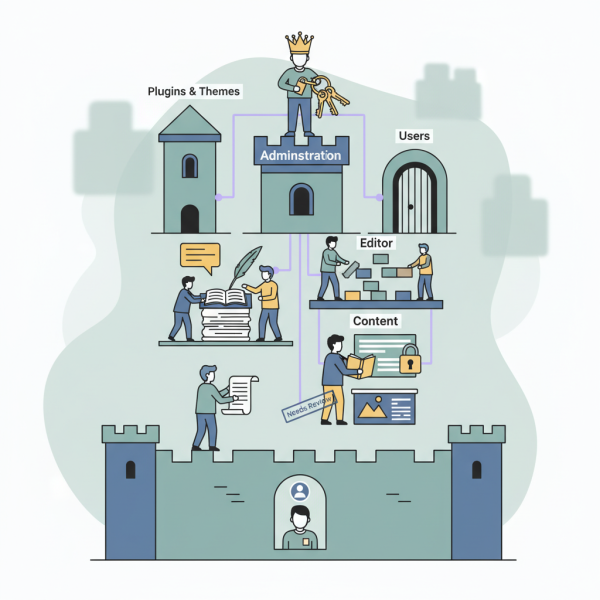
At its core, a WordPress user role is a predefined collection of permissions. Instead of assigning individual capabilities to each user, roles group common capabilities together, significantly simplifying the process of user management. When a new user is added to a WordPress site, or an existing user's profile is edited, an administrator assigns them a specific role. This assigned role then dictates what actions that user can perform, what parts of the dashboard they can access, and what content they can interact with. This hierarchical system is fundamental for maintaining site security, operational integrity, and efficient collaboration, particularly on websites with numerous users.
Understanding Capabilities
While roles are the broad categories of access, capabilities are the granular permissions that define specific actions a user can perform. Each role is essentially a bundle of these individual capabilities. For instance, a capability might be edit_posts, publish_pages, manage_options, or delete_users. Understanding capabilities allows for a much finer level of control over user permissions than simply relying on default roles.
edit_posts: Allows a user to edit their own posts.publish_posts: Grants permission to publish their own posts directly.edit_others_posts: Enables a user to edit posts created by other users.manage_categories: Permits a user to create, edit, or delete categories and tags.activate_plugins: Provides the ability to activate or deactivate plugins.upload_files: Allows a user to upload media files to the site's media library.
This granular approach ensures that administrators can tailor access precisely, whether through default roles or by creating custom roles, without having to hardcode every permission for every single user.
Default WordPress User Roles
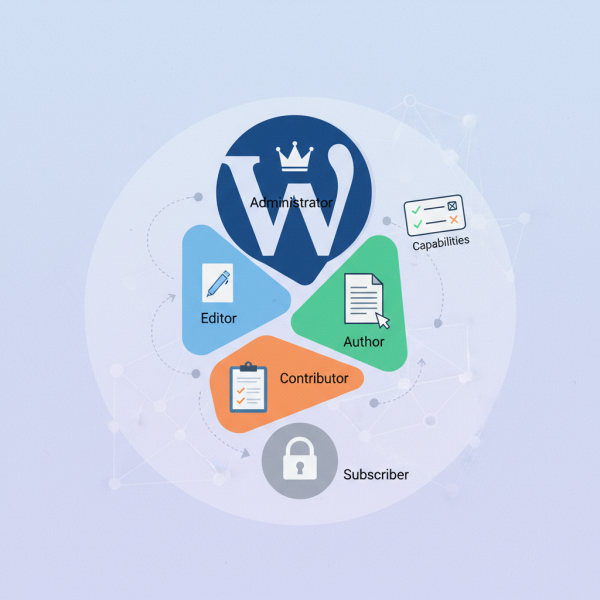
WordPress provides a set of standard user roles right out of the box, designed to cover most common website scenarios. Each of these roles comes with a pre-defined set of capabilities:
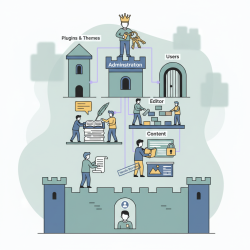
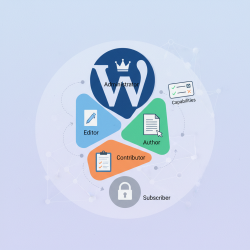
- Administrator: This is the most powerful role. An Administrator has access to all administrative features across the entire WordPress site. They can install and delete themes and plugins, manage all users, edit all content, and change all site settings. This role should be reserved for site owners or highly trusted individuals due to its extensive power.
- Editor: An Editor has significant control over the content on the website. They can publish and manage posts and pages, including those written by other users. Editors can also moderate comments, manage categories and tags, and manage links. They are primarily responsible for the content strategy and oversight.
- Author: An Author can write, upload media to, edit, and publish their own posts. However, they cannot create or publish posts for other users, nor can they manage categories or tags beyond assigning existing ones to their posts. This role is ideal for regular contributors who have direct publishing rights for their own content.
- Contributor: A Contributor can write and edit their own posts but cannot publish them. Their posts must be submitted for review by an Editor or an Administrator before they can go live on the site. Contributors also cannot upload files directly to the media library. This role is perfect for guest writers or new team members whose content requires approval before publication.
- Subscriber: The Subscriber role is the least powerful. Users with this role can only manage their own profile information. They cannot write posts, access the administration area beyond their profile settings, or make any changes to the site's content or settings. This role is commonly used on sites that require user registration for commenting, forum access, or exclusive content.
Managing User Roles and Capabilities
WordPress offers a straightforward way to manage user roles directly from the admin dashboard. Under the 'Users' menu, administrators can easily add new users, edit existing ones, and assign or change their roles using a simple dropdown menu. This native interface is sufficient for basic role assignment.
However, for more complex scenarios, such as modifying the capabilities of default roles or creating entirely new roles with unique permissions, WordPress’s extensibility comes into play. It is critical to regularly review the roles assigned to users, ensuring that each individual possesses only the necessary permissions to perform their job. Granting excessive permissions poses a significant security risk and should be avoided.
Custom User Roles and Plugins
While the default roles cover many common needs, complex organizational structures, membership sites, or e-commerce platforms often require more nuanced permission sets. WordPress fully supports the creation of custom user roles.
Plugins like "User Role Editor" or "Members" are invaluable tools for this purpose. They provide intuitive graphical interfaces that allow administrators to easily create new roles, duplicate existing ones, and assign or revoke specific capabilities with simple checkboxes. These plugins eliminate the need for custom coding, making it accessible for users of all technical levels to tailor permissions precisely. Custom roles are particularly useful for scenarios such as managing vendors on a marketplace site, distinguishing different tiers of membership, or creating unique roles for a large content team with specialized responsibilities.
Summary
Understanding WordPress user roles and capabilities is foundational for effective site management, security, and collaborative success. Roles act as convenient bundles of capabilities, which are the granular permissions defining specific actions. WordPress provides a comprehensive set of default roles, from the all-encompassing Administrator to the basic Subscriber, each tailored for common website functions. Furthermore, the platform's flexibility, often enhanced by dedicated plugins, allows for the creation and precise customization of user roles, ensuring that access control can be perfectly aligned with any site's unique operational requirements and security protocols.
Comprehension questions
 What is the fundamental difference between a WordPress user 'role' and a 'capability'?Name at least three default WordPress user roles and describe their primary responsibilities.Why is it important to regularly review user roles and assign only necessary permissions?How do plugins facilitate the management and creation of custom user roles and capabilities in WordPress?
Community Poll
Next Lesson
Course Contents : WordPress User Roles and Permission
- >> 1.
 Introduction to WordPress User Roles and Capabilities