Effective Media Library Management
- -->> 3. Effective Media Library Management
What you'll learn
 Media Uploading StrategiesEfficient Media OrganizationImage and Media EditingWeb Optimization Techniques
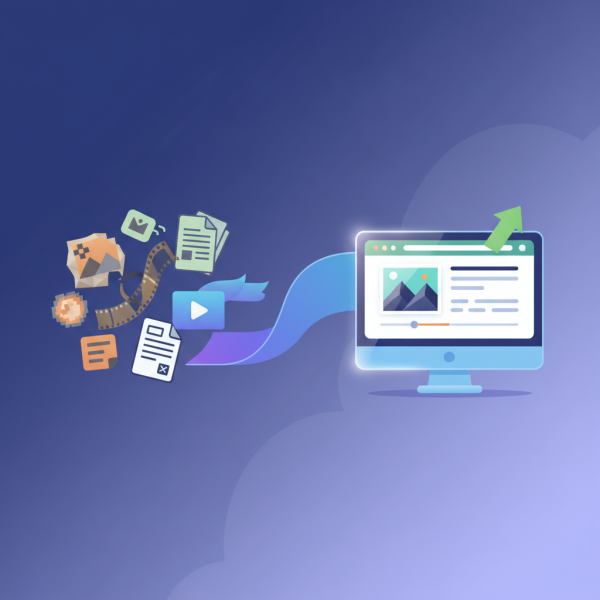
Effective media library management is more than just a convenience; it's a critical component for any successful website or digital platform. From vibrant images that tell a story to essential documents and videos, media files form the backbone of online content. However, without proper strategies for uploading, organizing, editing, and optimizing these assets, a media library can quickly become a chaotic mess, hindering website performance, user experience, and overall efficiency. This article will delve into the core principles of streamlining your media workflow, ensuring your digital assets are not only accessible but also perform at their best on the web.
The Foundation: Strategic Uploading Practices
The journey to a well-managed media library begins with the initial upload. It's not merely about dragging and dropping files; it's about making conscious decisions that impact future organization and performance. Before uploading, always consider the purpose and eventual placement of the media.
Renaming files before uploading is a fundamental step often overlooked. Generic names like 'IMG_0001.jpg' offer no descriptive value. Instead, use clear, descriptive filenames that incorporate relevant keywords, for example, 'red-sports-car-front-view.jpg'. This practice aids in searchability and provides immediate context.
Additionally, assess the file format. While JPEGs are great for photos, PNGs excel for images requiring transparency, and SVGs are ideal for scalable vector graphics like logos. Understanding when to use each format can prevent unnecessary conversions later and ensure optimal quality for specific uses.
Bringing Order: Effective Organization and Tagging
Once uploaded, media files need a systematic approach to organization to remain manageable. Without structure, finding specific assets can become a time-consuming ordeal.
- Consistent Naming Conventions: Beyond initial renaming, maintain a consistent pattern across your entire library. This might involve date prefixes (e.g., 'YYYYMMDD-event-photo.jpg') or project-specific identifiers.
- Categorization and Folder Structures: Create logical folder structures based on content type, projects, departments, or publication dates. For instance, 'Images/Products/WinterCollection' or 'Videos/Tutorials/WebsiteBasics'. This hierarchical organization greatly simplifies browsing and retrieval.
- Leveraging Metadata and Tags: Most media management systems allow for adding metadata, such as titles, descriptions, and keywords (tags). This is invaluable. Tags enable quick filtering and searching, even across different categories. Be specific and comprehensive with your tagging.
Remember to regularly review and prune your media library. Delete unused or redundant files to keep the library lean and efficient, preventing digital clutter.
Refining Your Assets: Editing and Enhancing Media
High-quality media files significantly impact user engagement. Editing is about more than just aesthetics; it's also about preparing the media for its intended platform. For images, this includes cropping to appropriate aspect ratios, adjusting brightness, contrast, and color balance, and ensuring sharpness.
For videos, editing can involve trimming unnecessary footage, adding introductory and concluding segments, enhancing audio quality, and ensuring consistent branding. Audio files might need noise reduction or normalization. The goal is to produce a polished asset that aligns with your brand's quality standards.
Always maintain original, high-resolution versions of your media files in a separate archive if possible. This safeguards against accidental loss and provides a master copy for future uses or different platforms that may require higher fidelity.
Performance Boost: Optimizing Media for the Web
Perhaps the most critical aspect of media library management for digital platforms is optimization for the web. Unoptimized media files are a primary culprit behind slow website loading times, poor user experience, and reduced search engine rankings.
Image optimization involves several techniques:
- File Size Reduction: This is paramount. Use image compression tools (lossy or lossless) to significantly reduce file sizes without noticeable quality degradation.
- Appropriate Dimensions: Resize images to the maximum dimensions they will actually be displayed on your website. Uploading a 4000px wide image for a 800px wide display area is inefficient.
- Responsive Images: Implement responsive image techniques (e.g., using `srcset` and `sizes` attributes in HTML) to serve different image sizes based on the user's device and viewport.
- Modern Formats: Consider using next-gen image formats like WebP or AVIF, which offer superior compression compared to JPEG and PNG.
- Lazy Loading: Implement lazy loading for images and videos that are below the fold. This ensures that media only loads when it's about to be viewed, speeding up initial page load.
For videos, consider streaming services that handle encoding and adaptive bitrate streaming automatically. For all media, consistent use of alt text and descriptive captions not only improves accessibility for users with screen readers but also provides valuable context for search engines.
Maintenance and Best Practices
Effective media management isn't a one-time task; it's an ongoing process. Regularly audit your media library for outdated, unused, or broken files. Establish clear guidelines for anyone contributing to the library, detailing file naming conventions, required formats, and optimization standards.
Backup your media library regularly to prevent data loss. Utilize version control features if available, allowing you to revert to previous versions of files if necessary. A well-maintained media library is a powerful asset, contributing significantly to a professional online presence and a smooth content management workflow.
Conclusion
Mastering media library management is a multifaceted discipline that touches upon every aspect of digital content creation and deployment. By embracing strategic uploading, implementing robust organization and tagging, meticulously editing assets, and rigorously optimizing them for web performance, you can transform a potentially overwhelming task into a streamlined, efficient process. This proactive approach not only enhances your website's speed and user experience but also empowers you to leverage your visual and audio content to its fullest potential, ensuring your digital presence remains strong and impactful.
Comprehension questions
 Why is a consistent naming convention important for media library organization?What are two key benefits of optimizing images for the web?Besides file size, what other aspect of images should be considered for web optimization?How do metadata and alt text contribute to better media management and accessibility?
Community Poll
Next Lesson

Course Contents : Navigating the WordPress Dashboard
- >> 3.
 Effective Media Library Management