The Importance of WordPress Updates
- -->> 9. The Importance of WordPress Updates
What you'll learn
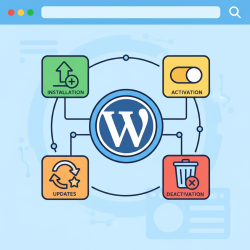
 Security EnhancementsPerformance OptimizationCompatibility AssuranceBackup Strategies
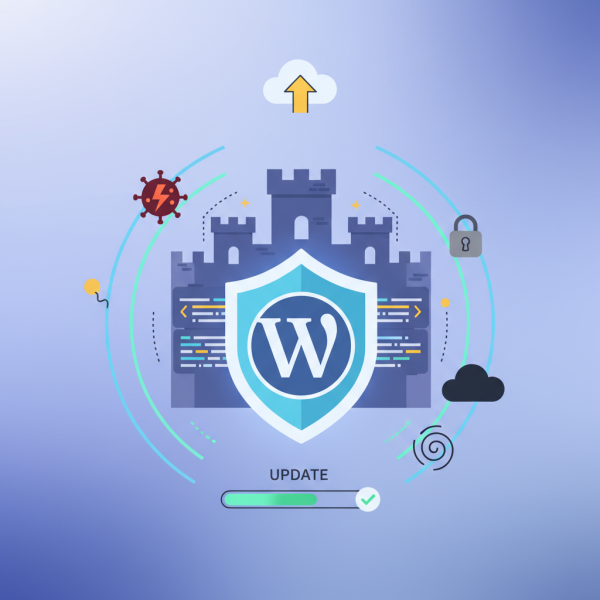
Far from being an optional chore, keeping your WordPress core, themes, and plugins current is a critical practice for ensuring the security, performance, and overall health of your site. Neglecting these updates can expose your website to vulnerabilities, slow down its loading speed, and even lead to compatibility issues that break functionality. Understanding the multifaceted benefits and the straightforward process of routine updates is fundamental for any WordPress site owner.
Why Updates Are Absolutely Essential
Regular updates serve as the primary defense mechanism for your WordPress website. They are not merely about adding new features but fundamentally about fortifying your digital presence against an ever-evolving threat landscape and optimizing its operational efficiency.
- Enhanced Security: Developers frequently release updates to patch newly discovered security vulnerabilities. Cyber attackers constantly search for weaknesses in outdated software, and running old versions of WordPress, themes, or plugins leaves your site open to exploits, malware infections, and data breaches.
- Improved Performance: Updates often include performance enhancements, code optimizations, and bug fixes that can significantly improve your website's loading speed, responsiveness, and overall efficiency. A faster website enhances user experience and can positively impact search engine rankings.
- New Features and Functionality: Core WordPress, theme, and plugin developers regularly introduce new features, improvements, and tools in their updates. These can range from better content editing experiences to advanced SEO capabilities, enhancing your site's functionality and competitiveness.
- Compatibility and Stability: Updates ensure that all components of your WordPress ecosystem (core, themes, and plugins) work together seamlessly. Outdated components can lead to conflicts, errors, and even render parts of your site non-functional, causing a poor user experience.
Understanding WordPress Core Updates
WordPress core updates are the foundation of your site's maintenance strategy. These updates are typically categorized into major releases (e.g., 5.x to 6.x) and minor releases (e.g., 6.0 to 6.1). Minor releases usually contain security patches and bug fixes and are often automatically applied. Major releases introduce significant new features, user interface changes, and performance improvements. While major updates are not always automatic, applying them promptly is vital after ensuring compatibility with your theme and plugins.
Managing Theme Updates
Your website's appearance and often its underlying structure are governed by its theme. Theme updates are crucial for security, performance, and compatibility. Premium themes, especially, often come with complex functionalities that require regular updates to fix bugs and prevent security holes. Always use a child theme if you have made customizations, as updating the parent theme will overwrite direct modifications. This practice ensures your aesthetic and functional changes are preserved.
Plugin Updates: The Crucial Link
Plugins extend WordPress's functionality, adding everything from contact forms to e-commerce capabilities. Due to their widespread use and direct interaction with the core, plugins are frequently targeted by attackers. Consequently, plugin developers often release security patches and compatibility updates. It is paramount to keep all plugins updated, as a single outdated plugin can be the weakest link in your website's security chain. Before updating, always check the plugin's changelog for potential breaking changes.
Backup Strategies Before Updating
Despite the best intentions, updates can occasionally introduce unforeseen issues or conflicts. This is where a robust backup strategy becomes invaluable. Before initiating any major update (core, theme, or significant plugin), always create a full backup of your entire website – including files and database. This allows you to quickly restore your site to its previous working state if something goes wrong, minimizing downtime and data loss. Many hosting providers offer automated backups, but manual backups or using a dedicated backup plugin adds an extra layer of safety.
Best Practices for a Smooth Update Process
Adopting a disciplined approach to updates can mitigate risks and ensure a smoother process.
- Stage Your Updates: For critical or complex websites, consider using a staging environment. A staging site is a clone of your live site where you can test updates without affecting your live audience. This allows you to identify and resolve any issues before pushing changes to production.
- Read Changelogs: Before updating, particularly for major releases or crucial plugins, take a moment to read the changelog. This document provides details on what has been changed, new features, bug fixes, and any known issues or requirements.
- Monitor Your Site: After applying updates, thoroughly check your website's front-end and back-end functionality. Test critical features like forms, shopping carts, and user login to ensure everything is working as expected.
- Update Regularly: Instead of letting updates pile up, perform them frequently. Smaller, more frequent updates are generally less risky and easier to troubleshoot than a large batch of overdue updates.
Summary
In conclusion, consistent updates and diligent maintenance of your WordPress core, themes, and plugins are not just technical formalities but essential practices for safeguarding your website. Prioritizing these tasks ensures enhanced security, optimal performance, access to new features, and overall stability, ultimately leading to a more reliable and successful online presence. Regular backups and a systematic approach to updates, including testing, are crucial components of this ongoing commitment to website health.
Comprehension questions
 What are the four primary reasons why keeping WordPress core, themes, and plugins updated is absolutely essential?Why is it recommended to use a child theme when making customizations to a WordPress theme?What is the critical step that should always be taken before initiating any major WordPress update?Name two best practices for ensuring a smooth update process for a WordPress website.
Community Poll
Next Lesson
Course Contents : Navigating the WordPress Dashboard
- >> 9.
 The Importance of WordPress Updates