Optimizing Your Digital Dashboard
- -->> 2. Optimizing Your Digital Dashboard
What you'll learn
 Understanding the Dashboard Home ScreenThe Power of WidgetsTypes of WidgetsAt-a-Glance Information
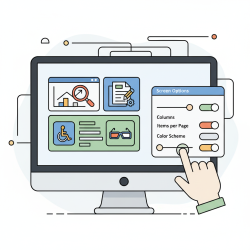
The dashboard home screen serves as our digital command center, often the first interface we encounter across various devices and applications. It's the gateway to our digital lives, providing immediate access to critical information and tools. Understanding how to effectively utilize this space, particularly through the intelligent application of widgets and the concept of at-a-glance information, is crucial for maximizing productivity and enhancing user experience. This article will delve into the intricacies of dashboard home screens, exploring the power of widgets, the benefits of quick information access, and comprehensive strategies for customizing your personal digital workspace.
Understanding the Dashboard Home Screen
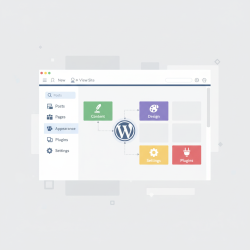
At its core, a dashboard home screen is a highly customizable interface designed to be a central hub for applications, notifications, and essential data. Whether it's on your smartphone, tablet, desktop operating system, or a specialized productivity suite, its purpose remains consistent: to provide a personalized, efficient, and direct route to what matters most to you. It's about presenting information in a digestible format, reducing the need to navigate through multiple layers of menus or open numerous applications.
This central hub is engineered for quick interaction and information retrieval. Rather than a static list of applications, modern dashboard home screens offer dynamic elements that update in real-time, providing fresh data without explicit user input beyond the initial setup. This evolution transforms a mere application launcher into a true information display system.
The Power of Widgets
What are Widgets?
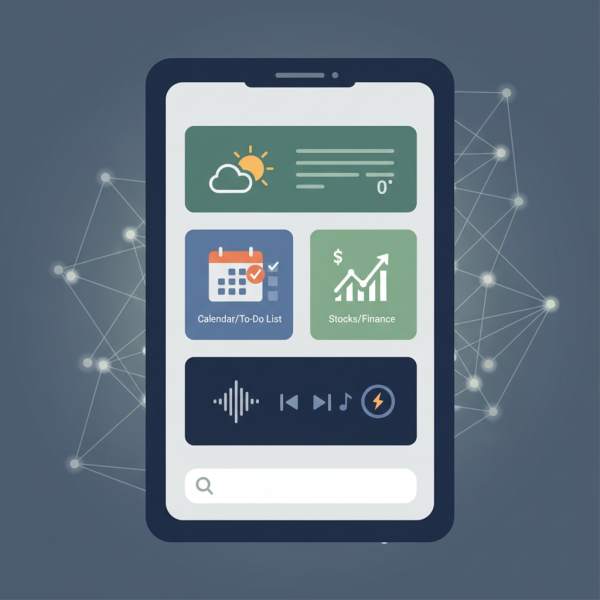
Widgets are miniature, self-contained applications or components that live directly on your dashboard home screen. Unlike full applications that require you to open them to interact, widgets offer a snapshot of information or quick access to specific functions without needing to launch the entire program. They are dynamic, meaning the information they display can update continuously, providing current data at all times. This utility makes them incredibly powerful tools for efficiency and immediacy.
Think of a widget as a small window into a larger application. For instance, a weather widget shows the current temperature and forecast without opening the full weather app. A calendar widget displays your upcoming appointments without needing to navigate to your full schedule. This instant accessibility is what makes widgets an indispensable part of a modern digital workspace, saving precious time and effort.
Types of Widgets
The variety of available widgets is vast, catering to almost any information need or quick action. They can generally be categorized by their function:
- Information Display Widgets: These provide real-time data such as weather forecasts, news headlines, stock prices, sports scores, battery levels, or data usage. They keep you informed without active searching.
- Productivity Widgets: These include quick note-taking tools, to-do lists, calendar overviews, email previews, or quick access to frequently used contacts. They streamline your daily tasks and workflow.
- Control Widgets: These offer immediate controls for various functions like music playback, Wi-Fi toggles, Bluetooth, smart home device controls, or brightness adjustments, enabling swift modifications without deep menu dives.
- Utility Widgets: Examples include calculators, timers, or shortcuts to specific app functions (e.g., direct access to a camera mode or a specific browser tab).
Each type enhances the home screen by bringing core functionalities to the forefront, transforming a simple background into an interactive, data-rich environment.
Comprehension questions
 What is the primary purpose of a dashboard home screen?How do widgets differ from full applications in their functionality?Can you list and describe three types of widgets mentioned in the article?
Community Poll
Next Lesson
Course Contents : Navigating the WordPress Dashboard
- >> 2.
 Optimizing Your Digital Dashboard