Integrating Best Practices into Your Routine Maintenance
- -->> 12. Integrating Best Practices into Your Routine Maintenance
What you'll learn
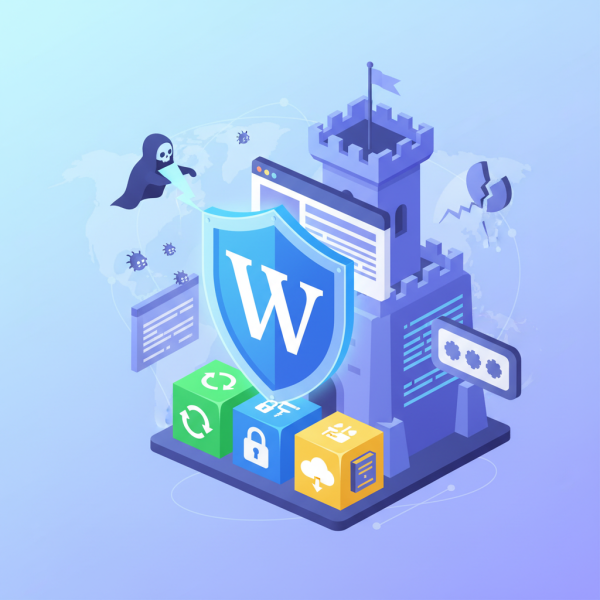
 Regular Software UpdatesRobust Access ControlComprehensive Backup StrategiesContinuous Security Monitoring
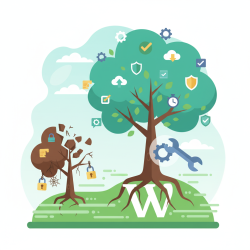
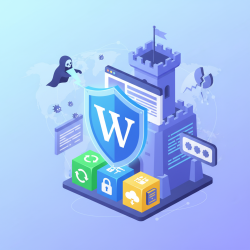
Integrating essential security best practices as a proactive part of your routine WordPress maintenance is not merely an option but a critical necessity in today's digital landscape. Websites, especially those powered by WordPress, are constant targets for malicious actors seeking vulnerabilities. By making security an inherent part of your regular upkeep, you significantly reduce the risk of breaches, data loss, and operational disruptions, ensuring your site remains secure, functional, and trustworthy for your visitors and business alike. This approach shifts security from a reactive fix to a foundational element of site health.
The Foundation: Regular Updates
One of the simplest yet most effective security measures is keeping all components of your WordPress site meticulously updated. Neglecting updates is like leaving your front door unlocked; it provides an easy entry point for attackers to exploit known vulnerabilities.
Regular updates should encompass three main areas:
- WordPress Core: WordPress frequently releases updates, often containing critical security patches. Always apply these updates promptly after thorough testing on a staging environment if possible.
- Themes: Outdated themes can harbor security flaws that attackers can leverage. Ensure your active and inactive themes are kept up-to-date with the latest versions from their developers.
- Plugins: Plugins extend the functionality of WordPress, but they are also a common source of vulnerabilities. Prioritize updates for all installed plugins, especially those from reputable developers, and remove any that are no longer in use.
Strong Access Control
Managing who has access to your WordPress site and how they access it is fundamental to preventing unauthorized entry. Weak access controls are a significant security risk that can be easily mitigated.
Key practices include:
- Robust Passwords: Enforce strong, unique passwords for all user accounts, especially administrators. These should be long, complex, and ideally generated by a password manager.
- Two-Factor Authentication (2FA): Implement 2FA for all users, particularly administrators, as an additional layer of security beyond just a password. This often involves a code from a mobile app or a physical key.
- Limit Administrator Accounts: Minimize the number of users with administrator privileges. Assign the lowest necessary role to each user based on their responsibilities.
- Change Default Usernames: Avoid using the default 'admin' username, as it's a common target for brute-force attacks.
Robust Backup Strategy
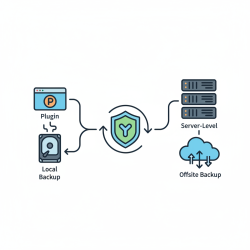
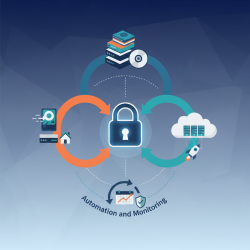
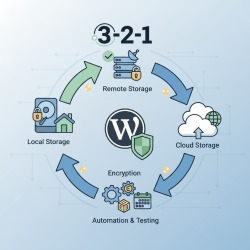
Even with the best security practices, unforeseen events like server failures, human error, or sophisticated attacks can occur. A comprehensive backup strategy acts as your ultimate safety net, allowing you to restore your site to a previous, secure state.
Your backup plan should involve:
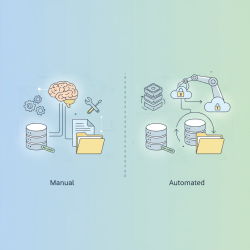
- Regular Automated Backups: Schedule daily or even more frequent backups of your entire WordPress site (database and files).
- Off-site Storage: Store backups in a secure, remote location separate from your hosting server. This protects your data even if your primary server is compromised.
- Testing Backups: Periodically test your backups by performing a full restoration to a staging environment. This verifies that your backups are complete and functional when you need them most.
- Multiple Restore Points: Keep several recent backup versions, allowing you flexibility in choosing a restore point if an issue isn't immediately detected.
Monitoring and Scanning
Continuous vigilance is key to detecting potential threats before they escalate. Proactive monitoring and regular security scans can identify malicious activity or vulnerabilities early on.
Essential practices include:
- Security Plugins: Utilize reputable WordPress security plugins that offer features like malware scanning, firewall protection, activity logging, and brute-force protection. Configure them to run automated scans and send alerts.
- Activity Logs: Monitor user activity logs to detect unusual login attempts, file modifications, or administrative actions that could indicate a compromise.
- Regular Malware Scans: Beyond your security plugin, consider external malware scanning services for an independent assessment of your site's integrity.
Hardening WordPress
WordPress hardening involves implementing specific configurations to enhance the security posture of your site beyond the default settings. These measures often involve editing core configuration files.
Examples include:
- Limiting Login Attempts: Prevent brute-force attacks by automatically blocking IP addresses after a certain number of failed login attempts.
- Disable File Editing: Restrict direct editing of theme and plugin files from the WordPress admin dashboard by adding a line to your
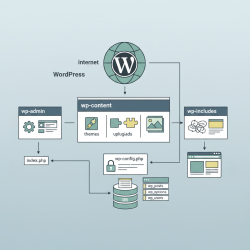
wp-config.phpfile. - Secure
wp-config.phpand.htaccess: Protect these critical files by placing them outside the public_html directory if your hosting allows it, or by setting restrictive file permissions. - Change Database Table Prefix: While not a primary defense, changing the default
wp_database table prefix can make automated SQL injection attempts slightly harder. - File Permissions: Ensure correct file and directory permissions are set (e.g., directories to 755, files to 644) to prevent unauthorized writing or execution.
Conclusion
Integrating security best practices into your routine WordPress maintenance is a layered and ongoing process. It encompasses regular software updates, stringent access controls, a robust backup strategy, continuous monitoring for threats, and proactive site hardening measures. By adopting these essential practices, you build a resilient defense against the constantly evolving landscape of cyber threats, safeguarding your website's integrity and ensuring its long-term operational success.
Comprehension questions
 Why is integrating security practices proactively into WordPress maintenance considered essential?What are the three primary components of WordPress that require regular updates for security?Besides strong passwords, what two other measures are crucial for enhancing access control on a WordPress site?Explain the importance of both off-site storage and regular testing for a comprehensive WordPress backup strategy.
Review Quiz
Next Lesson
Course Contents : Mastering WordPress Site Maintenance
- >> 12.
 Integrating Best Practices into Your Routine Maintenance