Manual vs. Automated WordPress Backups
- -->> 5. Manual vs. Automated WordPress Backups
What you'll learn
 WordPress Backup MethodsManual Backup Pros and ConsAutomated Backup BenefitsBackup Strategy Selection
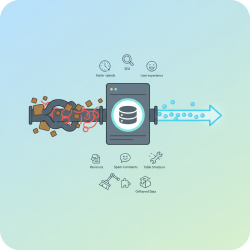
In the digital realm, a website's data is its lifeblood. For WordPress site owners, safeguarding this data through reliable backups is not merely a recommendation but a critical necessity. Whether due to malicious attacks, server failures, human error, or botched updates, data loss can be catastrophic, leading to significant downtime, lost revenue, and damage to reputation. Understanding the different approaches to backing up your WordPress site is paramount to ensuring its longevity and resilience. This article delves into the nuances of manual and automated backup methods, exploring their respective advantages and helping you determine the best strategy for your specific needs.
Understanding WordPress Backups
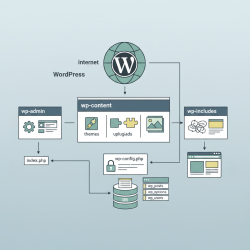
Before diving into the methods, it's essential to grasp what a WordPress backup entails. A complete backup typically consists of two main components: your WordPress database and your WordPress files. The database stores all your post content, comments, user information, and most plugin settings. The files include your WordPress core installation, themes, plugins, uploaded media, and any custom code. Neglecting either component means an an incomplete restoration, rendering your backup efforts futile.
The importance of regular backups cannot be overstated. Websites are dynamic entities, constantly evolving with new content, comments, and updates. Without a current backup, even minor incidents can result in irreversible data loss. Backups serve as a safety net, allowing you to restore your site to a previous, functional state, minimizing downtime and mitigating potential disasters.
Manual Backup Approach
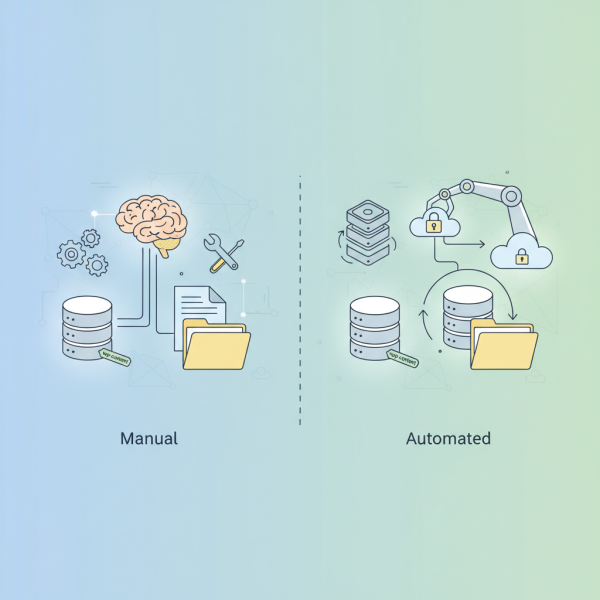
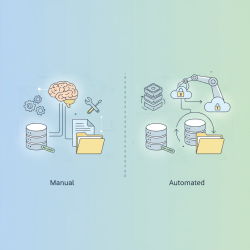
The manual backup approach involves physically downloading your website's database and files yourself. This method provides direct control over the backup process and can be performed using various tools typically available through your hosting provider.
How Manual Backups Work:
- Database Backup: This is often done via phpMyAdmin, a web-based interface for managing MySQL databases. You log in, select your WordPress database, and export it as an SQL file.
- Files Backup: Your WordPress files can be accessed and downloaded using an FTP (File Transfer Protocol) client like FileZilla or through your hosting account's file manager (e.g., cPanel File Manager). You'll need to download the entire
public_htmldirectory or the directory where your WordPress installation resides, includingwp-content,wp-includes, andwp-adminfolders, along with all root files.
Advantages of Manual Backups:
- Full Control: You decide precisely what to back up and when.
- Cost-Effective: No additional software or subscription costs are involved, leveraging tools already provided by your host.
- Understanding of Site Structure: Performing manual backups can help you better understand the underlying file and database structure of your WordPress site.
Disadvantages of Manual Backups:
- Time-Consuming: Especially for larger sites, downloading files and exporting databases can take significant time.
- Prone to Human Error: Forgetting to back up specific files, databases, or misconfiguring settings can lead to incomplete backups.
- Requires Technical Knowledge: Familiarity with phpMyAdmin, FTP clients, and file structures is necessary.
- Inconsistent Scheduling: It's easy to forget or postpone manual backups, leading to outdated or missing recovery points.
- Storage Management: You are responsible for storing these backups securely off-site, which adds another manual step.
Automated Backup Approach
Automated backups streamline the entire process, removing the need for manual intervention and significantly reducing the risk of human error. These solutions typically involve dedicated WordPress backup plugins or services offered by hosting providers.
How Automated Backups Work:
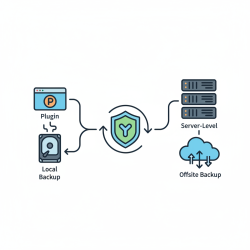
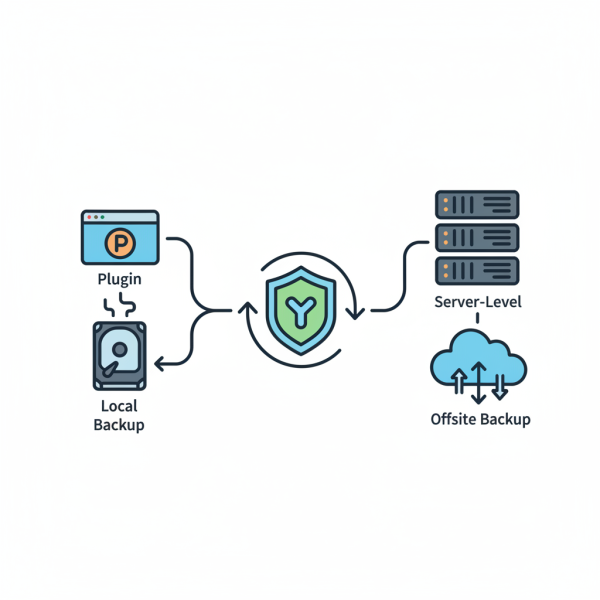
- WordPress Plugins: Plugins like UpdraftPlus, Duplicator, or BackWPup allow you to schedule backups of your database and files at regular intervals (daily, weekly, monthly). Many offer options to send backups directly to cloud storage services like Google Drive, Dropbox, Amazon S3, or SFTP.
- Hosting Provider Services: Many premium WordPress hosting providers include automated daily or weekly backups as part of their package. These are often managed at the server level, offering a robust and hands-off solution.
Advantages of Automated Backups:
- Set-and-Forget Convenience: Once configured, backups run automatically on schedule, requiring minimal ongoing effort.
- Regularity and Consistency: Ensures that your site always has a recent backup available, critical for frequently updated sites.
- Multiple Restore Points: Automated solutions often store multiple versions of your site, allowing you to revert to different points in time.
- Off-site Storage: Most automated solutions facilitate or directly integrate with off-site cloud storage, protecting backups even if your primary server fails.
- Ease of Use: User-friendly interfaces make it simple to set up schedules, manage backups, and initiate restores, even for non-technical users.
- Faster Recovery: Many automated solutions include one-click restore functionality, drastically cutting down recovery time.
Disadvantages of Automated Backups:
- Potential Costs: While some basic plugins are free, premium features, larger storage quotas, or managed hosting services often come with recurring subscription fees.
- Reliance on Third-Party Solutions: You are entrusting your backup process to a plugin or hosting provider, requiring trust in their reliability and security.
- Resource Usage: Some backup plugins can consume server resources during the backup process, potentially affecting site performance on shared hosting, though most are optimized to run during off-peak hours.
- Configuration Complexity: While generally easier, initial setup for some advanced plugins can still require careful attention to settings like exclusions and storage locations.
Choosing the Right Approach for Your WordPress Site
The optimal backup strategy is not a one-size-fits-all solution. It depends on various factors specific to your WordPress site and operational needs.
- Site Size and Complexity: Smaller, static sites with infrequent updates might get by with less frequent manual backups. Larger, dynamic e-commerce sites or blogs with daily posts absolutely require robust automated solutions.
- Technical Expertise: If you're comfortable with cPanel, FTP, and phpMyAdmin, manual backups are feasible. If you prefer a more streamlined, user-friendly experience, automated solutions are preferable.
- Budget: Manual backups are essentially free beyond your hosting costs. Automated solutions can range from free basic plugins to premium services costing tens or hundreds of dollars annually.
- Recovery Time Objective (RTO): How quickly do you need your site back online after an incident? Automated solutions with one-click restore capabilities offer faster recovery times.
- Frequency of Updates: Sites updated daily or multiple times a week demand daily automated backups to avoid significant data loss.
- Security Concerns: Off-site storage, often a feature of automated solutions, adds an extra layer of security by separating your backup from your live site server.
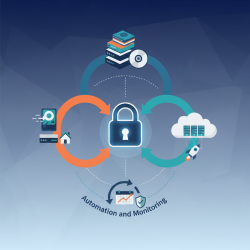
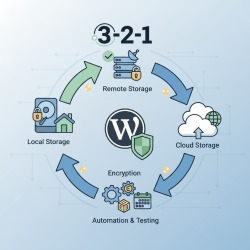
Many site owners also opt for a hybrid approach, combining the best of both worlds. For instance, using an automated plugin for daily incremental backups to cloud storage, while occasionally performing a full manual backup to a local hard drive for maximum redundancy. This layered approach provides comprehensive protection and peace of mind.
Summary
Protecting your WordPress site with a reliable backup strategy is non-negotiable. Both manual and automated approaches offer distinct advantages and disadvantages. Manual backups provide complete control and cost savings but demand significant time, technical skill, and consistent effort. Automated backups, conversely, offer unparalleled convenience, regularity, and typically faster recovery, albeit often at a financial cost and reliance on third-party providers. The ideal choice hinges on your site's specific characteristics, your technical comfort level, and your budget. By carefully evaluating these factors, you can implement a backup strategy that ensures your WordPress site remains secure, resilient, and ready to bounce back from any unforeseen digital mishap.
Comprehension questions
 What are the two main components of a complete WordPress backup, and why is it crucial to back up both?List two significant advantages and two significant disadvantages of performing manual backups for a WordPress site.How do automated backup solutions typically work, and what are two key benefits they offer over manual methods?What three factors should a WordPress site owner consider when deciding between a manual and an automated backup approach?
Review Quiz
Next Lesson
Course Contents : Mastering WordPress Site Maintenance
- >> 5.
 Manual vs. Automated WordPress Backups