Advanced Tools and Command-Line Interfaces
- -->> 13. Advanced Tools and Command-Line Interfaces
What you'll learn
 WP-CLI UsageAutomated MaintenanceDatabase OptimizationStaging Environments
Managing a WordPress website, especially at scale, demands more than just clicking update buttons. Efficient maintenance is crucial for optimal performance, robust security, and seamless user experience. While the WordPress dashboard provides basic functionalities, advanced tools and command-line interfaces offer unparalleled control, speed, and automation capabilities. Embracing these powerful utilities transforms routine tasks into streamlined processes, allowing developers and administrators to manage their sites with greater precision and efficiency. This article explores how to leverage command-line interfaces like WP-CLI and other advanced strategies to elevate your WordPress maintenance workflow.
WP-CLI: The Command-Line Powerhouse for WordPress
WP-CLI is an indispensable tool for any serious WordPress administrator. It allows you to perform virtually any action you can do in the WordPress dashboard, and much more, directly from your server's command line. This significantly speeds up operations, especially when managing multiple sites or performing repetitive tasks.
Core WP-CLI Commands for Daily Tasks
WP-CLI simplifies numerous everyday maintenance activities. Instead of navigating through the admin interface, you can execute commands rapidly.
- Update WordPress Core:
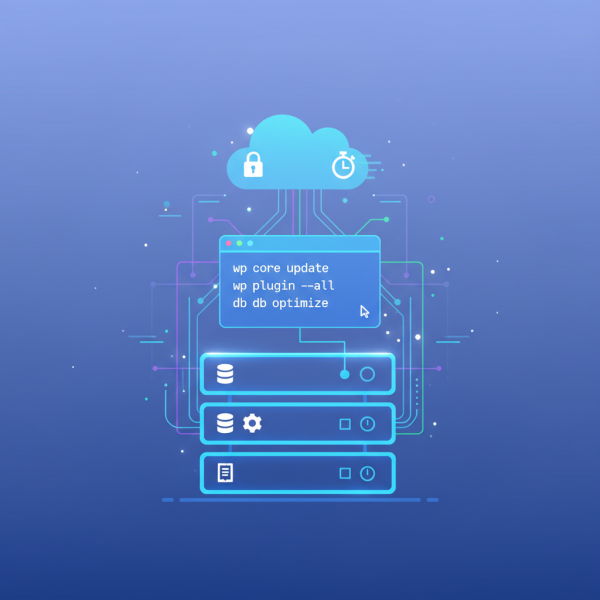
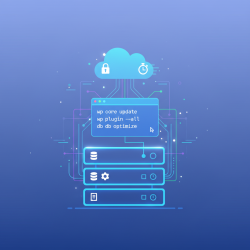
wp core updateandwp core update-dbfor database updates. - Manage Plugins:
wp plugin install,wp plugin update --all,wp plugin activate, andwp plugin delete. - Manage Themes: Similar commands exist for themes, such as
wp theme update --all. - User Management: Create, update, or delete users with commands like
wp user create --role=.
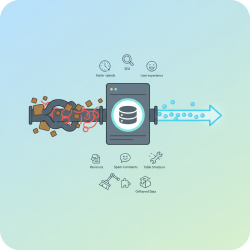
Database Management and Optimization
Direct interaction with the database is another area where WP-CLI excels, offering powerful optimization and repair capabilities.
- Database Optimization:
wp db optimizehelps improve database performance by defragmenting tables. - Database Repair:
wp db repaircan fix corrupted tables, a vital tool in emergencies. - Search and Replace:
wp search-replace --dry-runis invaluable for migrating sites or updating URLs across the entire database, with the--dry-runoption for testing.
Caching and Performance Enhancements
WP-CLI can also interact with popular caching plugins, allowing for cache flushing and management from the command line, crucial for ensuring users see the most up-to-date content after changes.
For example, with WP Super Cache, you might use wp cache flush. Many other caching plugins offer their own WP-CLI integrations, streamlining performance-related tasks.
Beyond WP-CLI: Advanced Automation and Monitoring
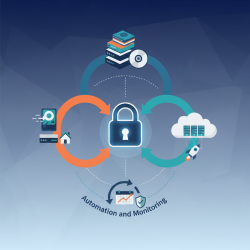
While WP-CLI is a cornerstone, integrating it with other server-side tools and best practices enhances its power exponentially, enabling true automation and robust monitoring.
Server-Side Scripting and Cron Jobs
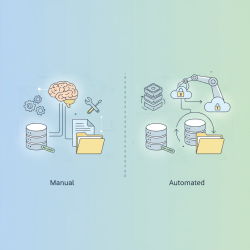
Automating maintenance tasks often involves combining WP-CLI commands with server-side scripting languages like Bash and scheduling them with cron jobs. This setup allows for:
- Automated Backups: Scripting a daily or weekly database and file backup using
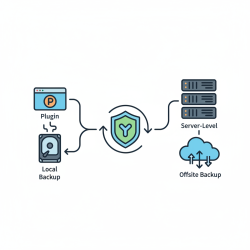
wp db exportand file archiving tools, then transferring them to offsite storage. - Scheduled Updates: Running
wp core update,wp plugin update --all, andwp theme update --allat off-peak hours (with caution and backup strategies). - Log File Rotation: Managing server and WordPress logs to prevent disk space exhaustion and facilitate easier review.
Version Control with Git for WordPress Projects
Integrating WordPress development and maintenance with Git (or other version control systems) provides immense benefits. It allows for tracking changes to themes, plugins, and custom code, facilitating collaborative development, easy rollbacks, and a structured deployment process. While core WordPress and uploaded media are typically excluded, custom development and configuration files should always be under version control.
Staging Environments and Deployment Workflows
Advanced maintenance workflows often involve robust staging environments. Changes, updates, and new features are first deployed to a replica of the live site for testing. Tools and processes like Git push deployments, or even dedicated staging services from hosting providers, ensure that only fully vetted changes reach the production environment, minimizing risks and downtime.
Best Practices for Efficient WordPress Maintenance
Maximizing the benefits of advanced tools requires adherence to certain best practices.
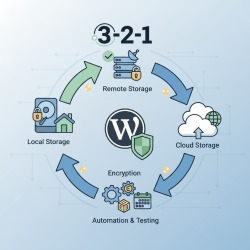
- Regular and Verified Backups: Always have a reliable backup strategy, including both database and files, and regularly test the restoration process.
- Utilize Staging Environments: Never make significant changes directly on a live site. Test all updates, new plugins, and code modifications in a staging environment first.
- Monitor Performance and Security: Implement monitoring tools for website uptime, performance metrics, and security alerts. Early detection of issues is key.
- Keep Software Updated: Regularly update WordPress core, plugins, and themes to patch security vulnerabilities and benefit from new features. Automation via WP-CLI and cron can assist, but always with a backup plan.
- Database Cleanup: Periodically remove old revisions, spam comments, and transient options to keep the database lean and fast. WP-CLI offers commands for this.
Summary
Efficient WordPress maintenance transcends basic dashboard operations, moving into the realm of advanced command-line interfaces and automation. WP-CLI stands out as a powerful utility for streamlining core, plugin, theme, and database management tasks directly from the command line, drastically improving speed and control. Beyond WP-CLI, integrating server-side scripting with cron jobs enables robust automation of backups and updates, while version control with Git and the use of staging environments foster a more secure and collaborative development workflow. Adopting these advanced tools and best practices ensures a WordPress site remains high-performing, secure, and easily manageable, empowering administrators with precision and efficiency in their maintenance routines.
Comprehension questions
 What is WP-CLI and how does it benefit WordPress maintenance?List three common WordPress maintenance tasks that can be performed using WP-CLI commands.How can server-side scripting and cron jobs enhance WordPress maintenance beyond basic WP-CLI usage?Why are staging environments and version control (Git) considered best practices for advanced WordPress maintenance?
Community Poll
Next Lesson
Course Contents : Mastering WordPress Site Maintenance
- >> 13.
 Advanced Tools and Command-Line Interfaces