WordPress Maintenance Checklist and Schedule
- -->> 10. WordPress Maintenance Checklist and Schedule
What you'll learn
 WordPress Maintenance StrategySecurity Best PracticesPerformance OptimizationScheduled Maintenance Tasks
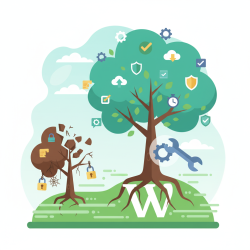
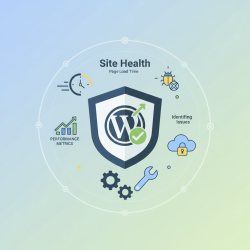
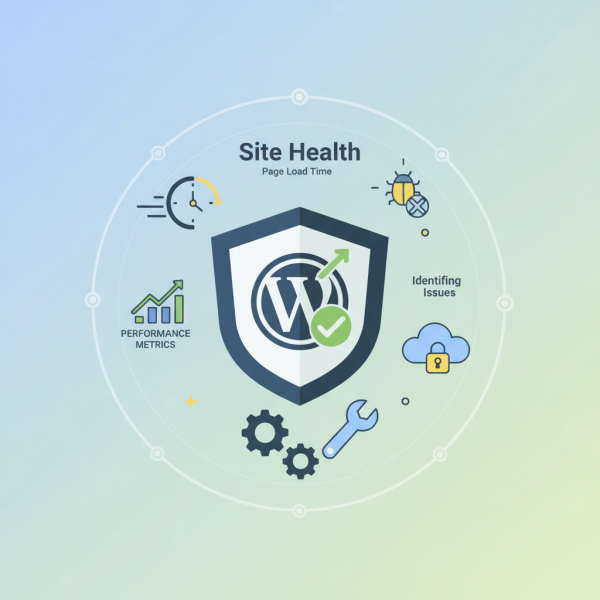
Maintaining a WordPress website goes far beyond its initial launch. To ensure your site remains secure, performs optimally, and delivers an exceptional user experience, a systematic and proactive approach to maintenance is not just recommended, it's absolutely essential. Neglecting regular upkeep can lead to vulnerabilities, slow loading times, broken functionalities, and ultimately, a negative impact on your brand and audience engagement. Developing a comprehensive maintenance checklist and adhering to a consistent schedule transforms reactive firefighting into proactive management, safeguarding your digital asset.
Why a Systematic Approach is Crucial
A systematic maintenance plan is the backbone of any successful WordPress site. It prevents minor issues from escalating into major problems, ensuring your website operates smoothly around the clock. Proactive maintenance enhances security by patching vulnerabilities before they can be exploited. It improves performance by keeping your database lean and your files optimized, leading to faster loading times and better search engine rankings. Ultimately, it protects your investment, extends your site's lifespan, and provides a reliable platform for your content and services.
Without a structured approach, critical tasks like backups, updates, and security scans can be easily overlooked. This oversight can result in data loss, security breaches, and a deteriorating user experience, all of which are costly to resolve and can damage your reputation.
Key Areas of WordPress Maintenance
WordPress maintenance encompasses several critical domains, each requiring specific attention and a consistent schedule.
Security Checks
Security is paramount. Regular security checks safeguard your site from malicious attacks, spam, and unauthorized access. This involves ensuring all components are up-to-date and monitoring for any suspicious activity. Implementing robust security measures is a continuous effort, not a one-time setup.
Performance Optimization
A fast website is crucial for user satisfaction and SEO. Performance optimization focuses on making your site load quickly and efficiently. This includes optimizing images, minifying code, and ensuring your database runs smoothly, all contributing to a seamless browsing experience.
Content Management and SEO
Beyond the technical aspects, maintaining your content and its visibility is vital. Regular content reviews ensure accuracy and relevance, while checking for broken links and optimizing for search engines helps maintain your site's authority and reach. Moderating comments also keeps your site clean and engaging.
Technical Health
Monitoring the underlying technical health of your WordPress installation is essential. This includes reviewing server logs for errors, ensuring your PHP version is current, and monitoring uptime to catch any service interruptions immediately. A healthy technical foundation supports all other aspects of your site.
Crafting Your Maintenance Schedule
Establishing a clear schedule ensures all critical tasks are addressed at appropriate intervals. This structure helps in delegating tasks and budgeting time effectively, making maintenance a manageable part of your routine.
Daily/Weekly Tasks
These tasks are fundamental for immediate threat detection and ensuring continuous operation. They form the first line of defense and health monitoring.
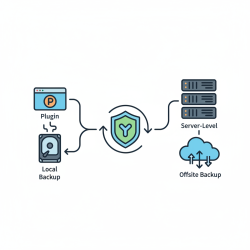
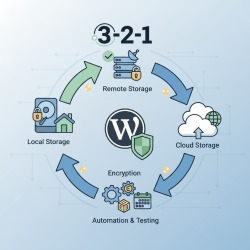
- Daily Backups: Ensure your entire site (database and files) is backed up automatically to an off-site location.
- Monitor Uptime: Use a service to alert you instantly if your site goes down.
- Moderate Comments: Review and approve/deny pending comments to prevent spam and maintain quality discussions.
- Run Security Scans: Perform quick scans with a security plugin to detect malware or suspicious file changes.
Monthly Tasks
Monthly tasks focus on deeper checks and updates that keep your site running efficiently and securely over time. These are crucial for preventing gradual degradation.
- Update Core, Plugins, and Themes: Always back up before updating. Prioritize security updates.
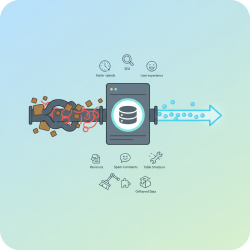
- Optimize Database: Clean up post revisions, spam comments, and transient options.
- Check for Broken Links: Use a plugin or online tool to identify and fix any broken internal or external links.
- Review Website Performance: Test site speed using tools like Google PageSpeed Insights and address any significant slowdowns.
- Content Review: Update outdated content, check for grammatical errors, and ensure all information is accurate.
Quarterly/Annually Tasks
These less frequent tasks involve a more comprehensive review of your site's overall strategy and technical environment, ensuring long-term stability and growth.
- Comprehensive Security Review: Change strong passwords, review user roles and permissions, and audit security logs.
- Plugin and Theme Audit: Deactivate and delete unused plugins and themes. Evaluate if existing ones are still necessary and performing well.
- Review Hosting Performance: Assess if your current hosting plan still meets your site's needs, especially regarding traffic and resource usage.
- Update PHP Version: Ensure your server is running a recent, supported PHP version for better performance and security.
- Content Strategy Review: Evaluate your content strategy, keyword performance, and overall SEO effectiveness.
Tools and Best Practices
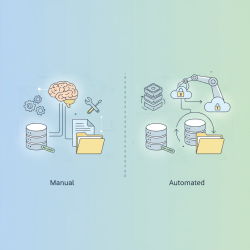
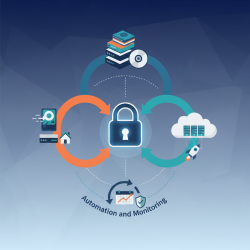
To streamline your maintenance efforts, leverage automation and follow best practices. Automation tools for backups, updates, and security scans can save significant time and reduce human error. Always use a staging environment for major updates or changes to test them thoroughly before deploying to your live site, minimizing downtime and unexpected issues. Document your maintenance procedures and keep a log of all actions taken for easy reference and troubleshooting. Consider implementing a robust firewall and choosing a reputable hosting provider that offers good server-side security and performance.
Summary
Implementing a systematic maintenance checklist and schedule is fundamental for the sustained health and performance of any WordPress site. This article has covered the crucial aspects of proactive maintenance, emphasizing security checks, performance optimization, content management, and technical health monitoring. By adhering to a structured schedule of daily, weekly, monthly, and quarterly tasks, site owners can prevent common issues, enhance user experience, and ensure their WordPress site remains a secure, fast, and reliable platform for their digital presence. Consistent upkeep is an investment that pays dividends in site longevity and success.
Comprehension questions
 Why is a systematic approach to WordPress maintenance considered crucial for site longevity and user experience?What are three key areas of WordPress maintenance that should be regularly addressed, and what is one specific task for each?Name two tasks that should ideally be performed on a daily or weekly basis for a WordPress site's health.How can automation and a staging environment contribute to more efficient and safer WordPress maintenance practices?
Review Quiz
Next Lesson
Course Contents : Mastering WordPress Site Maintenance
- >> 10.
 WordPress Maintenance Checklist and Schedule