An Introduction to LocalWP
- -->> 4. An Introduction to LocalWP
What you'll learn
 Local WordPress Development SetupKey Features of LocalWPGetting Started with LocalWPBenefits of Using LocalWP
For developers, designers, and even hobbyists, setting up a local development environment that mirrors a live server can often be a complex and time-consuming task. This is where LocalWP steps in, offering a remarkably user-friendly and powerful solution to create WordPress development sites quickly and painlessly. It's designed to simplify every aspect of local WordPress development, from initial setup to testing and deployment, making it an indispensable tool for anyone building with WordPress.
What is LocalWP?
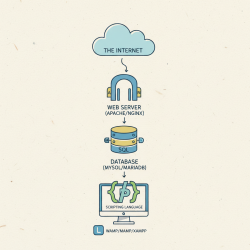
LocalWP, often simply referred to as Local, is a free desktop application developed by Flywheel (now part of WP Engine) that allows users to install WordPress locally on their computer. It provides a complete, isolated environment for each WordPress site, meaning you can run multiple projects simultaneously without conflicts. Essentially, it packages all the necessary components like web servers (Nginx or Apache), PHP, and MySQL databases into a self-contained application, abstracting away the complexities of manual server configuration.
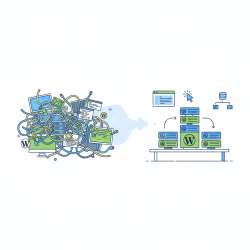
Before LocalWP, setting up a local WordPress environment typically involved installing MAMP, XAMPP, or manually configuring a server stack, which could be daunting for beginners and tedious for experienced developers. LocalWP revolutionized this process by offering a graphical interface that handles all the underlying technical details, allowing users to focus purely on development rather than server management.
Key Features and Benefits
LocalWP is packed with features designed to enhance productivity and simplify the development workflow. Its intuitive interface combined with powerful functionalities makes it a preferred choice for millions of WordPress users.
One-Click WordPress Installation
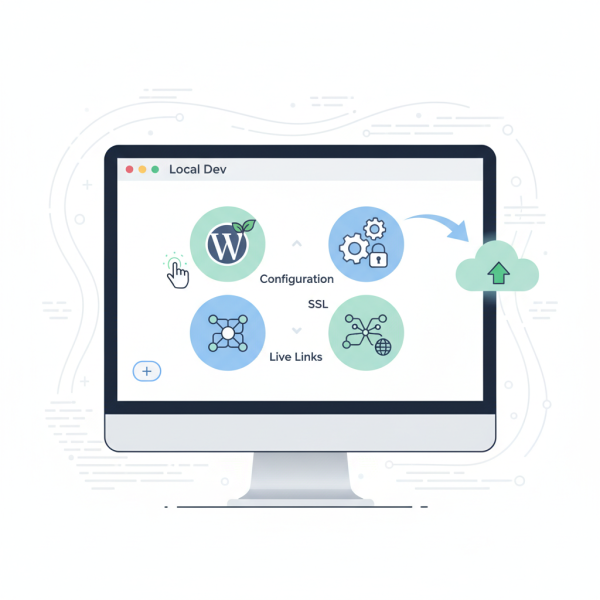
Creating a new WordPress site is incredibly fast. With just a few clicks, LocalWP provisions a new WordPress installation, complete with a database and server environment. You can choose your preferred PHP version and web server (Nginx or Apache) for each site, ensuring your local setup closely matches your production environment.
Flexible Environment Control
LocalWP offers granular control over each site's environment. You can easily switch PHP versions, web servers, and even adjust PHP memory limits directly from the LocalWP dashboard. This flexibility is crucial for testing themes and plugins across different configurations without affecting other local projects.
SSL Support
Developing with SSL is essential for modern websites. LocalWP provides one-click SSL certificate generation for your local sites, allowing you to test secure connections and ensure your site functions correctly with HTTPS before going live. This eliminates potential issues that might arise from an insecure local environment.
Live Links
One of LocalWP's standout features is 'Live Links.' This allows you to create a publicly accessible URL for your local site, enabling clients or collaborators to view your work in progress without the need for deployment or complex tunneling software. It's a game-changer for getting real-time feedback and streamlining the review process.
Blueprint Functionality
If you often start new projects with a similar set of themes, plugins, or configurations, LocalWP's Blueprint feature is invaluable. You can save an existing site as a Blueprint, which then acts as a template for future projects. This drastically cuts down setup time, ensuring consistency across your development process.
Add-ons and Integrations
LocalWP supports a growing ecosystem of add-ons that extend its functionality. These can range from image optimization tools to advanced development utilities. Furthermore, its seamless integration with services like Flywheel and WP Engine makes it easy to push and pull sites directly to and from your hosting provider, simplifying staging and deployment workflows.
Getting Started with LocalWP
Getting started with LocalWP is a straightforward process, even for those new to local development.
Installation
First, download the LocalWP application from its official website. It's available for Windows, macOS, and Linux. The installation process is similar to any other desktop application: follow the on-screen prompts, and LocalWP will set itself up, including all necessary dependencies.
Creating Your First Site
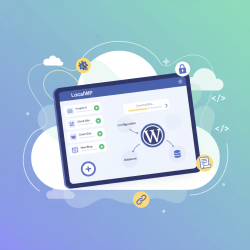
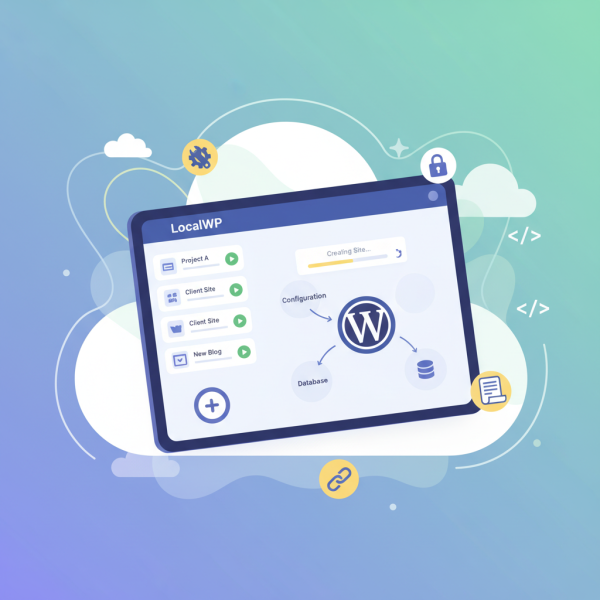
Once installed, open LocalWP. You'll be greeted with a user-friendly interface. To create a new site, click the '+' button in the bottom left corner. LocalWP will then guide you through a few simple steps:
- Choose a site name.
- Select your preferred environment (PHP version, web server, database).
- Set up your WordPress username and password.
After these steps, LocalWP will automatically provision and install WordPress, and within moments, your new local development site will be ready for action. You can then access the WordPress admin dashboard or view the site directly in your browser.
Why Choose LocalWP for WordPress Development?
The primary advantage of LocalWP is its ability to create a safe, isolated, and high-performance environment for WordPress development. It eliminates the risks associated with developing directly on a live server and provides a space for experimentation without fear of breaking a production site. Its features, such as Live Links and Blueprints, significantly reduce development time and enhance collaboration. Furthermore, as a free tool with premium hosting integrations, it offers exceptional value and scalability for both individual developers and agencies.
Conclusion
LocalWP stands out as an essential tool for anyone involved in WordPress development. Its intuitive design, combined with robust features like one-click installations, flexible environment control, SSL support, Live Links, and Blueprints, transforms the often-cumbersome process of local development into a smooth and enjoyable experience. By abstracting away the complexities of server configuration, LocalWP empowers users to focus on what truly matters: building amazing WordPress websites efficiently and effectively.
Comprehension questions
 What core problem does LocalWP solve for WordPress developers?List and describe two key features of LocalWP that enhance the development workflow.How does LocalWP handle the complexities of server configuration for users?What is the 'Blueprint' feature in LocalWP and how can it benefit a developer?
Community Poll
Next Lesson
Course Contents : WordPress Local Development Environments
- >> 4.
 An Introduction to LocalWP