A Guide to Theme Directories and Marketplaces
- -->> 3. A Guide to Theme Directories and Marketplaces
What you'll learn
 WordPress Theme Directory NavigationExternal Theme MarketplacesEffective Theme FilteringKey Theme Selection Criteria
Choosing the right WordPress theme is arguably one of the most critical decisions you'll make when building or revamping a website. The theme dictates not only the aesthetic appeal but also a significant portion of your site's functionality, user experience, and even its search engine optimization potential. With thousands of themes available, navigating the vast landscape of the official WordPress Theme Directory and various external marketplaces can feel overwhelming. This guide will demystify the process, equipping you with the strategies to efficiently search, filter, and ultimately select a theme that perfectly aligns with your vision and requirements, ensuring a solid foundation for your online presence.
Understanding the WordPress Theme Directory
The official WordPress Theme Directory, found at WordPress.org/themes, is the primary and safest repository for free themes. Every theme submitted here undergoes a rigorous review process by the WordPress Theme Review Team. This ensures adherence to coding standards, security best practices, and general quality guidelines. Opting for a theme from this directory often means you're getting a reliable, well-maintained product, though support levels can vary as these are typically community-driven projects.
The sheer volume of themes available can be daunting. However, the directory offers robust tools designed to help you narrow down your choices effectively. Leveraging these tools is key to turning a potentially hours-long search into a focused exploration.
Effective Searching and Filtering on WordPress.org
The WordPress.org theme directory provides excellent filtering capabilities. To efficiently find a suitable theme, you should first understand your needs thoroughly.
Begin by utilizing the main search bar if you have a specific keyword in mind, such as "blog," "portfolio," or "eCommerce." However, for a more exploratory search, the "Feature Filter" is your most powerful ally.
Utilizing the Feature Filter:
- Layout: Define your preferred column structure (e.g., one column, two columns, grid layout) or specific features like a full-width template or a left/right sidebar.
- Features: This is a comprehensive list including elements like custom background, custom logo, custom menu, editor style, featured images, flexible header, post formats, RTL language support, sticky post, threaded comments, translation ready, and more. Select all that are non-negotiable for your site.
- Subject: Categorize your site type, such as "blog," "e-commerce," "education," "entertainment," "food & drink," "news," "photography," "portfolio," etc. Choosing one or more subjects helps to narrow down themes designed for a specific purpose.
Combine multiple filters to refine your search significantly. For instance, if you need a two-column blog theme with a custom logo and translation readiness, apply all those filters simultaneously. The directory will then present themes that meet all criteria, drastically reducing the number of options to review. Always preview themes and check their ratings and review counts to gauge popularity and community feedback.
Exploring External Theme Marketplaces
Beyond the official directory, a vibrant ecosystem of premium WordPress themes exists on external marketplaces. These platforms often host themes with more advanced features, dedicated support, and sophisticated designs, albeit at a cost.
Popular External Marketplaces Include:
- ThemeForest (Envato Market): One of the largest marketplaces, offering thousands of themes from various developers. It's known for its vast selection and competitive pricing, but quality can vary, making user reviews and sales numbers crucial indicators.
- Elegant Themes: Home to popular themes like Divi, known for its powerful visual page builder and extensive customization options. Elegant Themes operates on a subscription model, providing access to all its themes and plugins.
- Creative Market: Features themes created by independent designers. This platform often offers unique, handcrafted designs, appealing to those seeking a distinct aesthetic.
- Independent Theme Shops: Many reputable developers sell themes directly from their websites, offering specialized solutions and direct support. Examples include Astra, Kadence, and GeneratePress.
When considering themes from external marketplaces, be prepared to invest financially. This investment typically comes with professional support, regular updates, and a broader array of premium features not found in free alternatives.
Key Considerations When Choosing a Theme
Regardless of whether you choose a free or premium theme, several critical factors should guide your decision-making process:
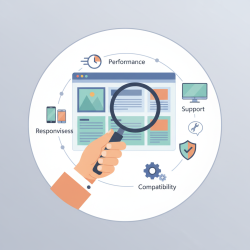
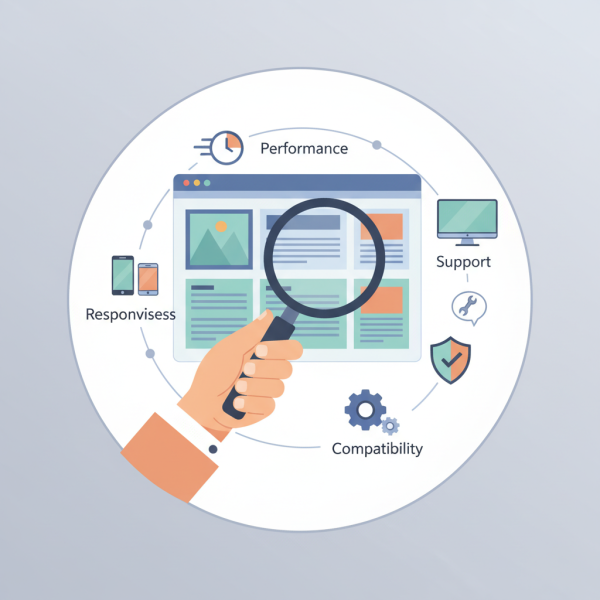
Responsiveness: Ensure the theme is fully responsive, meaning it adapts seamlessly to various screen sizes, from desktops to tablets and smartphones. This is crucial for user experience and SEO.
Customization Options: Look for themes that offer flexibility without requiring extensive coding. Features like customizer options for colors, fonts, layouts, and header/footer areas are invaluable.
Performance Optimization: A lightweight, fast-loading theme is essential for user satisfaction and search engine rankings. Check for demos and consider testing them with speed tools.
Plugin Compatibility: Verify that the theme is compatible with essential plugins you plan to use, such as WooCommerce for e-commerce, Yoast SEO, contact form plugins, and page builders.
Support and Documentation: Especially for premium themes, robust support and comprehensive documentation are vital for troubleshooting and maximizing the theme's potential.
User Reviews and Ratings: Pay attention to what other users are saying. Look for themes with consistently positive reviews and active development.
Making Your Final Decision and Implementation
Once you've narrowed down your choices, take advantage of demo sites offered by theme developers. Spend time exploring every aspect of the demo to get a feel for the theme's features, design, and user interface. If possible, consider setting up a staging site to test the theme with your actual content before going live.
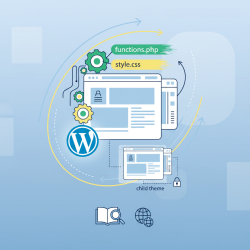
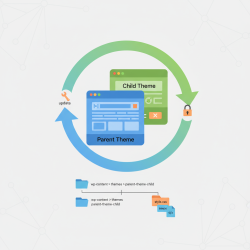
For extensive customization, particularly with premium themes, familiarize yourself with the concept of a child theme. A child theme allows you to make modifications without directly altering the parent theme's files, ensuring your changes aren't overwritten during updates. This practice is fundamental for maintaining a stable and future-proof WordPress site.
Conclusion
Navigating the vast WordPress theme ecosystem doesn't have to be a bewildering experience. By strategically utilizing the robust filtering options within the official WordPress Theme Directory and understanding the offerings of external marketplaces, you can efficiently pinpoint themes that align with your specific project requirements. Prioritizing responsiveness, customization, performance, plugin compatibility, and reliable support are paramount for making an informed decision. With a methodical approach to searching and evaluating, you can confidently select a theme that not only looks great but also provides a strong, flexible, and functional foundation for your WordPress website, setting it up for long-term success.
Comprehension questions
 What are the primary benefits of choosing a theme from the official WordPress Theme Directory compared to external marketplaces?Name two popular external WordPress theme marketplaces mentioned in the article and briefly describe a characteristic of each.What are five critical factors users should consider when selecting a WordPress theme, regardless of its source?
Review Quiz
Next Lesson
Course Contents : WordPress Themes and Site Customization
- >> 3.
 A Guide to Theme Directories and Marketplaces