Security Best Practices for WordPress Themes
- -->> 10. Security Best Practices for WordPress Themes
What you'll learn
 Theme SelectionRegular UpdatesSecure ConfigurationSecurity Auditing
Your WordPress theme is more than just its appearance; it's a critical component that interacts directly with your site's core functionalities and user data. Overlooking theme security can expose your entire website to significant vulnerabilities, making it a prime target for cyberattacks, data breaches, and service disruptions. Understanding and implementing essential theme security best practices is paramount to safeguarding your digital presence and maintaining user trust. This article will guide you through crucial steps to protect your website from common theme-related threats.
Why Theme Security Matters
Themes, especially those poorly coded or from untrusted sources, can contain malicious code, backdoors, or unpatched vulnerabilities. These weaknesses can be exploited by attackers to gain unauthorized access, inject spam, deface your site, steal sensitive information, or even launch further attacks from your server. A compromised theme acts as an open door, nullifying many other security measures you might have in place. Prioritizing theme security is a foundational step in building a robust defense for your website.
Choosing Secure Themes
The first line of defense begins with the theme selection process. Not all themes are created equal when it comes to security. Exercise extreme caution and due diligence before installing any theme on your website.
- Reputable Sources: Always download themes from trusted developers, official marketplaces, or well-known theme directories. Avoid free themes from dubious websites, as these are often hotbeds for malware.
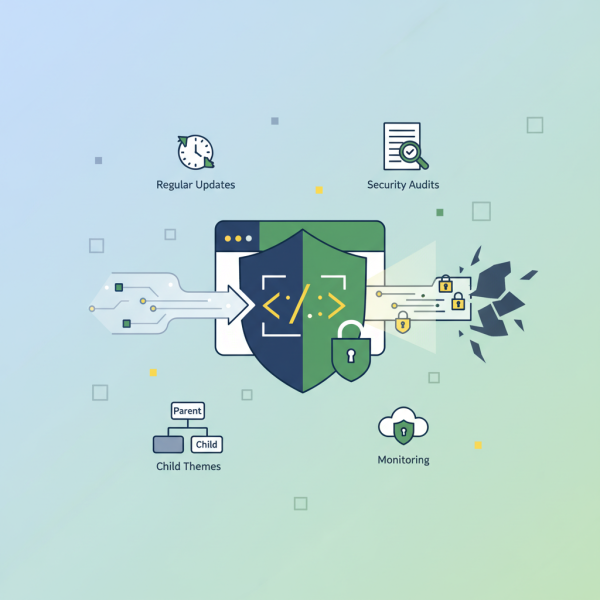
- Regular Updates: A well-maintained theme will receive regular security updates and bug fixes. Check the theme's update history and developer activity. Active development indicates a commitment to security.
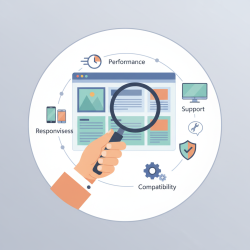
- Code Quality: While challenging for non-developers, look for themes with good reviews regarding code quality and performance. If possible, a quick code audit for suspicious functions or obfuscated code can be beneficial.
- Compatibility: Ensure the theme is compatible with the latest version of your Content Management System (CMS) and other essential plugins. Incompatibility can introduce unexpected vulnerabilities.
- Support: A responsive support team can be invaluable when security issues arise or if you need clarification on theme functionalities.
Keeping Themes Updated
Once a secure theme is chosen, the commitment to security doesn't end. Regular updates are non-negotiable. Software vulnerabilities are constantly discovered, and developers release updates to patch these weaknesses. Delaying updates leaves your website exposed to known exploits.
Always back up your website before applying any theme update. While updates generally improve security, they can sometimes cause conflicts or unexpected issues. Ensure you have a recovery point. Automate updates where possible, but always monitor the process.
Secure Configuration and Customization
Beyond choosing and updating, how you configure and customize your theme significantly impacts its security posture.
- Remove Unused Themes: Keep only the active theme and perhaps a default fallback theme. Inactive themes can still harbor vulnerabilities that attackers might exploit, even if they aren't actively running.
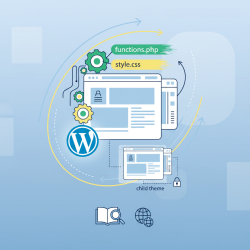
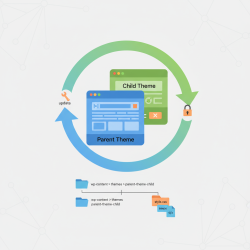
- Use Child Themes for Customization: Never directly modify core theme files. Any changes made to the parent theme will be overwritten during updates, forcing you to redo them and potentially reintroducing vulnerabilities. Child themes allow you to safely customize your site's appearance and functionality without altering the parent theme, ensuring a secure and update-friendly environment.
- Limit Functionality: Disable any theme features or modules you don't actively use. Unnecessary features can increase the attack surface, providing more entry points for malicious actors.
Regular Security Audits and Monitoring
Proactive monitoring and regular security audits are vital to detect and address potential issues before they escalate.
- Security Scanners: Utilize reputable security plugins or external scanning services that specifically check theme files for malware, suspicious code, and known vulnerabilities. Schedule these scans regularly.
- File Integrity Monitoring: Implement tools that monitor changes to your theme's core files. Unauthorized modifications can indicate a compromise.
- Access Logs: Regularly review your website's access logs for unusual activity, such as repeated failed login attempts or access to unusual directories.
- Backups: Maintain a robust backup strategy. Regular, verifiable backups are your last line of defense, allowing you to restore your website to a clean state quickly after an attack.
- User Permissions: Ensure that only trusted personnel have access to theme files and administration panels, adhering to the principle of least privilege.
Summary
Protecting your website's theme is a continuous and multi-faceted endeavor crucial for overall website security. It starts with selecting themes from reputable sources and committing to regular updates. Implementing secure configuration practices, such as using child themes and removing unused components, further strengthens your defenses. Finally, consistent monitoring and security audits are indispensable for early detection and mitigation of threats. By diligently applying these best practices, you can significantly reduce your website's vulnerability to attacks and maintain a secure online environment.
Comprehension questions
 Why is selecting a secure theme from a reputable source considered the first line of defense against website vulnerabilities?What is the primary reason for regularly updating your website theme, and what crucial step should precede any update?Explain the purpose and benefit of using a child theme for customizations instead of directly modifying the parent theme files.List at least two methods for proactively monitoring your website's theme for security issues.
Community Poll
Next Lesson

Course Contents : WordPress Themes and Site Customization
- >> 10.
 Security Best Practices for WordPress Themes