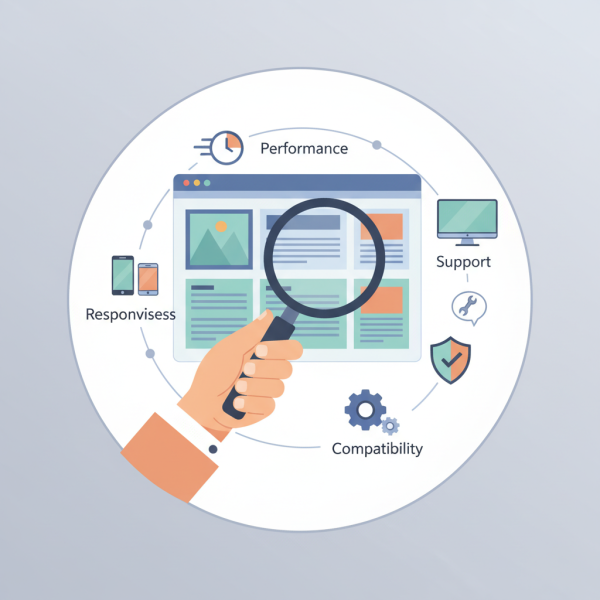
Evaluating Theme Quality, Performance, Responsiveness, and Compatibility
- -->> 4. Evaluating Theme Quality, Performance, Responsiveness, and Compatibility
What you'll learn
 Theme Quality CriteriaPerformance OptimizationResponsiveness Across DevicesCompatibility Checks
A theme serves as the foundational framework for your site's functionality, user experience, and overall success. Rushing into installation without proper due diligence can lead to a cascade of problems, from slow loading times and broken layouts to security vulnerabilities and ongoing maintenance headaches. This guide will walk you through the critical criteria for thoroughly evaluating theme quality, performance, responsiveness, and compatibility, empowering you to make informed decisions before committing to any theme installation.
Understanding Theme Quality
Theme quality encompasses various aspects that dictate its long-term viability and stability. A high-quality theme is not just about visual appeal; it’s about robust code, intuitive design, and adherence to web standards. Poorly coded themes can introduce vulnerabilities, slow down your site, and cause conflicts with plugins.
Key indicators of theme quality include:
- Clean and Optimized Code: Look for themes built with modern, semantic HTML, efficient CSS, and well-structured JavaScript. Overly complex or bloated code can hinder performance and make customization difficult.
- Regular Updates and Maintenance: A reputable theme developer will consistently update their themes to fix bugs, improve features, and ensure compatibility with the latest versions of content management systems and web technologies.
- Documentation and Support: Comprehensive documentation provides clear instructions on installation, setup, and customization. Responsive and helpful support is invaluable when encountering issues or seeking guidance.
- User Reviews and Ratings: Community feedback offers insights into other users' experiences with the theme's stability, support, and ease of use.
Assessing Performance
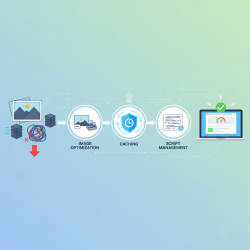
Website performance is a critical factor for user experience and search engine optimization. A slow theme can deter visitors, increase bounce rates, and negatively impact your site's ranking. Performance should be a non-negotiable criterion in your evaluation process.
Before installing, you can often test a theme's demo version using tools like Google PageSpeed Insights or GTmetrix. Pay attention to metrics such as:
- Load Time: How quickly does the theme load its core elements and content? Aim for themes that load in under 3 seconds.
- Page Size: Excessive page size, often due to unoptimized images or heavy scripts, will slow down your site.
- Number of Requests: Fewer HTTP requests generally lead to faster loading times.
- Core Web Vitals: Evaluate the theme's performance on Largest Contentful Paint (LCP), First Input Delay (FID), and Cumulative Layout Shift (CLS) scores, which are crucial for user experience.
Ensuring Responsiveness
In today's multi-device world, a responsive website is no longer an option but a necessity. Your theme must adapt seamlessly to various screen sizes, from large desktop monitors to tablets and smartphones, providing an optimal viewing and interaction experience for all users.
Thoroughly test the theme's responsiveness by resizing your browser window or using browser developer tools that simulate different device views. Check if:
- Content remains readable and well-formatted on smaller screens.
- Navigation menus transform into mobile-friendly options, such as hamburger menus.
- Images scale appropriately without distortion or loss of quality.
- Interactive elements, like forms and buttons, are easily clickable and accessible on touch screens.
Checking Compatibility
Compatibility issues can lead to broken features, design inconsistencies, and even site crashes. It's vital to ensure your chosen theme works harmoniously with your existing or planned technology stack.
Consider the following compatibility checks:
- CMS Version: Verify the theme is compatible with the latest stable version of your chosen content management system (e.g., WordPress, Joomla, Drupal).
- Browser Compatibility: Ensure the theme renders correctly across major browsers like Chrome, Firefox, Safari, and Edge.
- Plugin Compatibility: If you rely on specific plugins for crucial functionality (e.g., e-commerce, SEO, security), confirm the theme is known to work well with them. Conflicts can arise and be difficult to debug.
- Framework Compatibility: Some themes are built on specific frameworks. Understand if this framework aligns with your development knowledge or requirements.
Security and Support Considerations
Beyond the technical aspects, a theme's security posture and the availability of reliable support are paramount. A theme can inadvertently introduce security vulnerabilities if not developed with best practices in mind. Always opt for themes from reputable sources with a track record of secure development.
Furthermore, consider the level of support offered by the theme developer. Timely support can save you significant time and effort when troubleshooting issues or seeking clarification on theme features. Look for active support forums, documentation, and direct contact options.
Conclusion
Choosing the right theme is a foundational step in building a successful website. By meticulously evaluating themes based on their quality, performance, responsiveness, and compatibility, you can avoid common pitfalls and lay a solid groundwork for a robust, user-friendly, and future-proof online presence. Taking the time for these pre-installation checks will undoubtedly save you from headaches and extensive rework down the line, ensuring your website remains efficient and effective for your audience.
Comprehension questions
 What are the key indicators of a high-quality theme beyond its visual appeal?Which specific tools or methods can be used to assess a theme's performance before live implementation?Why is it crucial to test theme responsiveness on various screen sizes and orientations?What aspects of compatibility should be thoroughly checked to prevent future issues after theme installation?
Review Quiz
Next Lesson
Course Contents : WordPress Themes and Site Customization
- >> 4.
 Evaluating Theme Quality, Performance, Responsiveness, and Compatibility