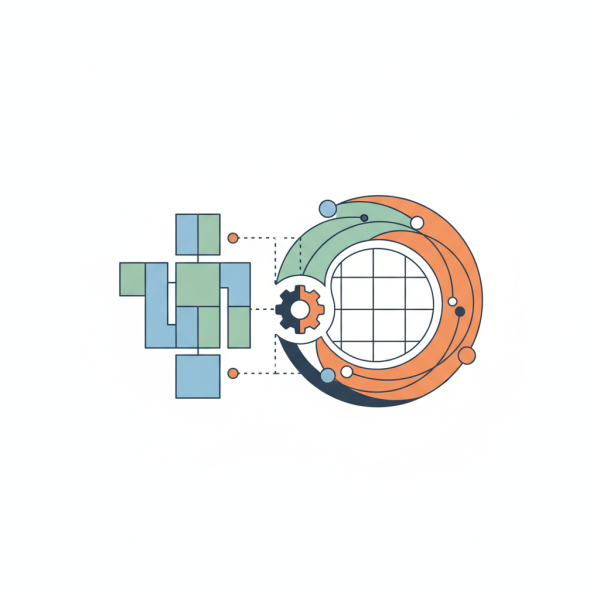
Integrating Page Builders and the Block Editor for Custom Layouts
- -->> 8. Integrating Page Builders and the Block Editor for Custom Layouts
What you'll learn
 Integration StrategiesDesign Flexibility EnhancementWorkflow OptimizationHybrid Content Creation
When working in WordPress, the choice between using the native block editor and popular third-party page builders often presents a dilemma. Both tools offer powerful capabilities for creating compelling web pages, but they approach design with different philosophies and feature sets. Rather than viewing them as mutually exclusive, an increasingly effective strategy involves integrating them. This article explores how to harmoniously combine the strengths of the block editor with the advanced functionalities of page builders to craft bespoke page layouts and sophisticated content sections, unlocking unprecedented design flexibility and efficiency for web creators.
Understanding the Design Tool Landscape
Before diving into integration, it's crucial to understand the distinct characteristics of the WordPress block editor (Gutenberg) and dedicated page builders like Elementor, Beaver Builder, or Divi. The block editor, introduced as the default content editor, focuses on a modular approach, treating every piece of content – from paragraphs and images to headings and custom widgets – as a 'block.' It excels in content creation, providing a streamlined experience for typical blog posts and basic page structures.
Page builders, on the other hand, typically offer a more visually intensive, drag-and-drop interface with extensive design controls, advanced layout options, and a vast library of pre-built templates and elements. They are often chosen for creating complex, highly customized landing pages, sales funnels, and intricate site layouts that might be challenging or time-consuming to build solely with the block editor's core features.
The Benefits of Strategic Integration
Integrating these tools isn't about choosing one over the other; it's about leveraging the best of both worlds. This hybrid approach yields several significant advantages:
- Enhanced Design Flexibility: Combine the robust layout capabilities of a page builder with the granular content control and efficiency of the block editor for specific content areas.
- Improved Performance: By using the lightweight block editor for standard content and reserving page builders for complex sections, you can potentially reduce unnecessary code bloat and improve page load times.
- Streamlined Workflow: Develop a consistent workflow where content writers can use the familiar block editor for daily tasks, while designers utilize page builders for unique page structures and dynamic elements.
- Future-Proofing: As the block editor continues to evolve, integrating allows you to adapt to new native features while retaining the advanced design capabilities provided by page builders.
Strategies for Effective Integration
Successful integration requires a clear strategy. One common approach involves using the block editor as the primary tool for standard content and then embedding page builder sections where more advanced design is required. Conversely, some prefer to build the main page layout with a page builder and then insert block editor content within specific builder modules.
Consider these strategies:
- Block Editor First: Design the overall page structure and standard content using the block editor. For sections requiring intricate layouts, custom widgets, or complex styling, insert a page builder template or content area. Many page builders offer blocks or modules that allow you to embed their layouts directly within the block editor.
- Page Builder for Core Layout: Use your preferred page builder to construct the foundational page layout, including headers, footers, and complex multi-column sections. Within these builder-defined sections, you can then utilize native WordPress blocks for creating and managing standard content such as paragraphs, images, and lists.
- Hybrid Content Sections: For highly dynamic content, you might create custom block editor templates that include specific placeholders. These placeholders could then be filled with content styled by the page builder, or vice-versa, allowing for a mix-and-match approach within a single content area.
Practical Integration Tips and Best Practices
To maximize the effectiveness of your integrated workflow, consider these practical tips:
Standardize Component Usage: Define clear guidelines for when to use a native block versus a page builder element. For instance, all basic text and image content might default to blocks, while hero sections, complex forms, or custom sliders are handled by the page builder.
Leverage Reusable Blocks/Templates: Both tools offer reusable components. Create reusable block patterns for common content structures and save page builder sections as global templates. This ensures consistency and speeds up development.
Understand Context: Be mindful of where and how each tool applies its styling. Page builders often inject their own CSS, which can sometimes conflict with native block styles. Test thoroughly to ensure visual consistency.
Utilize Custom Block Development: For highly specific design needs that neither the block editor nor your page builder fully addresses, consider developing custom blocks. These can be designed to work seamlessly within the block editor, yet offer advanced functionality similar to page builder elements.
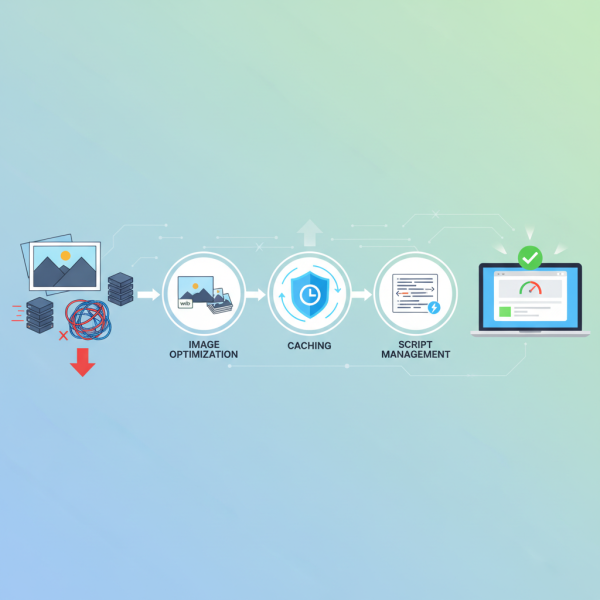
Maintain Performance Awareness: While integration offers flexibility, overuse of page builder elements on every page can still impact performance. Optimize images, limit third-party scripts, and consider a caching solution.
Workflow Optimization
An optimized workflow is paramount for efficient development. Start by outlining the page structure and identifying sections that will benefit most from a page builder's capabilities versus those that are best handled by the block editor. For content creators, provide clear instructions on how to interact with the different sections. For designers, ensure they understand the content areas managed by the block editor so they can style them appropriately within the page builder's global settings.
Summary of Blended Design Principles
Integrating popular page builders with the native WordPress block editor is a powerful strategy for modern web design, offering a compelling balance between design flexibility, site performance, and workflow efficiency. By understanding the unique strengths of each tool and employing strategic integration methods, designers and developers can craft sophisticated custom page layouts and content sections that are both visually stunning and easy to manage. The key lies in a thoughtful, purpose-driven approach, leveraging each tool where it excels to create a harmonious and high-performing website.
Comprehension questions
 What are the distinct characteristics of the WordPress block editor versus dedicated page builders?What are three key benefits of strategically integrating page builders and the block editor?Describe two primary strategies for effective integration between the block editor and page builders.Why is standardizing component usage and leveraging reusable elements important in an integrated design workflow?
Review Quiz
Next Lesson
Course Contents : WordPress Themes and Site Customization
- >> 8.
 Integrating Page Builders and the Block Editor for Custom Layouts