Image Optimization, Caching, and Script Management
- -->> 9. Image Optimization, Caching, and Script Management
What you'll learn
 Image OptimizationCaching StrategiesScript ManagementPerformance Best Practices
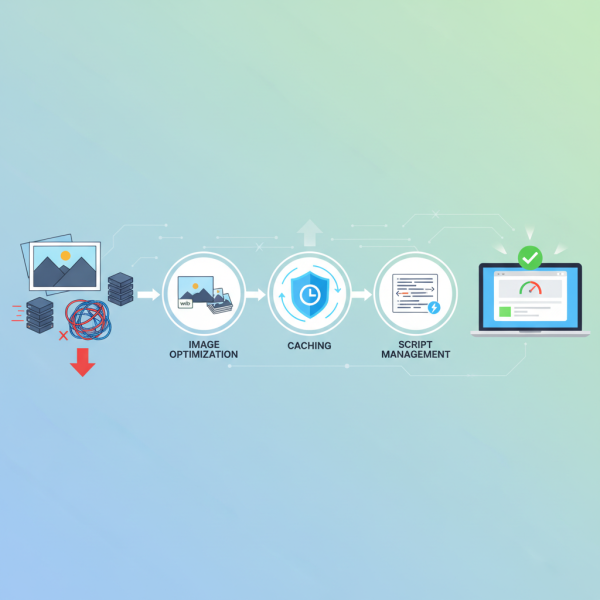
A slow-loading website can lead to high bounce rates, frustrated users, and missed opportunities. Optimizing your website's theme performance is a multi-faceted endeavor that directly impacts user experience, search engine rankings, and ultimately, your site's success. This article will explore key strategies focusing on image optimization, robust caching mechanisms, and efficient script management to ensure your theme delivers a lightning-fast experience.
The Critical Role of Image Optimization
Images often account for the largest portion of a web page's total file size. Unoptimized images can significantly drag down loading speeds, making image optimization a cornerstone of theme performance. This process involves several techniques aimed at reducing file size without compromising visual quality.
One primary strategy is selecting the correct image format. JPEG is generally suitable for photographs and complex images, while PNG is better for images with transparency or sharp lines, like logos and icons. For modern browsers, consider using next-gen formats like WebP, which offer superior compression compared to JPEG and PNG, resulting in smaller file sizes and faster loading.
- Resizing Images: Always upload images at the exact dimensions they will be displayed. Uploading a 2000px wide image to fit a 500px container wastes bandwidth.
- Compression: Utilize image compression tools, both lossy and lossless, to reduce file size. Lossy compression removes some image data permanently, while lossless compression reduces file size without any quality loss.
- Lazy Loading: Implement lazy loading for images. This technique defers the loading of images that are not immediately visible in the user's viewport, loading them only when the user scrolls down.
- Image CDNs: Leverage Content Delivery Networks (CDNs) for images. CDNs store copies of your images on servers globally, delivering them from the closest server to the user, thereby reducing latency.
Harnessing the Power of Caching
Caching is another vital component of theme performance optimization. It involves storing copies of your website's static files (like HTML pages, stylesheets, JavaScript files, and images) so that subsequent requests for the same content can be served much faster. This reduces the load on your server and speeds up content delivery to the user.
There are several types of caching:
- Browser Caching: This allows a user's web browser to store copies of static website files. When the user revisits your site, the browser retrieves these files locally instead of downloading them again from the server. This is controlled by HTTP headers sent by your server.
- Server-Side Caching (e.g., Page Caching, Object Caching): This involves your server storing rendered versions of your web pages. When a user requests a page, the server can serve the cached version directly, bypassing the need to dynamically generate the page from scratch (which involves database queries and script execution).
- CDN Caching: As mentioned before, CDNs cache content closer to your users, significantly reducing the time it takes for content to reach them.
Implementing a robust caching strategy, often through plugins for popular CMS platforms, can dramatically reduce server response times and improve overall page load speed, especially for repeat visitors.
Efficient Script Management
Scripts, particularly JavaScript and CSS files, are essential for modern website functionality and styling. However, poorly managed scripts can block rendering, add significant file sizes, and slow down your site. Efficient script management is about delivering only what's necessary, when it's necessary, and in the most optimized way.
Key strategies for script management include:
- Minification: This process removes all unnecessary characters from code (like whitespace, comments, and line breaks) without changing its functionality. This reduces file size, leading to faster download and parse times.
- Concatenation: Combining multiple small CSS files into one larger file, and similarly for JavaScript files, reduces the number of HTTP requests a browser needs to make. Fewer requests generally mean faster loading.
- Asynchronous and Deferred Loading: By default, scripts block the rendering of a web page until they are fully downloaded and executed. Using `async` or `defer` attributes for JavaScript tags allows the browser to download scripts in the background without blocking the page rendering, improving perceived performance. `defer` scripts execute in order after the HTML is parsed, while `async` scripts execute as soon as they are loaded.
- Eliminate Render-Blocking Resources: Identify and eliminate JavaScript and CSS that block the first paint of your page. Inline critical CSS and JavaScript directly into your HTML to allow immediate rendering of above-the-fold content.
- Prioritize Critical CSS/JS: Load only the absolutely essential CSS and JavaScript required for the initial view of your webpage first, then load the rest non-critically.
Conclusion
Optimizing theme performance is a continuous journey that yields significant rewards. By implementing diligent image optimization techniques, establishing a comprehensive caching strategy, and meticulously managing your scripts, you can dramatically enhance your website's speed and responsiveness. These efforts collectively contribute to a superior user experience, improved SEO rankings, and a more robust and successful online presence. Regularly review and refine these strategies to ensure your website remains a top performer.
Comprehension questions
 What are the key benefits of optimizing images for web performance?Explain the difference between browser caching and server-side caching.How do minification and concatenation contribute to efficient script management?Why is theme performance critical for both user experience and search engine optimization?
Community Poll
Next Lesson

Course Contents : WordPress Themes and Site Customization
- >> 9.
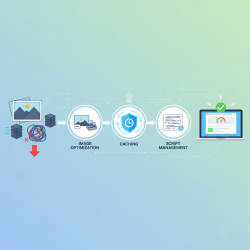 Image Optimization, Caching, and Script Management