WordPress Themes: Design, Functionality, and Core Components
- -->> 1. WordPress Themes: Design, Functionality, and Core Components
What you'll learn
 WordPress Theme DefinitionCore Theme ComponentsChild Theme ImportanceStrategic Theme Selection
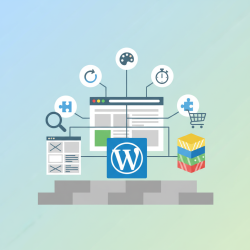
WordPress themes are the cornerstone of any successful website built on the WordPress platform, acting as the fundamental framework that dictates both its visual presentation and underlying operational capabilities. Far more than just a skin, a theme is a comprehensive collection of files that work in concert to define how your content is displayed, how users interact with your site, and even what specific features are available. Understanding their pivotal role and dissecting their core components is essential for anyone looking to create, manage, or customize a WordPress website effectively, transforming a basic installation into a unique and powerful online presence tailored to specific needs and branding.
What Exactly Is a WordPress Theme?
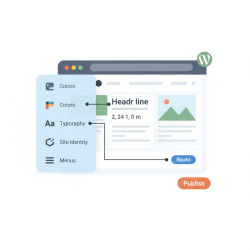
At its core, a WordPress theme is a pre-designed package of files that determines the aesthetic and functional aspects of your website. It controls the layout, colors, typography, header, footer, sidebars, and how individual posts and pages are structured. While WordPress itself provides the content management system, the theme is responsible for rendering that content to the visitor's screen. Think of WordPress as the engine and frame of a car, and the theme as the bodywork, interior, and dashboard – it dictates how the car looks and feels to drive, without changing its fundamental ability to transport you.
The Dual Role: Design and Functionality
The significance of a WordPress theme extends beyond mere aesthetics. While visual appeal is paramount for user engagement, themes also embed crucial functionality. Many modern themes come with built-in features such as drag-and-drop page builders, customizable headers, specific portfolio layouts, e-commerce integrations, and performance optimizations. This dual role means that selecting the right theme is a strategic decision that impacts not only your site's brand identity but also its usability, performance, and scalability. A well-coded theme can enhance SEO, improve loading times, and provide a seamless user experience, while a poorly chosen one can hinder all these aspects.
Core Components of a WordPress Theme
To fully grasp how themes operate, it's vital to understand the key files and folders that comprise a standard WordPress theme. These components work together to bring your website to life:
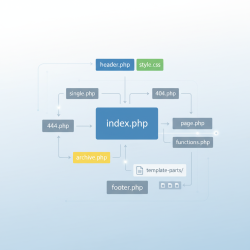
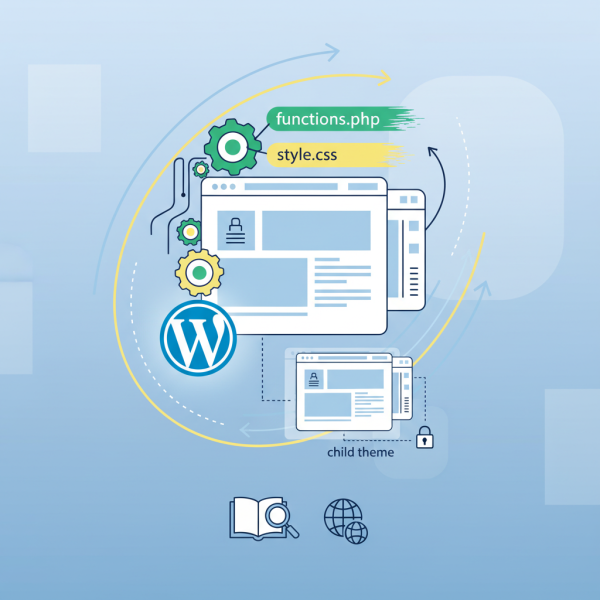
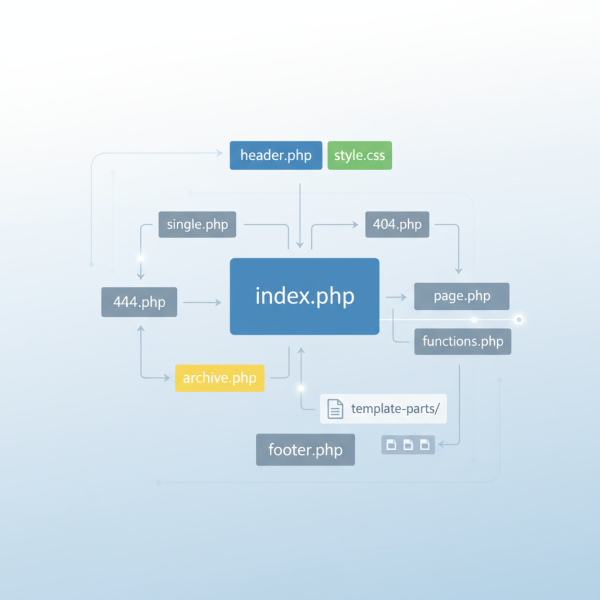
style.css: This is arguably the most recognizable file. It contains all the Cascading Style Sheets (CSS) rules that dictate the visual presentation of your site, including colors, fonts, spacing, and layout. It also includes a header comment with essential theme information like the theme name, author, version, and description, which WordPress uses to identify and display the theme in the administration panel.functions.php: Often referred to as the "theme functions file," this powerful component allows you to add custom functionalities, features, and integrations to your WordPress site. It behaves similarly to a plugin, enabling you to register navigation menus, define widget areas, enqueue scripts and stylesheets, set up custom post types, and even integrate with various APIs. It's where much of the theme's unique operational capabilities reside.- Template Files: These PHP files are responsible for generating the HTML structure for different parts of your website. WordPress uses a template hierarchy to determine which file to use for a specific page. Common template files include:
index.php: The main fallback template, used if no more specific template is found.header.php: Contains the site's header section, often including the navigation menu and site title.footer.php: Contains the site's footer section, typically with copyright info and secondary links.sidebar.php: Defines the content of a sidebar, if present.single.php: Controls the display of individual blog posts.page.php: Controls the display of static pages.archive.php: Used for category, tag, author, and date archives.404.php: The template for "page not found" errors.
screenshot.png: A small image file (typically 1200x900 pixels) that serves as a visual preview of the theme in the WordPress theme directory and your administration panel. It helps users identify the theme quickly.- Optional but Common Files/Folders:
rtl.css: Provides specific styling for right-to-left languages.languagesfolder: Contains translation files (.poand.mo) for internationalization, allowing the theme to be easily translated into different languages.imagesfolder: Stores images used by the theme itself, such as default backgrounds, icons, or decorative elements.
The Importance of Child Themes
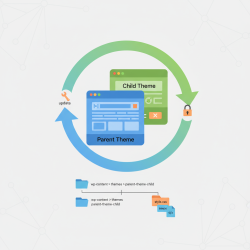
When customizing a WordPress website, especially if you're using a pre-made theme, it's highly recommended to use a child theme. A child theme inherits all the functionality and styling of its parent theme but allows you to make modifications without directly altering the parent theme's files. This is crucial because when the parent theme receives an update, your customizations won't be overwritten. It ensures that your site remains stable, secure, and easily maintainable, promoting best practices for long-term website management.
Strategic Theme Selection
Choosing a WordPress theme involves more than just aesthetics. Key considerations should include:
- Responsiveness: Ensure the theme adapts gracefully to various screen sizes (desktops, tablets, mobile phones).
- Performance: A lightweight, optimized theme contributes to faster loading times, which is vital for user experience and SEO.
- Security: Choose themes from reputable developers and sources to minimize security vulnerabilities.
- SEO Friendliness: Look for themes with clean code and good semantic structure to aid search engine indexing.
- Plugin Compatibility: Verify that the theme is compatible with essential plugins you plan to use (e.g., WooCommerce, Yoast SEO).
- Support and Documentation: Good themes come with comprehensive documentation and reliable support channels.
Summary
WordPress themes are indispensable for defining both the visual identity and functional capabilities of a website. They are intricate collections of files, including `style.css` for styling, `functions.php` for custom features, and various template files like `header.php` and `single.php` for structural layout. Understanding these core components is crucial for effective website development and customization. The strategic use of child themes for modifications and careful consideration during theme selection—prioritizing responsiveness, performance, and compatibility—are vital for building a robust, maintainable, and user-friendly online presence, ultimately transforming a basic WordPress installation into a tailored digital platform.
Comprehension questions
 What is the primary function of the `style.css` file within a WordPress theme?Explain the purpose of the `functions.php` file in a WordPress theme and provide an example of what it might do.Why is it highly recommended to use a child theme when customizing a WordPress website?Name three key considerations to keep in mind when strategically selecting a WordPress theme.
Review Quiz
Next Lesson
Course Contents : WordPress Themes and Site Customization
- >> 1.
 WordPress Themes: Design, Functionality, and Core Components