Lossless vs. Lossy Image Compression
- -->> 6. Lossless vs. Lossy Image Compression
What you'll learn
 Lossless CompressionLossy CompressionImage OptimizationCompression Techniques
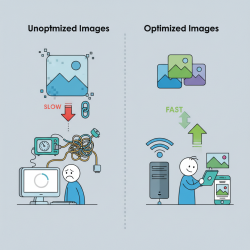
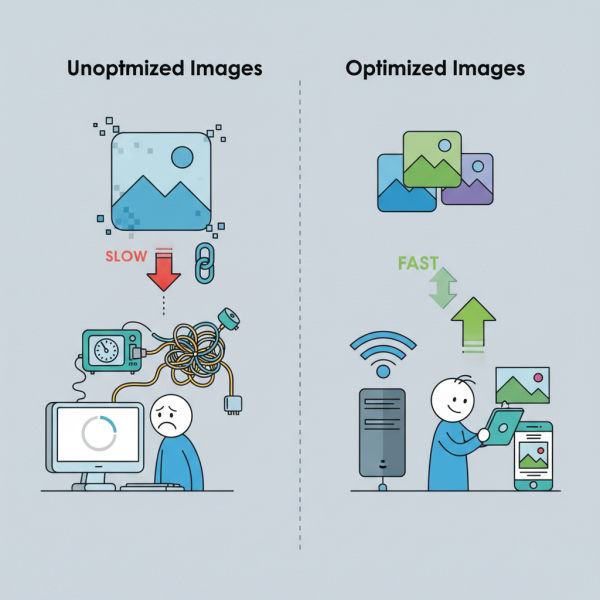
While high-quality images are visually appealing, they often come with large file sizes, which can slow down website loading times, consume excessive storage, and impact user experience. This is where image compression becomes crucial. Image compression is the process of reducing the size of an image file without degrading the quality to an unacceptable level. This article will delve into the two primary types of image compression: lossless and lossy, exploring their mechanisms, benefits, drawbacks, and guiding you on when to use each to achieve optimal results.
Understanding the Fundamentals of Image Compression
The core principle behind image compression is to remove redundant or less critical data from an image file. Digital images are made up of millions of pixels, each containing color information. Uncompressed images store every single bit of this data, leading to very large files. Compression algorithms intelligently analyze this data to find patterns, areas of similar color, or information that the human eye cannot easily perceive, and then apply techniques to represent this data more efficiently.
Lossless Compression: Preserving Every Detail
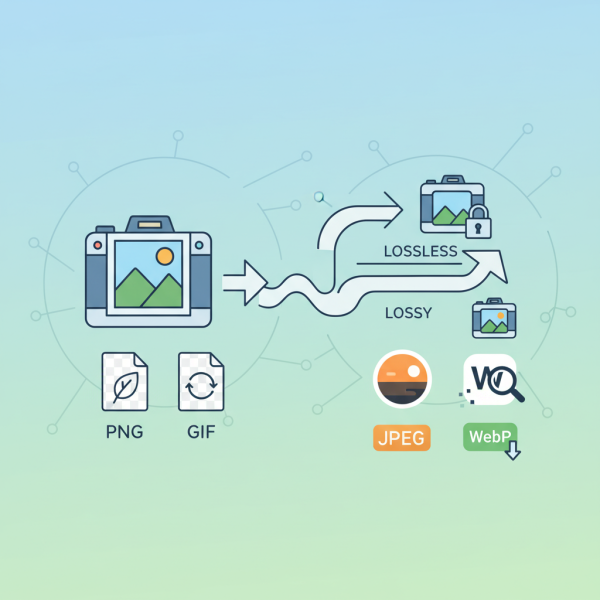
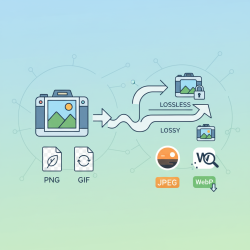
Lossless compression, as its name suggests, is a method of compression where absolutely no data is lost during the process. When an image is compressed using a lossless algorithm and then decompressed, it is an exact replica of the original image, pixel for pixel. This means there is no compromise on image quality, making it ideal for situations where perfect fidelity is paramount.
How it Works:
- Run-Length Encoding (RLE): This simple technique looks for sequences of identical data (e.g., several white pixels in a row) and stores them as a single data point, indicating the value and the number of times it repeats.
- Huffman Coding: This more advanced method assigns shorter codes to frequently occurring data and longer codes to less frequent data, resulting in an overall smaller file size without discarding any information.
Common Lossless Formats:
- PNG (Portable Network Graphics): Excellent for images with transparent backgrounds, sharp lines, and areas of uniform color, like logos, graphics, and screenshots.
- GIF (Graphics Interchange Format): Best for simple animations and images with limited color palettes (up to 256 colors).
Lossless compression is preferred for images where even minor degradation would be unacceptable, such as:
- Medical imaging
- Technical drawings and diagrams
- Company logos and branding assets
- Screenshots and software interfaces
- Images requiring frequent editing or archiving
Lossy Compression: Strategic Data Reduction
Lossy compression, unlike its lossless counterpart, intentionally discards some information from the original image during the compression process. The goal is to remove data that is imperceptible to the human eye, thereby significantly reducing file size. While this method results in some loss of original data, it can achieve much higher compression ratios than lossless methods, often with barely noticeable degradation in visual quality, especially at moderate compression levels.
How it Works:
- Discrete Cosine Transform (DCT): This mathematical transformation converts image data from the spatial domain to the frequency domain, making it easier to identify and discard high-frequency (detail) information that humans are less sensitive to.
- Quantization: After the DCT, this step reduces the number of bits needed to store the transformed data by rounding off coefficients, effectively discarding less important color and detail information.
Common Lossy Formats:
- JPEG (Joint Photographic Experts Group): The most widely used format for photographs, offering excellent compression ratios for complex, continuous-tone images. The level of quality (and thus file size) can be adjusted during saving.
- WebP: A newer format developed by Google that supports both lossy and lossless compression, often providing superior compression compared to JPEG and PNG at similar quality levels.
Lossy compression is ideal for:
- Photographs with subtle color gradients and complex details
- Web images where fast loading times are critical
- Social media posts and sharing
- Any scenario where a slight reduction in quality is acceptable for a significantly smaller file size
Choosing the Right Compression Method
The decision between lossless and lossy compression depends on several factors:
- Purpose of the Image: Is it for archival, print, web, or social media?
- Quality Requirements: Can you afford any visual degradation?
- File Size Constraints: How much reduction is absolutely necessary?
- Original Image Characteristics: Photos versus graphics.
For photographs destined for the web, lossy JPEG compression is generally the best choice, balancing quality and file size. For graphics, logos, and images with text or transparency, lossless PNG is often superior. Experimentation with different settings and formats is key to finding the optimal balance for your specific needs.
Advanced Techniques and Best Practices
Beyond choosing the right compression type, several best practices can further optimize your images:
- Resize Before Compression: Ensure your image is the correct display size before compressing. There's no need for a 4000px wide image if it will only be displayed at 800px.
- Use Image Optimization Tools: Many online and offline tools can apply advanced compression techniques.
- Progressive JPEGs: These load in a blurry, low-resolution version first, which progressively sharpens until the full image is downloaded, improving perceived load times.
- Consider WebP: If browser support is not an issue, WebP can often provide better compression than older formats.
Summary
In conclusion, mastering image compression is essential for efficient digital media management. We've explored the fundamental differences between lossless and lossy compression, identifying when to apply each technique based on image type, quality demands, and file size objectives. Lossless compression, exemplified by formats like PNG, guarantees perfect fidelity, making it suitable for graphics and critical imagery. Lossy compression, primarily through JPEG, strategically discards imperceptible data for significantly smaller file sizes, ideal for photographs and web content. By understanding these methods and applying best practices, users can achieve an optimal balance between visual quality and efficient resource utilization, enhancing both storage and web performance.
Comprehension questions
 What is the fundamental difference between lossless and lossy image compression?Can you name two common image formats for lossless compression and two for lossy compression?When would you typically choose lossless compression over lossy compression, and vice versa?Besides choosing a compression type, what is one important best practice for optimizing images mentioned in the article?
Review Quiz
Next Lesson
Course Contents : Website Speed Performance Optimization
- >> 6.
 Lossless vs. Lossy Image Compression