WordPress Navigation: Primary, Secondary, and Footer Menus
- -->> 20. WordPress Navigation: Primary, Secondary, and Footer Menus
What you'll learn
 Navigation Menu TypesDesign Best PracticesMenu Management ToolsAccessibility & Responsiveness
Navigation menus are the lifeblood of any successful website, acting as the primary guideposts that direct users through its content and functionality. A well-structured navigation system is not just about aesthetics; it's a critical component of user experience, search engine optimization, and overall site usability. Effective configuration and ongoing management of these menus—whether primary, secondary, or footer—are essential for creating an intuitive and accessible digital presence that meets the needs of its audience. This article will delve into the strategic development and maintenance of these crucial navigational elements, ensuring visitors can effortlessly find what they're looking for.
Understanding Navigation Menu Types
Websites typically employ several types of navigation menus, each serving a distinct purpose in guiding the user journey. Understanding these distinctions is fundamental to designing a cohesive and intuitive site structure.
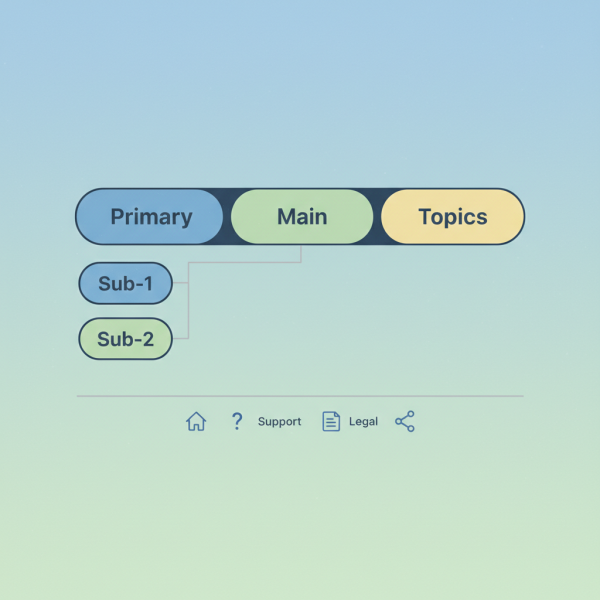
- Primary Navigation: This is the most prominent menu, usually located at the top of the page. It provides access to the main sections and core offerings of the website. Its purpose is to give users an immediate overview of what the site is about and enable quick access to high-priority content. Clarity, conciseness, and consistency are paramount for primary navigation.
- Secondary Navigation: Also known as sub-navigation or contextual navigation, these menus typically appear within a main section, often on the side or directly below a primary menu item. They guide users deeper into a specific category or topic, presenting sub-pages or related content relevant to their current location.
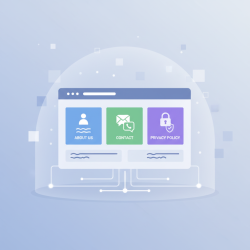
- Footer Navigation: Located at the very bottom of the webpage, footer menus often contain links to less frequently accessed but important pages. These commonly include legal information like privacy policies and terms of service, contact details, sitemaps, career opportunities, and social media links. It acts as a final catch-all for essential utility links.
Best Practices for Primary Navigation
The primary navigation bar is arguably the most important element for initial user orientation. Its design and content require careful consideration.
Simplicity and Clarity: Avoid overcrowding the primary menu. Each item should be clearly labeled, using concise and descriptive text that users can easily understand at a glance. Generic terms should be avoided in favor of specific ones.
Logical Grouping: Organize menu items into logical categories. Users expect to find related information grouped together. Card sorting exercises or user testing can help determine the most intuitive groupings.
Consistency: The primary navigation should appear in the same location and style across all pages of the website. This consistency builds trust and reduces cognitive load for users.
Limited Depth: Try to keep the primary navigation to one or two levels deep if using dropdowns. Deeper hierarchies can become cumbersome on mobile devices and lead to user frustration.
Designing Secondary and Contextual Menus
Secondary menus refine the user's path, offering more specific options once they've committed to a main section.
Contextual Relevance: Every item in a secondary menu should be directly relevant to the parent primary menu item or the current page. If a user is in the "Products" section, the secondary menu might list product categories.
Visual Distinction: Secondary menus should be visually distinct from primary navigation but maintain the site's overall aesthetic. This helps users differentiate between major site sections and sub-sections.
Location: Common placements include sidebars, directly below the main header, or as dropdowns/mega-menus from primary navigation items. Choose a placement that best suits the content and user flow.
Implementing Footer Navigation
Footer navigation plays a crucial role for utility links and information that might not fit or be appropriate for the primary menu.
Essential Links: Common links include "About Us," "Contact," "Privacy Policy," "Terms of Service," "Careers," and "Sitemap." These are often legal or operational necessities.
Complementary to Primary: The footer should not duplicate the primary navigation entirely but rather complement it by providing access to supplementary information.
Concise Presentation: While comprehensive, the footer should not be overwhelming. Group related links and ensure they are easy to scan.
Tools and Techniques for Menu Management
Effectively managing navigation menus often involves leveraging a Content Management System (CMS) or custom development solutions.
- CMS Capabilities: Most modern CMS platforms (like WordPress, Drupal, Joomla, etc.) offer robust menu management interfaces. These typically allow administrators to create multiple menu locations (e.g., "Primary Menu," "Footer Menu"), add, remove, and reorder menu items easily, nest items to create multi-level dropdowns, assign custom links, internal pages, or categories to menu items, and control visibility based on user roles or specific conditions.
- Custom Development: For highly complex sites or unique requirements, custom code might be necessary. This allows for complete control over dynamic menu generation, integration with specific data sources, and advanced conditional logic.
- Version Control: For larger projects, treating menu configurations as part of the site's code base using version control systems can prevent accidental changes and facilitate rollbacks.
Accessibility and Responsiveness
Navigation menus must be accessible to all users and functional across various devices.
Accessibility: Users should be able to navigate through menus using only the keyboard (Tab, Shift+Tab, Enter, Arrow keys). Use WAI-ARIA (Web Accessibility Initiative - Accessible Rich Internet Applications) attributes to convey the semantic meaning of interactive elements to screen readers (e.g., aria-expanded, aria-haspopup). Ensure that the currently focused menu item has a clear visual indicator.
Responsiveness: Design menus with mobile users in mind first; hamburger menus or off-canvas navigation are common solutions for smaller screens. Ensure menu items have sufficiently large touch targets for easy interaction on touch devices. Menus should adapt gracefully to different screen sizes without breaking or overlapping content.
Testing and Iteration
Configuring navigation is not a one-time task; it requires ongoing testing and refinement.
User Testing: Observe real users interacting with your navigation to identify pain points and areas for improvement. A/B testing can help compare different menu structures.
Analytics Review: Analyze website analytics to understand user flow. High bounce rates on certain pages or low engagement with specific sections might indicate navigational issues.
Regular Audits: Periodically review menu content and structure to ensure it remains relevant, up-to-date, and aligned with current site goals. As content evolves, so too should the navigation.
Summary
Effective website navigation is paramount for user experience and site success. This article explored the critical aspects of building and managing primary, secondary, and footer menus, emphasizing their distinct roles. We delved into best practices for clarity, consistency, and logical grouping in primary navigation, discussed the contextual relevance of secondary menus, and highlighted the utility role of footer links. Furthermore, we touched upon the importance of leveraging CMS tools for efficient management, ensuring accessibility for all users, and designing responsive menus for diverse devices. Finally, the article underscored the necessity of continuous testing and iteration to maintain an optimal navigation system that evolves with both user needs and site content.
Comprehension questions
 What are the three main types of navigation menus discussed in the article, and what is the primary purpose of each?List three best practices for designing effective primary navigation menus.How do modern Content Management Systems (CMS) facilitate the management of website navigation menus?Why are accessibility and responsiveness crucial considerations when configuring navigation menus?
Review Quiz
Next Lesson
Course Contents : Website Speed Performance Optimization
- >> 20.
 WordPress Navigation: Primary, Secondary, and Footer Menus