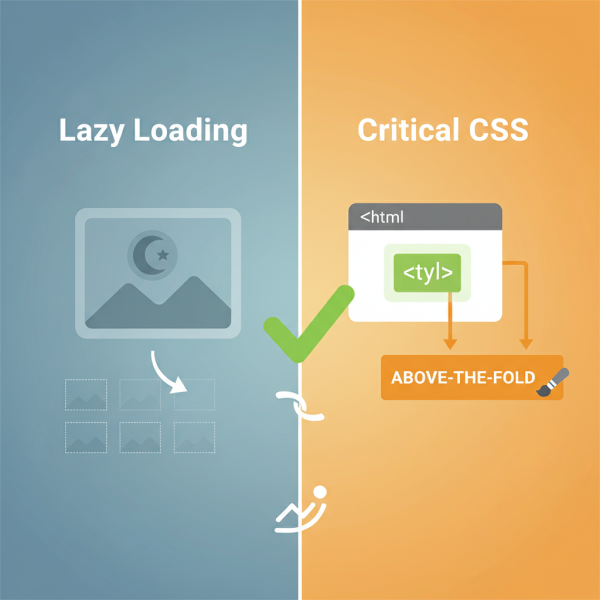
The Power of Lazy Loading and Critical CSS
- -->> 8. The Power of Lazy Loading and Critical CSS
What you'll learn
 Image and Video PerformanceCSS Optimization TechniquesInitial Page Load SpeedUser Experience Enhancement
Two powerful strategies stand out in the quest for superior web performance: lazy loading for off-screen images and videos, and critical CSS optimization for faster initial paints. By intelligently deferring non-essential resources and prioritizing the styling of immediately visible content, websites can dramatically improve their loading speeds and provide a much smoother, more engaging experience for their visitors from the very first interaction.
The Bottleneck of Unoptimized Media
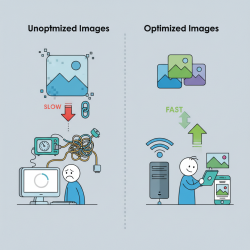
Modern web pages are often rich with high-resolution images, interactive videos, and other media elements. While these assets can enhance content and user engagement, they also represent a significant burden on page load times if not managed properly. When a browser loads a webpage, it typically attempts to fetch all specified resources, including images and videos, regardless of whether they are immediately visible to the user. This means that a user might be waiting for gigabytes of data to download for content that is far below the fold, out of their current viewport.
This "all-at-once" approach consumes valuable bandwidth, delays the rendering of critical content, and can lead to a sluggish initial loading experience. On mobile devices with limited data plans and slower connections, this problem is exacerbated, often resulting in users abandoning a site before it even fully loads. Addressing this inefficiency is paramount for any website aiming to deliver a premium user experience and retain its audience.
Unleashing Efficiency with Lazy Loading
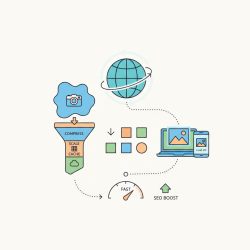
Lazy loading is an optimization technique designed to defer the loading of non-critical resources until they are actually needed. For images and videos, this means that assets located outside the user's current viewport (off-screen) are not downloaded until the user scrolls near them. This dramatically reduces the initial payload and allows the browser to focus on rendering the content that is immediately visible.
The benefits of implementing lazy loading are substantial:
- Faster Initial Page Load Times: By only loading what's necessary, the browser can render the visible content much more quickly, leading to a snappier feel.
- Reduced Bandwidth Consumption: Users on limited data plans appreciate not having to download unnecessary media, saving them data.
- Improved Core Web Vitals: Lazy loading positively impacts metrics like Largest Contentful Paint (LCP) by ensuring the most important content loads first.
- Better User Experience: A faster-loading site means less waiting and a more positive impression from the outset.
- Server Load Reduction: Less data served means less strain on your web server resources.
Implementing lazy loading can be achieved in several ways. The most straightforward method for images and iframes is the native loading="lazy" attribute, which browsers widely support. For more complex scenarios or older browser compatibility, JavaScript-based solutions, often leveraging the Intersection Observer API, can be employed to detect when an element enters the viewport. It's also good practice to include placeholder images or low-quality image placeholders (LQIP) to prevent content shifting as images load and provide a smoother visual transition.
The Art of Critical CSS
Just as large media files can block rendering, an entire website's stylesheet can also act as a render-blocking resource. Browsers typically pause rendering until all CSS files referenced in the head of an HTML document are downloaded and parsed. For complex stylesheets, this can introduce a significant delay, resulting in a blank white screen or an unstyled flash of content (FOUC) while the browser waits for the CSS to load.
Critical CSS refers to the absolute minimum amount of CSS required to style the content that is immediately visible within the user's initial viewport – the "above-the-fold" content. By extracting this critical CSS and inlining it directly within the of the HTML document, the browser can render the visible portion of the page without waiting for external stylesheets to download. The remaining, non-critical CSS can then be loaded asynchronously, without blocking the initial render.
The impact of critical CSS on performance is profound:
- Faster "First Meaningful Paint": Users see styled content much sooner, giving the impression of a very fast load.
- Elimination of Render Blocking: By inlining, the browser doesn't have to wait for external CSS files to become available.
- Improved Perceived Performance: The page appears ready for interaction almost instantly.
Comprehension questions
 What is the primary benefit of implementing lazy loading for images and videos?What are some common methods for identifying and extracting critical CSS?Besides performance, what other positive impact does lazy loading have on a website?
Review Quiz
Next Lesson

Course Contents : Website Speed Performance Optimization
- >> 8.
 The Power of Lazy Loading and Critical CSS