Managing Plugin Updates and Compatibility
- -->> 22. Managing Plugin Updates and Compatibility
What you'll learn
 Prioritizing Security UpdatesUtilizing Staging EnvironmentsStrategic Update PlanningEffective Conflict Resolution
Keeping a website running smoothly and securely in today's dynamic digital landscape often feels like a constant balancing act. At the heart of many modern websites, particularly those built on popular content management systems, lies an intricate ecosystem of plugins and extensions. These powerful tools enhance functionality, improve user experience, and streamline operations. However, their very nature – being external additions to your core software – introduces a critical responsibility: managing plugin updates and ensuring compatibility. Neglecting this crucial aspect can lead to vulnerabilities, broken functionalities, and a degraded user experience, making a proactive approach not just recommended, but essential for website health and longevity.
Why Plugin Updates Are Crucial
Plugin developers regularly release updates for a multitude of reasons. The most critical among these is security. Software vulnerabilities are constantly discovered, and developers patch these weaknesses to protect your site from malicious attacks. Ignoring these security patches leaves your website exposed to hackers who exploit known flaws.
Beyond security, updates often include bug fixes. These address glitches or unexpected behaviors that can impact your site's performance or functionality. Regular updates ensure your plugins operate as intended, providing a stable experience for your visitors and administrators alike.
Furthermore, updates frequently introduce new features and improvements. These enhancements can add valuable capabilities to your site, optimize existing functions, or improve user interface design. Staying current allows you to leverage the latest innovations and keep your website competitive.
Finally, updates ensure compatibility with the latest versions of your core CMS (like WordPress, Joomla, or Drupal) and server-side software (like PHP). As your core system evolves, older plugin versions may become incompatible, leading to errors or complete site breakdowns.
The Risks of Outdated Plugins
Running outdated plugins carries significant risks that can severely impact your website and reputation:
- Security Vulnerabilities: This is the paramount risk. Outdated plugins are a primary entry point for cyberattacks, including malware injections, defacements, and data breaches. Attackers actively scan for sites using known vulnerable plugin versions.
- Site Malfunctions: Incompatibility with updated core software or other plugins can cause features to break, pages to display incorrectly, or the entire site to crash. This directly impacts user experience and can lead to lost revenue or trust.
- Performance Degradation: Older plugin code might not be optimized for current web standards or server environments, leading to slower page load times and a poor user experience.
- Loss of Support: Developers typically only provide support for current versions of their plugins. If you encounter an issue with an outdated version, you might find yourself without assistance.
- SEO Penalties: A slow, broken, or insecure website can be penalized by search engines, leading to lower rankings and reduced organic traffic.
Establishing a Smart Update Strategy
A haphazard approach to updates is almost as risky as no updates at all. A well-thought-out strategy minimizes downtime and potential issues:
- Don't Update Blindly: Never update all plugins simultaneously without checking release notes. Review the changelog for each plugin update to understand what changes are included and if any known conflicts exist.
- Schedule Updates: Choose off-peak hours for updates, especially for critical sites. This minimizes the impact on your users if an issue arises.
- Prioritize Critical Updates: Security patches should always take precedence. Functional bug fixes and new features can often wait a short while for thorough testing.
- Stay Informed: Subscribe to newsletters or follow the blogs of your key plugin developers to be aware of upcoming changes or critical alerts.
Testing Environment: Your Best Friend
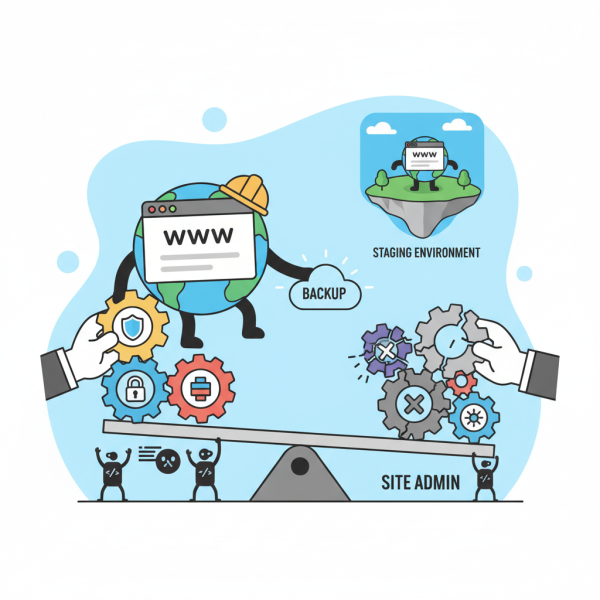
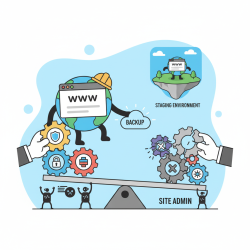
The single most effective way to prevent update-related disasters is to use a staging or testing environment. A staging site is a clone of your live website, hosted separately, where you can perform all updates and tests without affecting your live audience.
On your staging site, you can update plugins, themes, and even your core CMS software, and then thoroughly test all critical functionalities. Check forms, user logins, e-commerce checkouts, image galleries, and any custom features unique to your site. This allows you to identify and resolve any compatibility issues before they reach your live site.
Many hosting providers offer one-click staging environments. If yours doesn't, consider setting one up manually or using a local development environment tool.
Backup Before You Update
Even with a staging environment, always perform a full website backup immediately before initiating any updates on your live site. This includes your database and all website files. A reliable backup is your safety net, allowing you to quickly restore your site to its previous working state if an unexpected problem occurs during or after an update.
Ensure your backup solution is working correctly and that you know how to perform a restore. Test your restore process periodically to guarantee its effectiveness.
Addressing Compatibility Issues
Despite your best efforts, compatibility issues can arise. Here's how to approach them:
Identify the Conflict: If your site breaks after an update, the first step is to identify the problematic plugin. The quickest way to do this is to revert to your backup (or, if on staging, revert the specific plugin) and then re-update plugins one by one, testing after each update.
Check Error Logs: Your server's error logs or your CMS's debugging mode can provide valuable clues about what went wrong. Look for specific error messages that point to a file or function within a particular plugin.
Contact Support: If you've identified a specific plugin as the culprit, reach out to the plugin developer's support team. Provide them with detailed information about the issue, your website environment, and any error messages you've encountered. They may offer a solution, a patch, or advise on known conflicts.
Search Online: Often, you're not the first to encounter an issue. Search the plugin's forums, community forums for your CMS, or general web searches for similar problems and potential solutions.
Consider Alternatives: If a plugin consistently causes issues, is no longer supported, or has severe compatibility problems, it might be time to find an alternative. Research other plugins that offer similar functionality but have a better track record of stability and support.
Tools and Best Practices
Several tools and practices can aid in effective plugin management:
- Managed Hosting: Many managed hosting providers offer services that include automatic updates (with rollback options) and enhanced security, reducing some of the burden.
- Monitoring Tools: Implement uptime monitoring and error logging tools that alert you immediately if your site goes down or encounters critical errors.
- Version Control: For developers, using version control systems like Git can help manage code changes and simplify rollbacks if manual updates cause issues.
- Documentation: Keep a record of all plugins installed, their versions, and any custom configurations. This can be invaluable for troubleshooting.
When to Seek Professional Help
If you find yourself overwhelmed, unable to resolve complex compatibility issues, or lack the technical expertise to confidently manage updates, it's wise to seek professional help. A qualified web developer or maintenance service can diagnose problems, implement solutions, and set up robust update and backup protocols for your site, ensuring its long-term health and security.
Conclusion
Managing plugin updates and ensuring compatibility is an indispensable aspect of website maintenance. It extends beyond simply clicking an "update" button; it requires a strategic approach encompassing regular backups, the use of staging environments, careful review of changes, and a clear troubleshooting process for compatibility issues. Proactive management not only fortifies your website against security threats and functional breakdowns but also ensures optimal performance and a positive user experience. By embracing these practices, site administrators can confidently navigate the complexities of plugin management, safeguarding their digital assets and fostering a robust online presence.
Comprehension questions
 What are the primary reasons plugin developers release updates?List three significant risks associated with running outdated plugins on a website.Why is a staging environment considered crucial for a smart plugin update strategy?What steps should be taken if a compatibility issue arises after a plugin update?
Review Quiz
Next Lesson

Course Contents : Website Speed Performance Optimization
- >> 22.
 Managing Plugin Updates and Compatibility