Media Libraries: Folders & Alt-Text
- -->> 25. Media Libraries: Folders & Alt-Text
What you'll learn
 Introduction to Media Library OrganizationWhy a Well-Organized Media Library MattersStructuring Digital Assets with FoldersThe Importance of Alt-Text
Digital assets—images, videos, documents—are the building blocks of online presence, and without a systematic approach to their storage and description, they can quickly become an unmanageable mess. This article delves into the critical strategies of using structured folders and descriptive alt-text to transform your digital asset collection into an accessible, SEO-friendly, and highly efficient resource.
Why a Well-Organized Media Library Matters
The benefits of a meticulously organized media library extend far beyond simply finding files faster. It impacts every aspect of your digital operations.
Improved Workflow Efficiency
When assets are logically categorized, content creators, marketers, and developers can quickly locate the specific files they need. This eliminates wasted time searching through disorganized repositories, accelerating content creation and deployment processes. A standardized system reduces friction and improves collaboration across teams.
Enhanced Website Performance
While direct performance isn't solely tied to organization, a clean media library often leads to better practices. Easily identifying and managing asset versions, optimizing file sizes, and removing unused or redundant assets become simpler, contributing to a lighter, faster-loading website.
Better User Experience
A well-managed media library supports consistent branding and visual quality across all platforms. When assets are readily available and properly optimized, the final output presented to users is more cohesive and professional. This consistency builds trust and reinforces brand identity.
Crucial for SEO
Search engines crawl and index your website's content, and that includes your images and other media. Proper organization and descriptive metadata provide search engines with vital context, which can significantly boost your visibility in both web and image search results.
The Power of Folders: Structuring Your Digital Assets
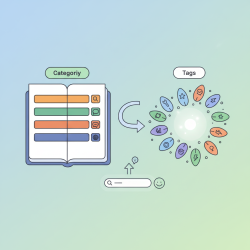
Folders serve as the foundational framework for your media library, much like a well-indexed physical library. A logical folder structure prevents clutter and ensures scalability as your asset collection grows.
Hierarchical Organization
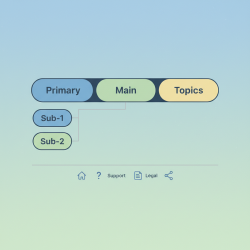
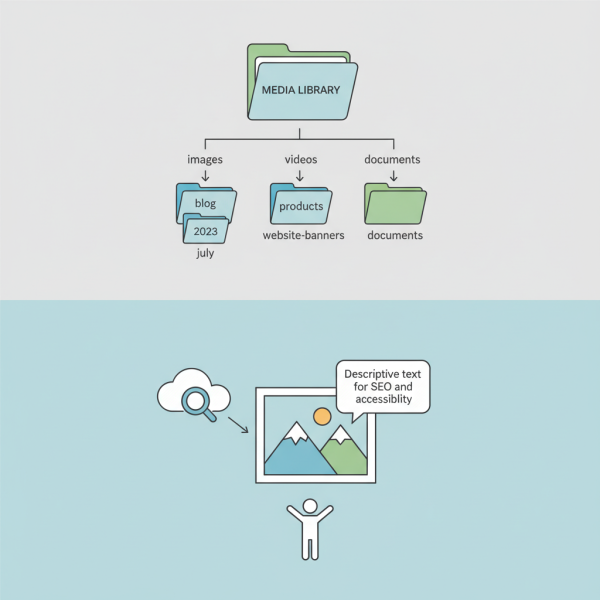
Establish a clear hierarchy that reflects the purpose, type, or date of your assets. This could be by content type (e.g., 'images', 'videos', 'documents'), by project, by year/month, or a combination thereof. The key is to create a system that intuitively makes sense to anyone using the library.
Naming Conventions for Folders
Consistency in folder naming is paramount. Avoid generic names and instead opt for descriptive, short, and consistent naming conventions. This makes it easier to navigate and understand the content at a glance.
- Use lowercase and hyphens (kebab-case) for readability and URL compatibility.
- Avoid spaces or special characters.
- Include relevant keywords where appropriate.
- Examples: products-summer-collection-2023, blog-post-graphics, website-banners.
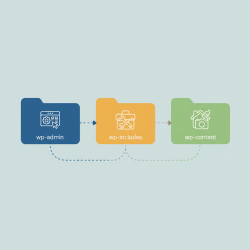
Example Folder Structure
Consider a structure that begins broadly and then refines as you go deeper.
- /images/blog/2023/july/
- /images/products/category-name/sku/
- /videos/tutorials/product-features/
- /documents/reports/annual-report-2022/
Beyond File Names: The Importance of Alt-Text
While folder structure organizes your assets on the backend, alt-text (alternative text) provides crucial context and meaning for individual images, particularly for both users and search engines.
What is Alt-Text?
Alt-text is a brief, descriptive textual substitute for an image. When an image cannot be displayed (due to network issues, user settings, or if a screen reader is being used), the alt-text is presented in its place. It's an HTML attribute added to the tag.
Accessibility Benefits
Alt-text is a cornerstone of web accessibility. It allows visually impaired users, who rely on screen readers, to understand the content and context of images on a webpage. Without it, images are simply invisible elements, creating significant barriers to information access. Providing meaningful alt-text ensures your content is inclusive and compliant with accessibility standards.
Comprehension questions
 What are the four main benefits of a well-organized media library, according to the article?Why are naming conventions crucial for folders, and what practices are recommended for them?What is alt-text, and what are its primary benefits for both accessibility and SEO?How does a hierarchical organization system contribute to the scalability and usability of a digital asset collection?
Community Poll
Next Lesson
Course Contents : Website Speed Performance Optimization
- >> 25.
 Media Libraries: Folders & Alt-Text